What's different in Collibra when the latest user interface is enabled
With Collibra 2024.05 comes the latest user interface (UI). When the latest UI is enabled, multiple changes occur in Collibra.
Tip To ensure the best experience when using the latest UI, we recommend using the latest browser version and configuring your network settings to allow for HTTP/2 or HTTP/3. For more information, go to the Collibra Support center.
Which features are available only in the latest UI?
- To make it easier to find curated data, the Data Marketplace option is added to the search page. With this unified search experience, you can seamlessly switch between global search for searching in all resources and the Data Marketplace search for searching in a curated subset of assets.
- Admins can customize the theme of your Collibra environment, including logos and brand colors, via the new Customizations feature. This feature enables you to align your environment with your brand identity, for a more cohesive user experience. Note
- The Customizations feature is available in the General section on the Collibra settings page for admins.
- You can no longer apply styling customizations via CSS files.
- Admins can define the layout of the asset pages via the layout editor.
- They can customize the sections and characteristics on the asset page:
- Add characteristics and move characteristics through drag-and-drop.
- Expand and collapse characteristic sections to be full-width or half-width.
- Remove characteristics from the layout.
- Name, organize, and remove sections.
Note System content sections are not editable, because they are added by Collibra.
- Any changes made to the asset type layout are automatically saved through a new auto-saving feature.
- They can customize the sections and characteristics on the asset page:
-
You can enable Collibra AI Governance, which offers a holistic end-to-end view of all your organization's AI projects.
-
You can enable Collibra AI to create description recommendations for Column, Table, Database View, or Data Set assets.
-
You can use Edge Vaults to implement your management and rotation policies for your data source credentials and applicable connection properties used in your Edge site connections.
-
You can show or hide the Add to Data Set button in your environment for Column, Table, View, and Schema assets.
-
An extra Catalog submenu, Integrations, is available, to allow you to quickly navigate to the overview of registered data sources and to start the registration or integration process of a new data source. The page contains two tabs.
-
The Data Source Registration tab allows you to create a Database or File System asset from which you can start the synchronization of a data source. Use this tab for JDBC, S3, GCS, and ADLS integrations.
-
The Integration Configuration tab allows you to configure all other Metadata, ETL, and BI Integrations and start the synchronization. For example, Synchronize Databricks Unity Catalog, or Create a technical lineage via Edge.
-
-
For S3 integrations, you can provide a custom classifier name and a table level parameter in the S3 crawler configuration.
-
For Databricks Unity Catalog integrations, you can define the mappings in the integration configuration instead of in the capability.
-
The History page always shows the most recent history entries, regardless of the start date.
-
Workflow tasks show an asterisk by default for any mandatory form field. This new feature makes existing workflows with tasks where you manually indicated mandatory fields by adding an asterisk show two asterisk signs.
Which features have been updated in the latest UI?
Tip Collibra often shows complex information, including large data tables. To ensure optimal viewing, use a screen width of at least 1,200 pixels. Smaller screens widths are not supported.
Asset pages
- We have improved the out-of-the-box asset pages:
- You can add and edit any content directly on the asset page.
Note You must have an Author role to edit on the asset page.
- The Add Characteristics button has been removed from the asset pages. This action is replaced with in-page editing. To add a characteristic, you must add it to the asset type first, and then drag it to your asset page layout. For more information, go to Add a characteristic type to an asset type.
- On the asset tab page Summary, the Show Empty Optional Values option allows you to show or hide fields that don’t have content and that are optional to complete.
- The new At a glance sidebar on asset pages shows the last modified date, your colleagues that are assigned to the asset and their role, the average rating, the articulation score, and the asset tags. If the At a glance sidebar is hidden, click
 .
.
The following fields are available in the At a glance sidebar:- Articulation score
- Validation result and the Validate button
- Some fields and labels have been renamed:
- The Files tab is now the Attachments tab.
If there are attachments on an asset page, the count appears alongside the Attachments tab, for example, Attachments (2). - The Overview tab is now the Summary tab.
- The Details tab is now a Details section on the page.
- The Files tab is now the Attachments tab.
- When you click either the Diagrams tab or the Technical Lineage diagram, they both open on a new page.
- The References tab has been removed.
- Some available filters on the History page for an asset have been renamed:
- who is now User.
- from is now Start Date.
- to is now End Date.
It's also no longer possible to remove a filter from this page.
- When you add a relation, the Start Date and End Date fields are removed. This doesn’t affect the API.
- You can no longer switch the Complex Relations table to diagram view.
- The text editors have been updated.
- You can add and edit any content directly on the asset page.
Dashboards
- The Embedded Webpage widget is an out-of-the-box widget.
- The To Do widget is renamed Tasks and Issues.
- The Text widget has been updated.
- The Collibra Insights, Embedded Webpage, and Text widgets may be automatically resized when shown on a dashboard, depending on their content. You can, however, adjust their size when editing the dashboard by using the bi-directional arrow located at the bottom of those widgets.
Views
- The way you can work with tables and tiles is changed. For more information, go to About table display mode and About tile display mode.
Search
- In the top navigation bar, the Search box is hidden by default. To see the Search box, in the top navigation bar, click
 .
. - The way you can use a search page is changed. For more information, go to Search page.
Assessments
Collibra Assessments is redesigned, making it easier than ever to evaluate the risks associated with how your organization uses or processes data:
- A refreshed landing page with new quick search fields, text-wrapping or trimming view options, access to the Template Gallery, and a redesigned prompt from which to conduct a new assessment.
- A refreshed template editor for creating custom assessment templates.
- A Pages section in the general properties of a template for defining the order of the pages.
- A new out-of-the-box assessment template for AI Governance customers.
- A new logic configuration wizard for creating and editing logic conditions.
Data Catalog
- Catalog asset pages have been updated:
- The Configuration tab is now available in the tab bar instead of the tab pane, and it shows the full Edge path, including the Edge site, Edge connection, and the Edge capability.
- The Description and the Data Type attribute can be updated.
The Description From Source, Source Tags, Technical Data Type, profiling data, and so on are read-only fields. - Column asset page updates:
- The Data Profiling tab is replaced by the Descriptive Statistics section on the Summary tab.
- The Descriptive Statistics section contains:
- A Frequency or Distribution tab to show charts, if any are available for the data type.
The distribution chart can now open in a separate dialog box for interaction. - Sample Data.
- Column information grouped in: Statistics, Metadata, and, if available, Quantiles.
- The Data Type attribute is shown in the Metadata tab and can be updated.
- A Frequency or Distribution tab to show charts, if any are available for the data type.
- The following information is available in the At a Glance sidebar: Table Type, Data Source Type, Row Count, and Technical Data Type. If the At a glance sidebar is hidden, click .
- Data classification is available only in the At a glance sidebar. Data class suggestions are marked with a suggestion icon.
- Table asset page updates:
- Column profiling information is always shown in the Columns section on the Summary tab.
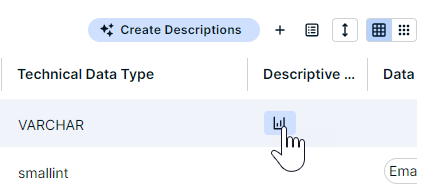
- In the Columns section in a Table asset, you can open the descriptive statistics by clicking the chart icon. The information opens in a dialog box.
- Data set page updates:
- The Data Elements tab is replaced by the Data Elements section on the Summary tab.
- The Configuration tab is now available in the tab bar instead of the tab pane, and it shows the full Edge path, including the Edge site, Edge connection, and the Edge capability.
- When you register a data source via Edge, the Schema Domain option in the Target Domain drop-down list is renamed Automatically Created for Schema.
- Sample data is visible in:
Asset type Location of sample data Column Summary tab: Descriptive Statistics section Table Sample Data tab Data Set Sample Data tab - S3 integration changes:
- The procedure to create an S3 File System asset to integrate S3 via Jobserver has changed. You now manually create the S3 File System asset instead of using the Register System option.
- To create a crawler, you first need to click Edit Configuration and then Add Crawler, instead of clicking Create Crawler immediately.
- Stewardship changes:
- To add or update table values in the Stewardship module, double-click the field in a column.
- To remove a linked data attribute asset from a column via the Stewardship module, double-click the data attribute field, remove the value, and then click Save.
Edge
- Changes to Edge site connections:
- When you create a new connection, there is an additional step where you select your connection type before the Create a Connection wizard appears.
- Parameters are now called Properties.
- When creating an Edge site capability, there is an additional step where you select your capability template before the Add a Capability wizard appears.
Data Marketplace
- All Data Marketplace settings are located in the Search setting section.
- The Relation Indexes page can be accessed directly from the settings page.
- Some Search settings that impact Data Marketplace have been renamed or have moved to other sections.
- Filters has been renamed to Filter Facets.
- Actions has been renamed to Actions and Preview.
- The options located in the Shopping Basket and Data Set Management section are now available in the Actions and Preview.
- The options in Extra Options section are now available in other sections in the Search settings.
- Search suggestions are always provided in Data Marketplace. As a result, the Search Suggestions setting has been removed.
- Quick Filters has been added, and allows admins to define quick filters for Data Marketplace in Search.
- From the Data Marketplace landing page, you can directly open the Search and Discover pages.
- In standalone Data Marketplace The Need help section is always visible on the search results page.
- Workflows created in Workflow Designer are compatible with Data Marketplace.
Workflows
- When opening an asset page, with the exception of following a task-related link to that asset page, the sidebar shows the At a glance information by default, instead of any active tasks. If the At a glance sidebar is hidden, click .
- Workflow tasks with a Domain component that has proposed values filter the values based on your search.
- All workflow task buttons are grouped to the right, after the task content.
User Profile
- The user profile details are available in an About sidebar.
- The Global Roles tab is available on the Profile page. This tab shows the global roles assigned to the user.
- The Notification Settings combines both the content and product notification options.
Which features are no longer available in the latest UI?
- You can't customize Collibra-provided text or provide your own translations for Collibra-provided text. The available languages are: English, Spanish, French, Dutch, and German. For more information, go to Edit or translate interface text.
- Metrics aren't available:
- The Metrics tab is removed from Business Glossary, Data Helpdesk, Policy Manager, and Reference Data. For similar metrics, you can visit the Usage Analytics dashboard.
- The Metrics options are removed from the Catalog submenus, and the Metrics dashboard is removed from Stewardship.
- On asset pages:
- The References tab is removed.
- When you add a relation, the Start Date and End Date fields are removed. This doesn’t affect the API.
- You can't switch the Complex Relations table to diagram view.
- In the standard and mini text editor, you can't upload an image via a URL path. You can, however, drag an image to the text editor or upload the image from your computer.
- Data Marketplace
- On the Data Marketplace landing page, we no longer show an introduction section. This means the description you enter in the settings isn't used anywhere.
- On the Search page, the button to go back to the Search field isn't available.
- Catalog experience: All Catalog asset pages have the same out-of-the-box layout. However, admins can tailor the asset pages.
- Advanced data types aren't available.
As a result, the Detect advanced data types checkbox is not available when you register a data source via Jobserver. - You can't use version 1 of the import wizard.
- When entering connection credentials for integrations such as ADLS and GCP, the option to provide the credentials already in encrypted form isn't available. You can, however, provide the credentials in plain text. The credentials will then be encrypted via Edge.
- The following deprecated features aren't supported in the latest UI:
- Business User Interface
- Privacy Dashboard
- Assessment-related assets and their workflows, including page layouts for CSA, DPIA, LIA, and PIA
- Disabling the task sidebar Console configuration option has no effect because all workflow tasks are shown in the sidebar.
Which areas have not been moved to the latest UI yet?
Tip When you navigate to an area that has not been moved to the latest UI, the classic UI becomes visible. Once you navigate to an area that has been moved to the latest UI, you switch to the latest UI.
The following areas have not been moved yet:
- Services Configuration settings
You can't access the Services Configuration settings from the Settings page in the latest UI. If you use the latest UI, you can configure these settings only in Collibra Console. For more information, go to DGC service configuration settings. - Console settings
- Diagrams on asset pages
To return to the asset page from a diagram, you need to click the Go to Asset button. - Technical Lineage tab on asset pages
- DQ standalone application
- Workflow Designer
What are the limitations and known issues?
For a list of all known issues, go to the Support Portal.