You can open the Assessments landing page if you have the Product Rights > Assessments global permission. To open the landing page, on the main toolbar, click  →
Assessments.
→
Assessments.
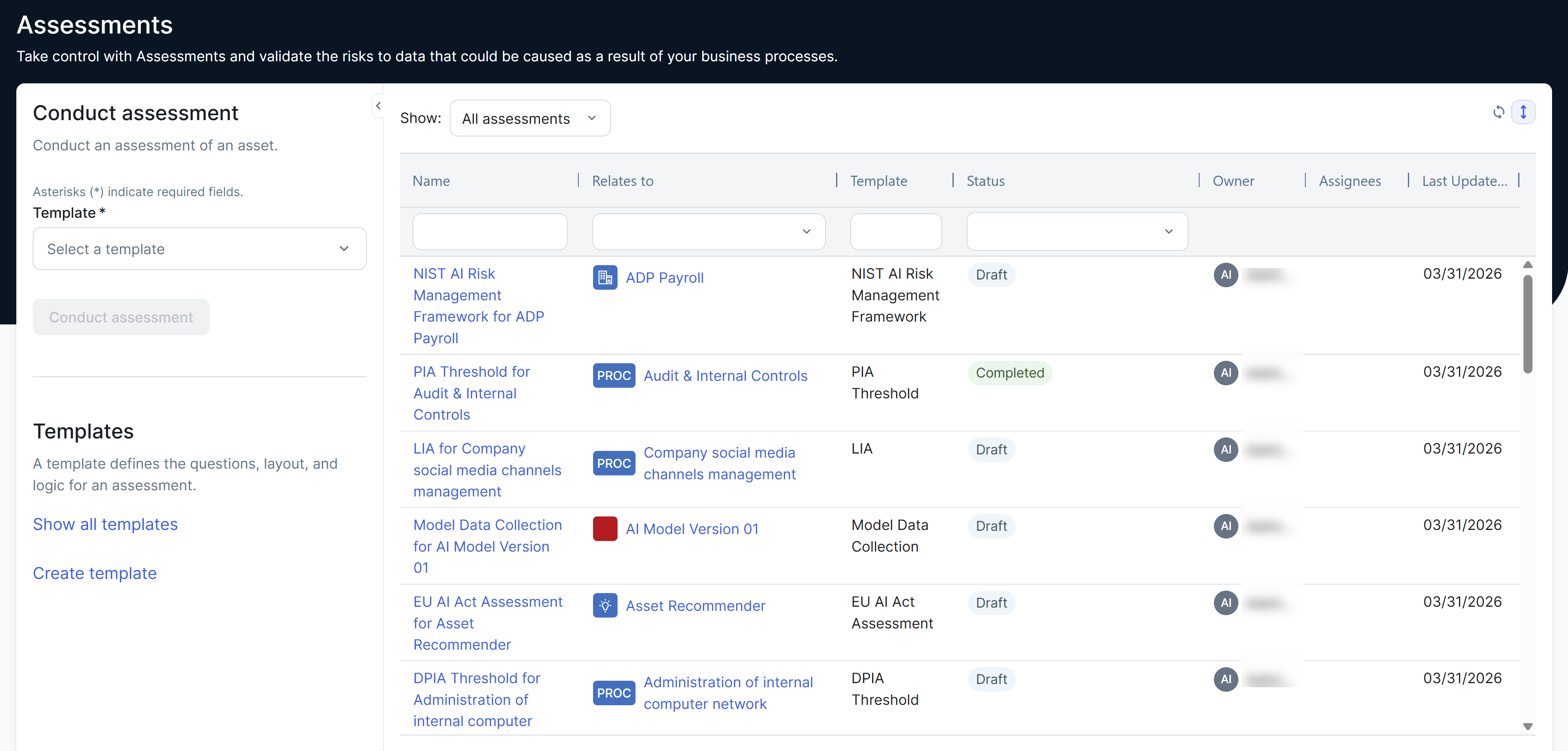
The table on the Assessments landing page shows public assessments, the assessments you created, and the assessments you are permitted to view, with the following columns.
|
Column |
Description |
|---|---|
| Name | The name of the assessment. |
| Relates to |
The assessed asset, that is, the asset for which the assessment is conducted. The value None is shown if no asset was selected. The filter in the Relates to column shows all assets of the asset types (including subtypes) that are currently selected in the published templates. This applies regardless of whether any assessment was conducted using an asset. |
| Template | The template used in the assessment. |
| Status | The status of the assessment. |
| Owner | The user who owns the assessment. |
| Assignees | Users who are assigned to the assessment. |
| Last Updated On | The date when the assessment was last updated. |