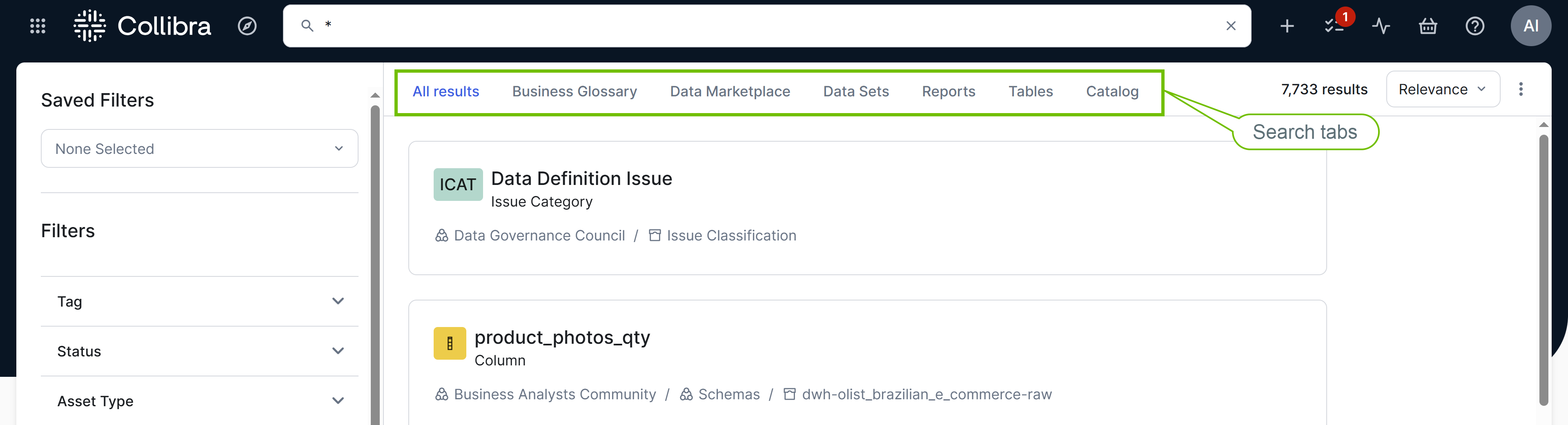
Search tabs are preconfigured tabs on the search page that allow you to search within a selection of assets or all Collibra content. They streamline the search experience by providing targeted results based on specific criteria or asset types.
Search tab descriptions
The following table describes the search tabs that are available by default.
| Search tab | Description | Prerequisites | Visible to |
|---|---|---|---|
| All results |
Shows global results by searching within all assets, domains, communities, users, and user groups. |
None. | Everyone. |
| Business Glossary |
Shows assets by searching within the Business Glossary product. |
The following settings are enabled in the Search settings: |
Users with the Business Semantics Glossary global permission. |
| Data Marketplace |
Shows assets by searching within Data Marketplace, which is a curated subset of assets.
|
The Data Marketplace group setting is enabled in the Search settings, only if the Search tabs by audience setting is enabled. | Users with the Data Marketplace global permission. |
| Data Sets, Reports, and Tables |
When Data Marketplace is disabled, these subtabs show assets by searching within the Data Marketplace scope, based on the configured facets. These are the out-of-the-box Data Marketplace subtabs. Note Data Marketplace subtabs apply only to the search page, not to standalone Data Marketplace. |
The Data Marketplace group setting is enabled in the Search settings only when the following conditions are met:
|
Users with the Data Marketplace global permission. Note If the Search tabs by audience setting is enabled, additional restrictions may apply depending on the visibility configuration of subtabs. |
| Catalog |
Shows assets by searching within the Data Catalog and Data Marketplace products. |
The following settings are enabled in the Search settings: |
Users with the Catalog global permission. |
Data Marketplace in Search
What is Data Marketplace in Search
Data Marketplace in Search refers to the Data Marketplace experience on the search page. It is available only if you have the Data Marketplace global permission. If you have this permission, the search page shows the Data Marketplace tab.
If the Data Marketplace experience is enabled, the search page shows a Category selector in the left pane. If the Data Marketplace experience is disabled, the search page still shows subtabs such as Data Sets, Reports, and Tables. These subtabs show curated search results from the previous Data Marketplace experience.
What happens when you click the Data Marketplace tab or a subtab
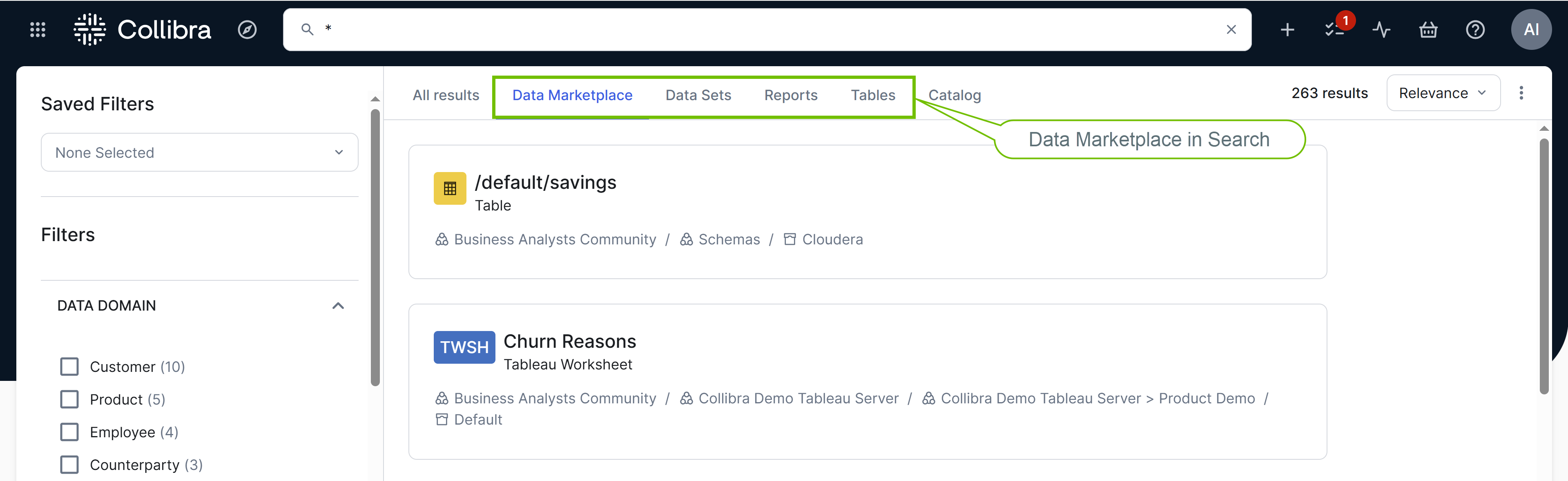
When you click the Data Marketplace tab or a subtab:
- Additional filters appear in the left facet pane depending on how your administrator has configured the Data Marketplace filter facets.
- The Preview button appears next to each search result to open the corresponding asset preview. To see this button, hover your pointer over the result. While the preview is open, the asset is reflected in the page URL, so you can bookmark the page or share the link.
Persistent filter facets
If you change the filter facets on a Data Marketplace subtab and then reload the page, your changes aren't lost. This allows you to bookmark or share the URL with those specific filter facets applied without explicitly saving them as a search filter.
When someone opens such a URL, a message notifies them that the filter facets on the subtab differ from the original version. They can then choose to view the original subtab or continue viewing the updated one. However, if they switch between search tabs, the original subtab is shown.