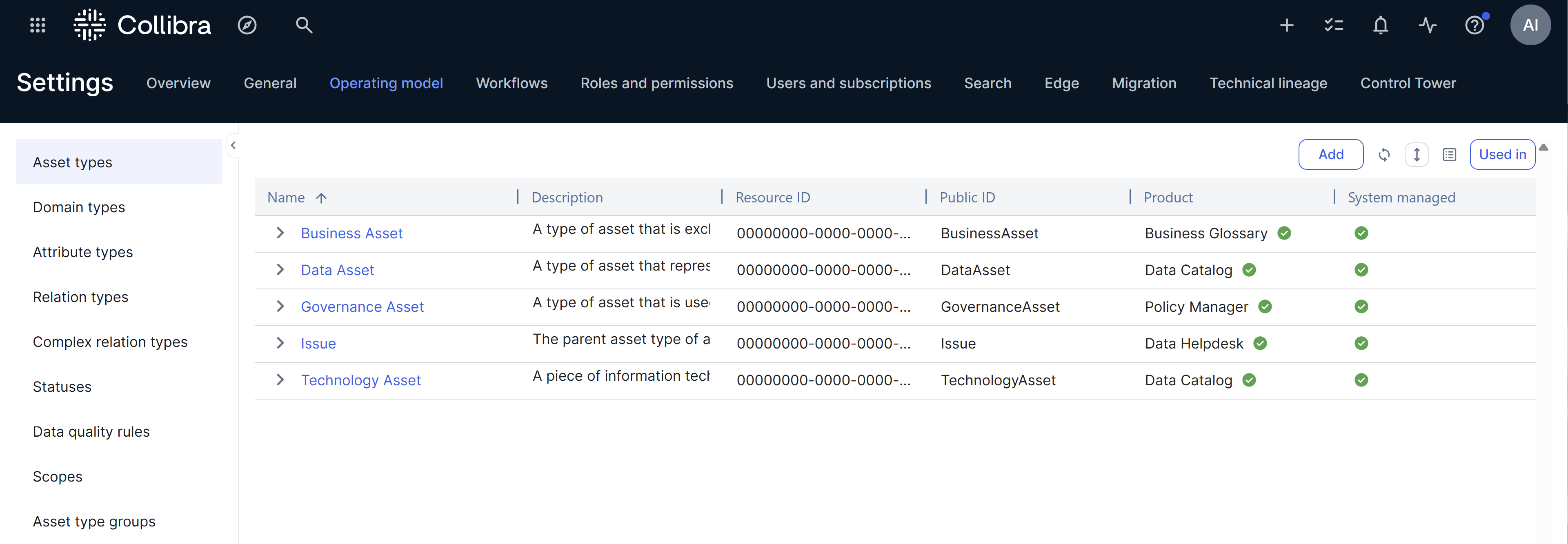
You can view and edit the operating model in the Operating Model settings. To open the Operating Model settings, click  →
→
 Settings → Operating model.
The operating model defines the structure of the data in your environment. It includes the following elements:
- Asset types
- Domain types
- Attribute types
- Relation types
- Complex relation types
- Statuses
- Data quality rules (or Quality score aggregations)
- Scopes
- Asset type groups
Note All users can view the Operating Model settings, regardless of their permissions, as these sections are often linked from other parts of the product. You need a global role with the System Administration global permission to edit them.
System-managed items
In the Operating Model settings, the System managed column indicates whether an item is provided out of the box (OOTB) and managed by Collibra. All system-managed items are OOTB, but not all OOTB items are system-managed.
In the System managed column,  indicates that the item is managed by Collibra, and
  indicates that the item is either user-created or an editable OOTB item.
Used in: Exploring where an item is used
The Used in button in the Operating Model settings allows you to explore where a specific item is used in the operating model. To identify where an item is used, select the row containing the item and click Used in. You can then find and explore the asset types, relation types, complex relation types, and other items where the selected item is used.
Note On the Scopes tab, the Used in option is shown when you expand a scope.
The following table contains the items shown when you click Used In for an item on a tab.
|
Selected item |
Used in items |
|---|---|
|
|
|
Domain type |
List of asset types where the selected domain type is used in an assignment. |
| Attribute type |
|
| Relation type |
|
| Complex relation type |
List of asset types where the selected complex relation type is used in an assignment. |
|
Statuses |
|
|
Data quality rules (or Quality score aggregations) |
List of asset types where the selected data quality rule is used in an assignment. |
|
Scopes |
List of asset types where the selected scope is used in an assignment. |
| Asset type groups |
|