About the Data Products application
The Data Products application is a dedicated workspace for data product owners, producers, and data stewards that brings data products and data contracts together in one place. It allows you to monitor your data product landscape on a central dashboard, explore asset details without leaving the page, and manage assets across dedicated registries.
Open the Data Products application
You can open the Data Products application if you have the Product Rights > Data Products global permission. To open the application, on the main toolbar, click
 >
Data Products.
>
Data Products.
Pages in the Data Products application
The Data Products application contains the following pages.
| Page | Description |
|---|---|
| Home |
Landing page, which includes links to useful resources. If you have the Data Products > Manage Application Layout global permission, you can edit the home page by using the page editor. |
| Dashboard |
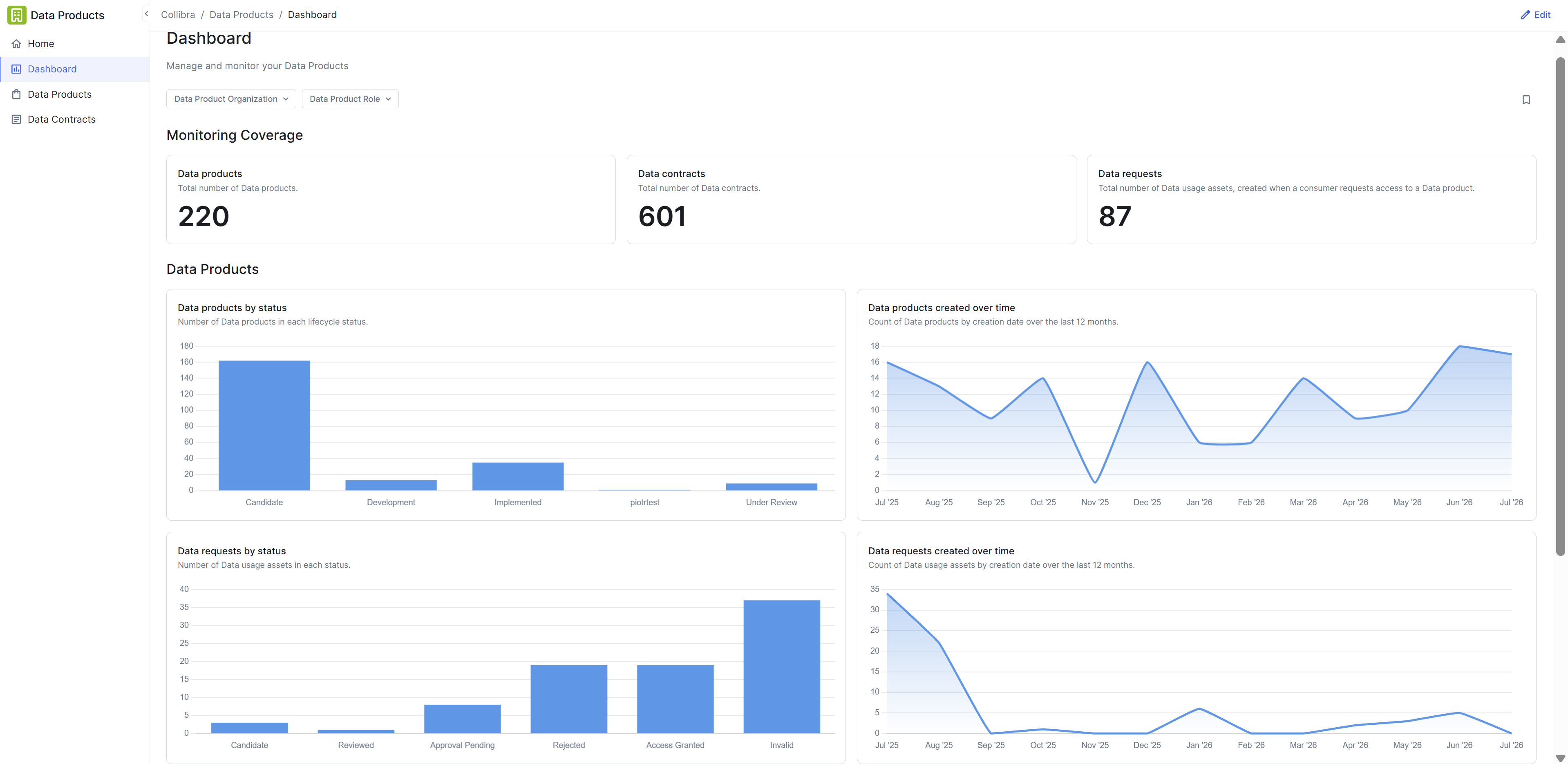
Key metrics tracking the health, activity, and status distributions of data products, data contracts, and data requests. You can hover over or click individual widgets to explore specific data points and metric breakdowns. If you have the Data Products > Manage Application Layout global permission, you can edit the dashboard by using the page editor. |
| Data products |
Data product registry with the All data products view, which shows all Data Product assets that you have permission to view. Clicking a data product name opens a preview pane where you can view and explore data product ports and linked contracts without navigating away from the page. |
| Data contracts |
Data contract registry with the All data contracts view, which shows all Data Contract assets that you have permission to view. Clicking a data contract name opens a preview pane where you can view active manifest versions, SLA commitments, or contract details without navigating away from the page. The Alignment status column shows whether each data contract's active manifest matches the knowledge graph. |