A data contract is a core component of a data product. It acts as a data delivery agreement that specifies the data structure, format, and service-level objectives such as system uptime, latency, and quality metrics.
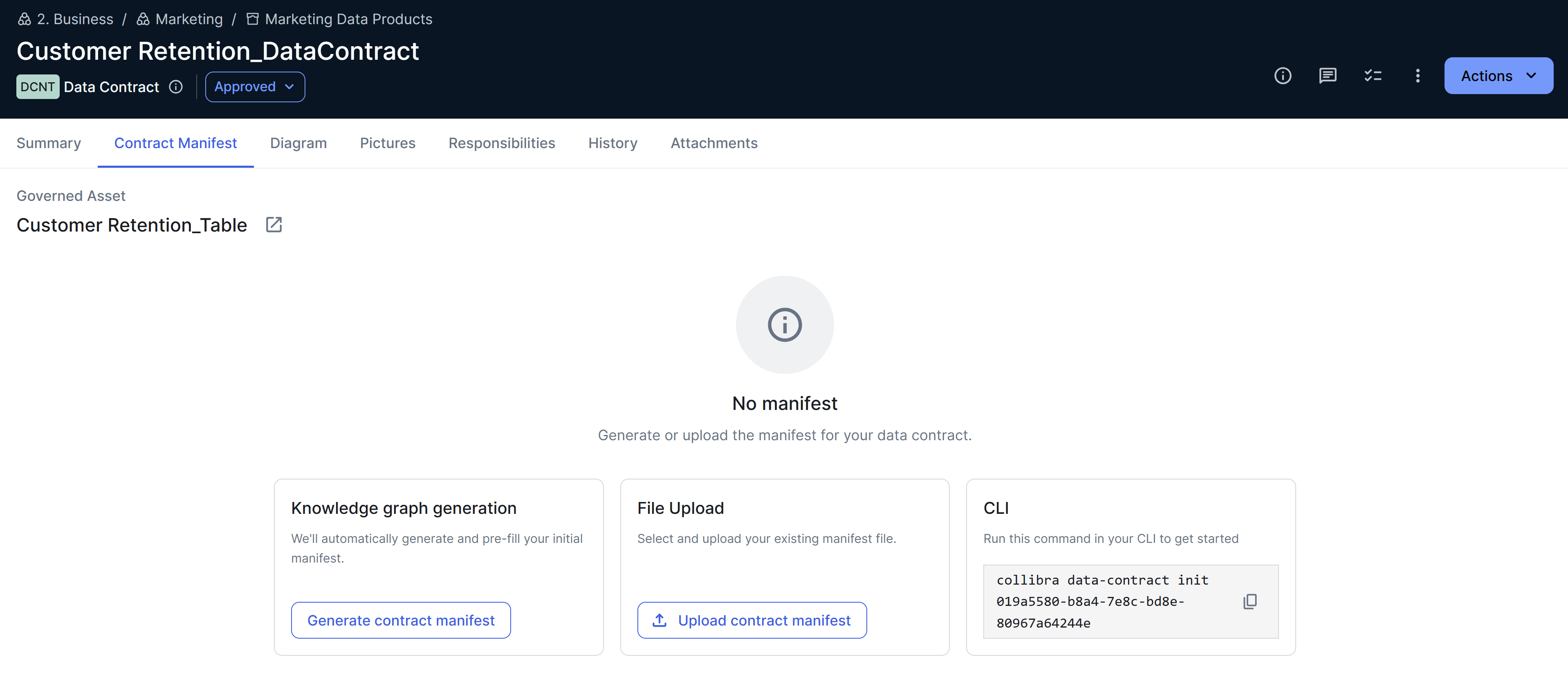
Technically, a data contract is an asset whose asset type is Data Contract. It is represented by a YAML manifest, which can be generated automatically based on the metadata in Collibra, or uploaded directly to the Data Contract asset.
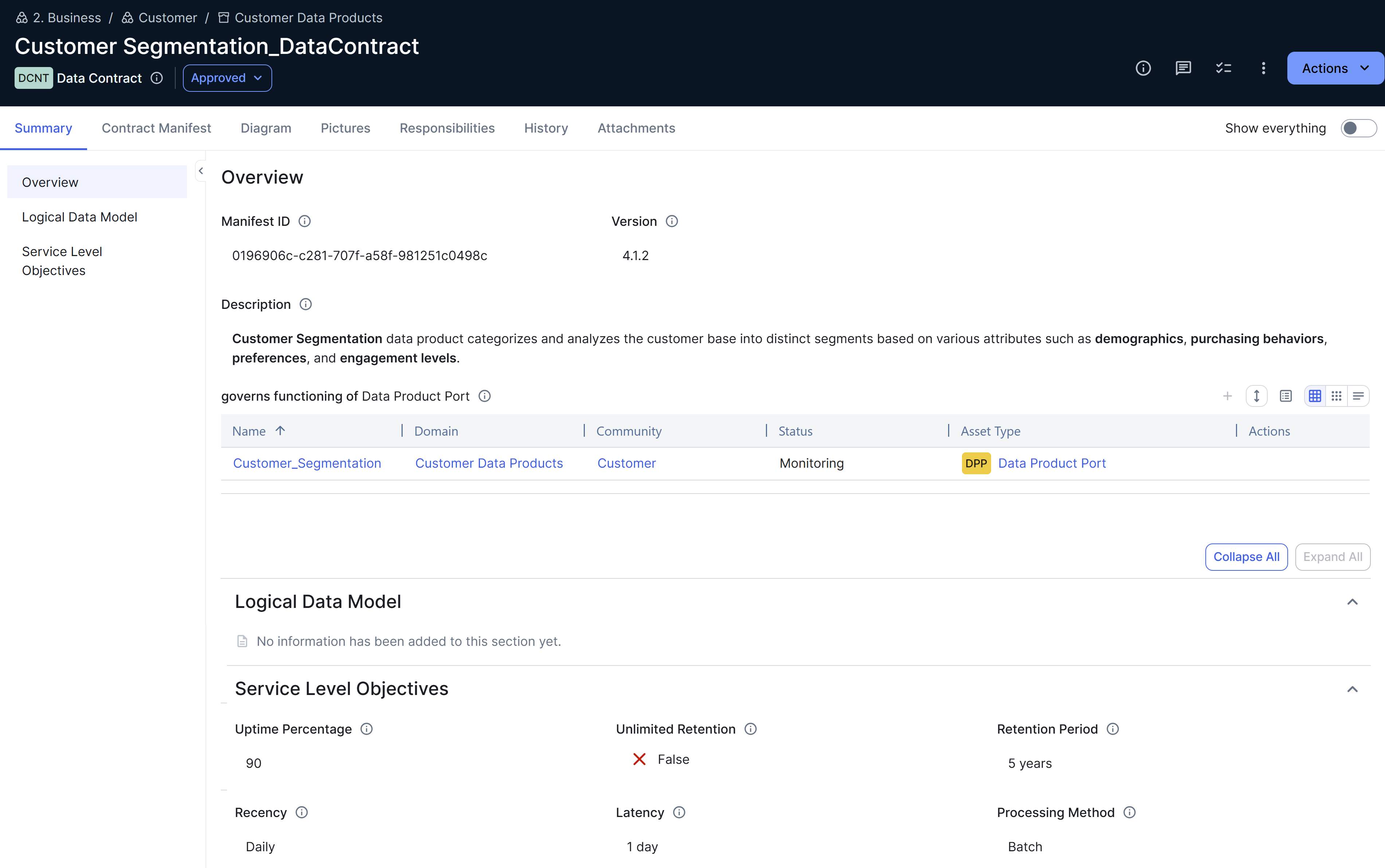
Data contract manifests
A data contract includes a manifest, which is a machine-readable YAML file containing the definitions and specifications of the contract. This file includes the fundamentals (description, status, and version), schema validation (tables and columns), data quality information, and service-level agreements (SLAs). Data engineers and data producers use manifests in their day-to-day development workflows to create, validate, and deploy data products.
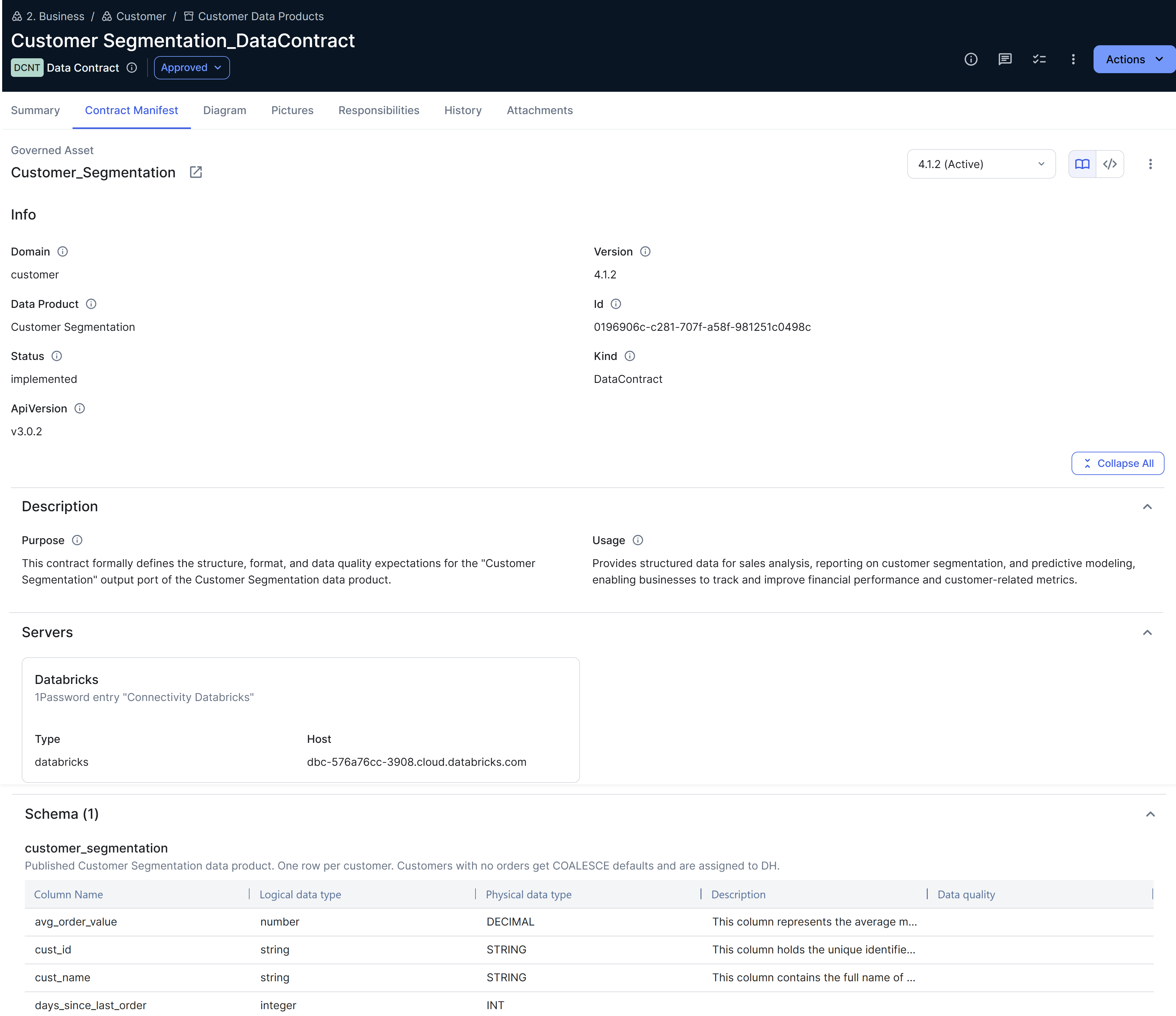
The manifest includes a Schema section only if the governed asset is linked to a physical table or view with columns, or to a schema that contains one or more tables or views with columns, through the "is implemented as" relation type. Manifests of data contracts without governed assets, or data contracts that govern an asset type other than Data Product Port, do not have a Schema section.
Display formats of manifests
The format of an uploaded manifest file determines how it appears on the Contract Manifest tab on the Data Contract asset page.
| View | Description |
|---|---|
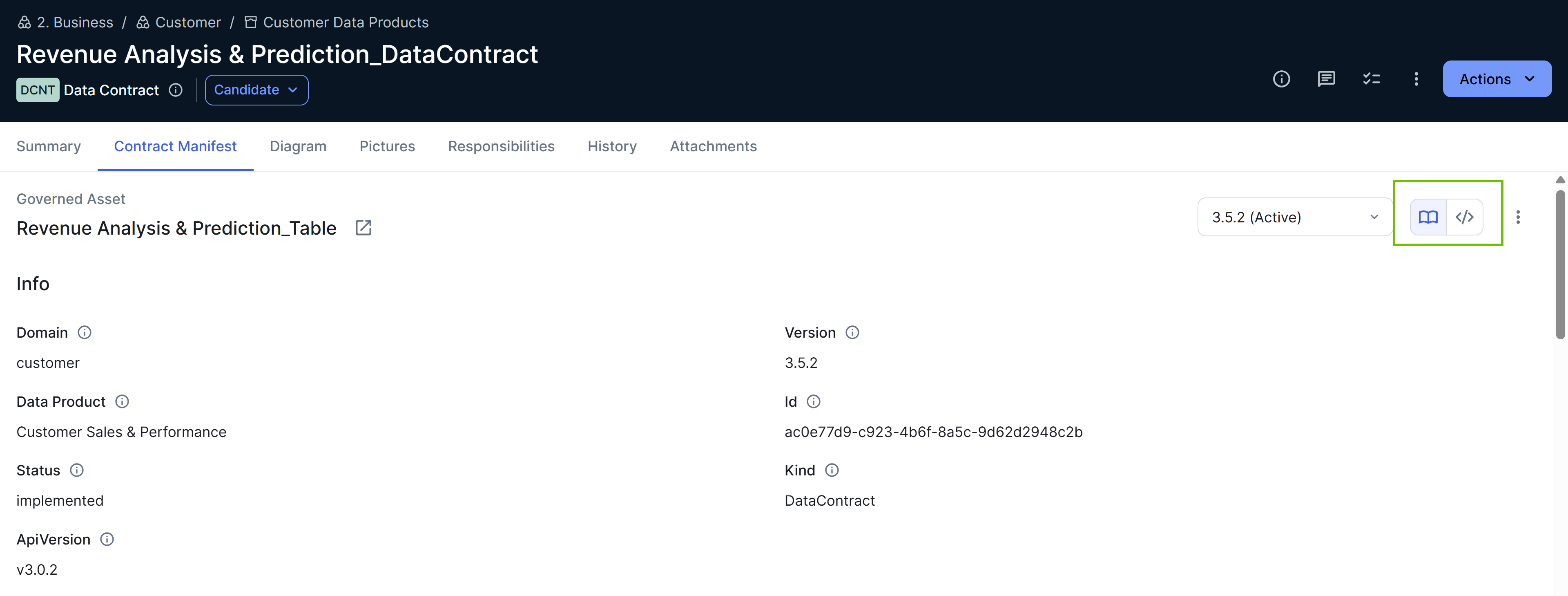
| Structured | If the manifest file adheres to the Open Data Contract Standard (ODCS), the file content appears in a structured, readable format. |
| Code | If the manifest file does not adhere to ODCS, the file content appears as raw code. Because Collibra does not parse metadata from non-ODCS files, the version number defaults to 0.0.1 during upload. Consider changing it to the version number that is in the file content. |
If both views are available, you can switch between the structured view and the raw code view.
Manifest IDs
Every data contract manifest must have a unique manifest ID. Collibra uses this ID to differentiate between data contracts and map updates to the correct asset.
| Type | Description |
|---|---|
| Generated manifest | When you generate a manifest, by default, Collibra uses the UUID of the Data Contract asset as the manifest ID. You can choose to specify a custom manifest ID if needed. |
| Uploaded manifest | When you upload a manifest, Collibra parses the file code to extract its manifest ID. If another data contract already uses this manifest ID, the upload is rejected to prevent duplicates. |
Generating and applying manifests
Collibra keeps data contracts and catalog metadata synchronized by allowing information to flow in both directions.
| Action | Direction | Description |
|---|---|---|
| Generating a new manifest version | Collibra → manifest |
When you generate a new manifest version, Collibra reads existing metadata, such as linked data product ports, tables, columns, and SLA attributes, to automatically build or refresh the manifest. |
| Updating the knowledge graph with a data contract (that is, applying a manifest version to the knowledge graph) | Manifest → Collibra | When you update the knowledge graph, Collibra writes the relevant content into the knowledge graph. This process creates or updates schema relations between Data Product Port assets and Table assets, and updates out-of-the-box SLA attributes in the Data Contract asset. |
- The maximum combined number of tables and columns that a generated manifest can include is 50,000.
- The maximum size of a manifest file that you can upload is 10 MB.
Data contract alignment with knowledge graph
Because a data contract manifest and the knowledge graph can each change independently without an update to the other, the two can drift out of alignment over time. For example, a steward might update SLA on a Data Contract asset without updating the corresponding value in the manifest. To help you catch this drift, Collibra automatically checks every 24 hours whether the active ODCS manifest of a data contract matches the current state of the knowledge graph. It also automatically checks the alignment immediately after you set a manifest version as active or update the knowledge graph with a data contract. You can also manually check the alignment.
Viewing the alignment status
You can view the alignment status of a data contract in the following places:
- On the Contract Manifest tab on the Data Contract asset pages.
- In the Alignment status column in the data contract registry.
- The Output Ports Viewer widget on the Data Product asset pages.
- The Data Contract Viewer widget on relevant asset pages.
 ) or view the metadata that has drifted (Compare to Knowledge Graph).
Alignment statuses
A data contract can have one of the following alignment statuses.
| Alignment status | Meaning |
|---|---|
| Aligned | The active manifest matches the knowledge graph. |
| Not aligned | Differences were detected between the active manifest and the knowledge graph. |
| Check failed | The last alignment check could not be completed. |
| Not applicable | The active manifest is not in ODCS format, so alignment check does not apply. |
| Not checked | No alignment check result is stored yet for the active manifest. This status typically clears once the automatic check runs. |
Viewing data contracts
You can view data contracts in the following places across Collibra.
| Place | Description |
|---|---|
| Data contract registry |
Open the Data Products application, and then click Data Contracts. You can create a data contract without a governed asset in the data contract registry.
|
| Data Product asset page | In the exposes data as Data Product Port section, click a data product port card, and then click the Data contract tab in the Preview sidebar. |
| Data Product Port asset page | In the should operate according to Data Contract section, click the data contract card. |
| Data Contract asset page | On the Contract Manifest tab. |

Managing data contracts
You can manage data contracts through the following tools:
These tools are optimized for the Open Data Contract Standard (ODCS), which is an open-source framework that defines the requirements for a data contract manifest file.
What a data contract governs
By default, a data contract governs a data product port through the "governs functioning of" relation type. On the data product port's asset page, the should operate according to Data Contract section shows the linked data contract.
To allow data contracts to govern asset types other than Data Product Port, add those asset types or their parent types to the Data Contract Subject asset type group.
A data contract can govern only one asset from the Data Contract Subject asset type group, and that asset can be governed by only one data contract.