Managing a data product from its conception to ongoing maintenance requires a structured approach. Collibra supports this end-to-end journey through the lifecycle tracker in the lifecycle management.
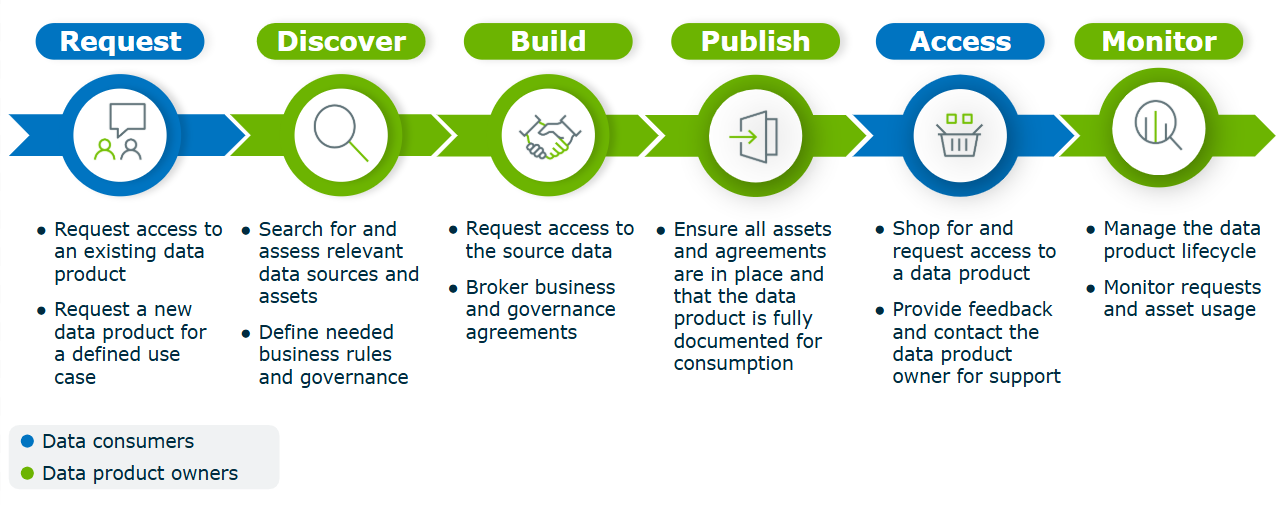
Lifecycle tracker
The lifecycle tracker is available on the Data Product asset pages to guide you throughout the lifecycle of your data product. It enforces specific activities that you must complete to advance the data product to the next stage, embedding governance requirements directly into the data product's development path.
The availability and the behavior of the lifecycle tracker on the Data Product asset pages depend on how your administrator has configured the Data Product asset type.
Example
To understand how these concepts work in practice, consider the lifecycle of a sample data product, Organization Payments, which begins in the Candidate stage. In this example, Data Marketplace is configured to show only implemented data products.
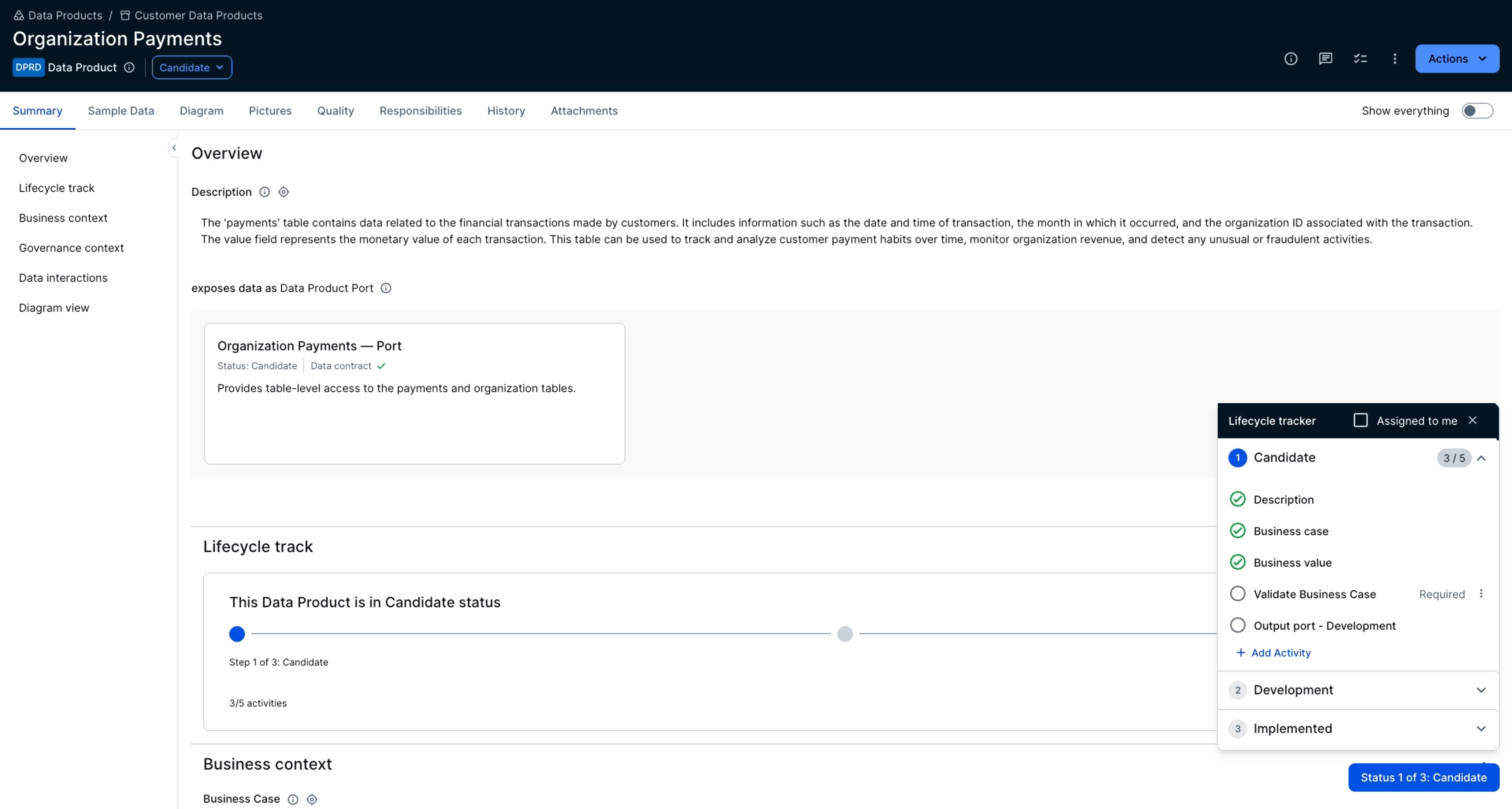
Business context
To prevent quality drift across teams, the Data Products lifecycle manager enforces governance by default. Before the Organization Payments data product can progress past the Candidate stage, you must provide complete business context, including a description, business case, and business value.
Integrated assessments and smart checks
Governance is integrated directly into the development path of the Organization Payments data product to reduce friction and ensure compliance.
Automated smart checks ensure that Organization Payments meets defined business and technical requirements.
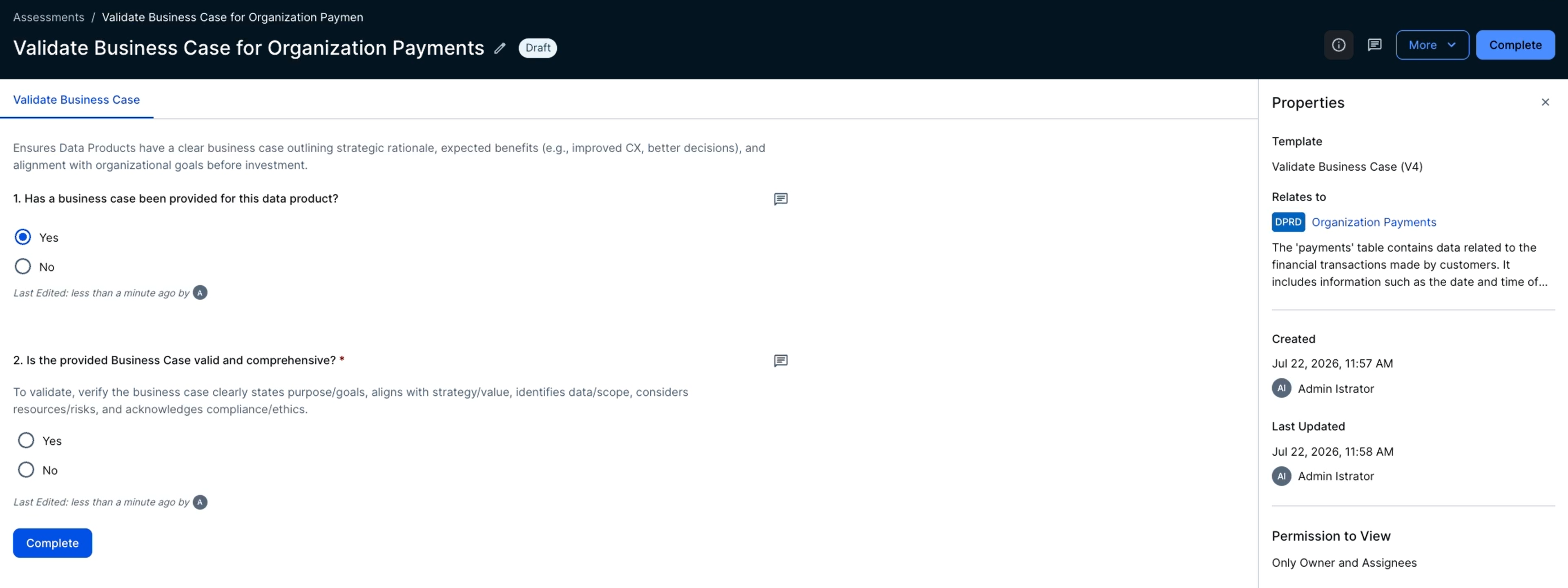
The next step is to complete the Validate Business Case assessment, which you can do with a single click directly from the Data Product asset page.
Managing the data product port
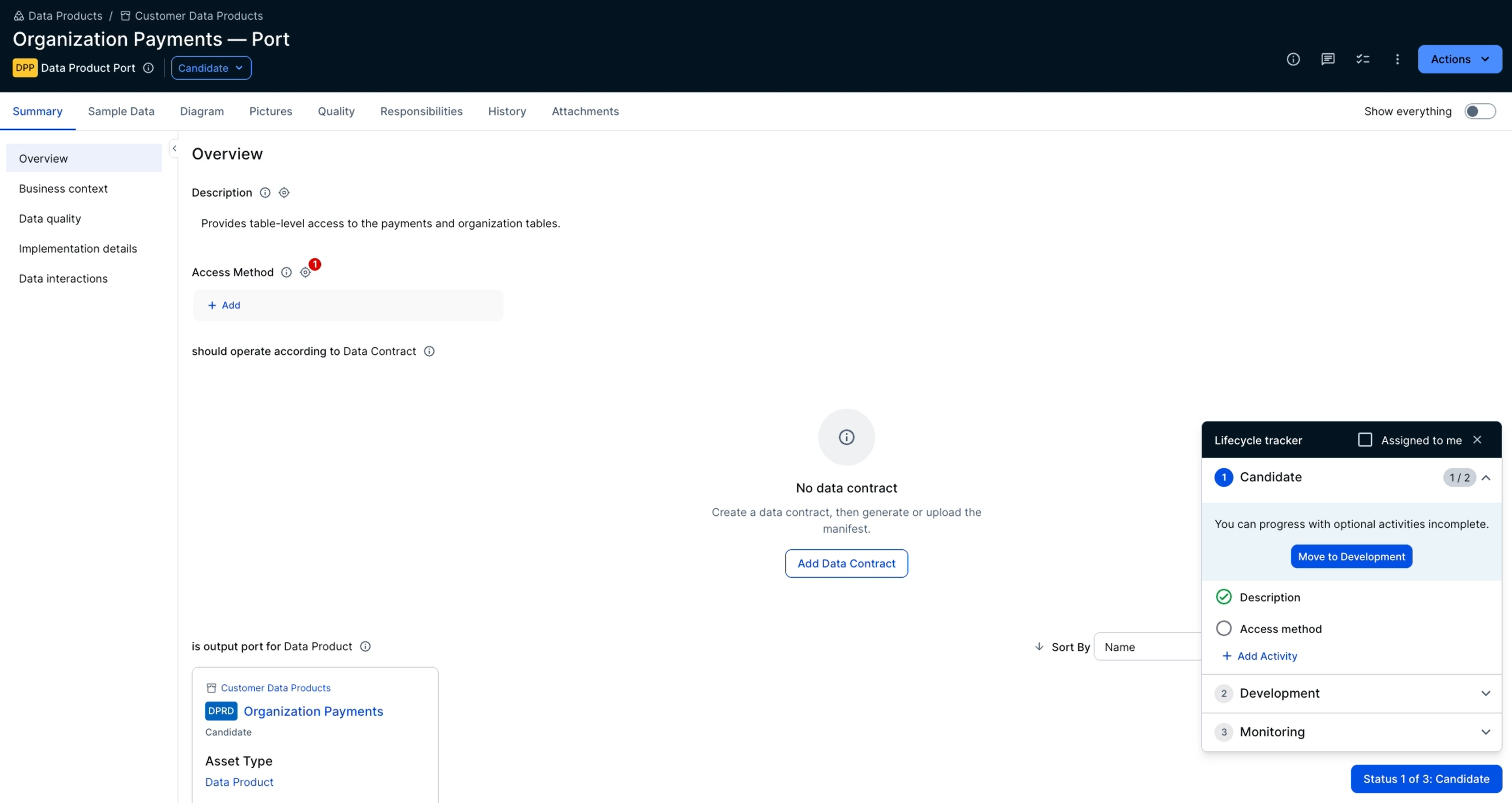
A data product interacts with the ecosystem through one or more data product ports.
One of the requirements in the lifecycle of the Organization Payments data product is that to move from the Candidate stage to the Development stage, its linked data product port (Organization Payments — Port) must also be in the Development stage. This data product port has its own lifecycle. To move the data product port from the Candidate stage to the Development stage, you must provide technical delivery details, such as the access method and access instructions.
Automated data contract generation
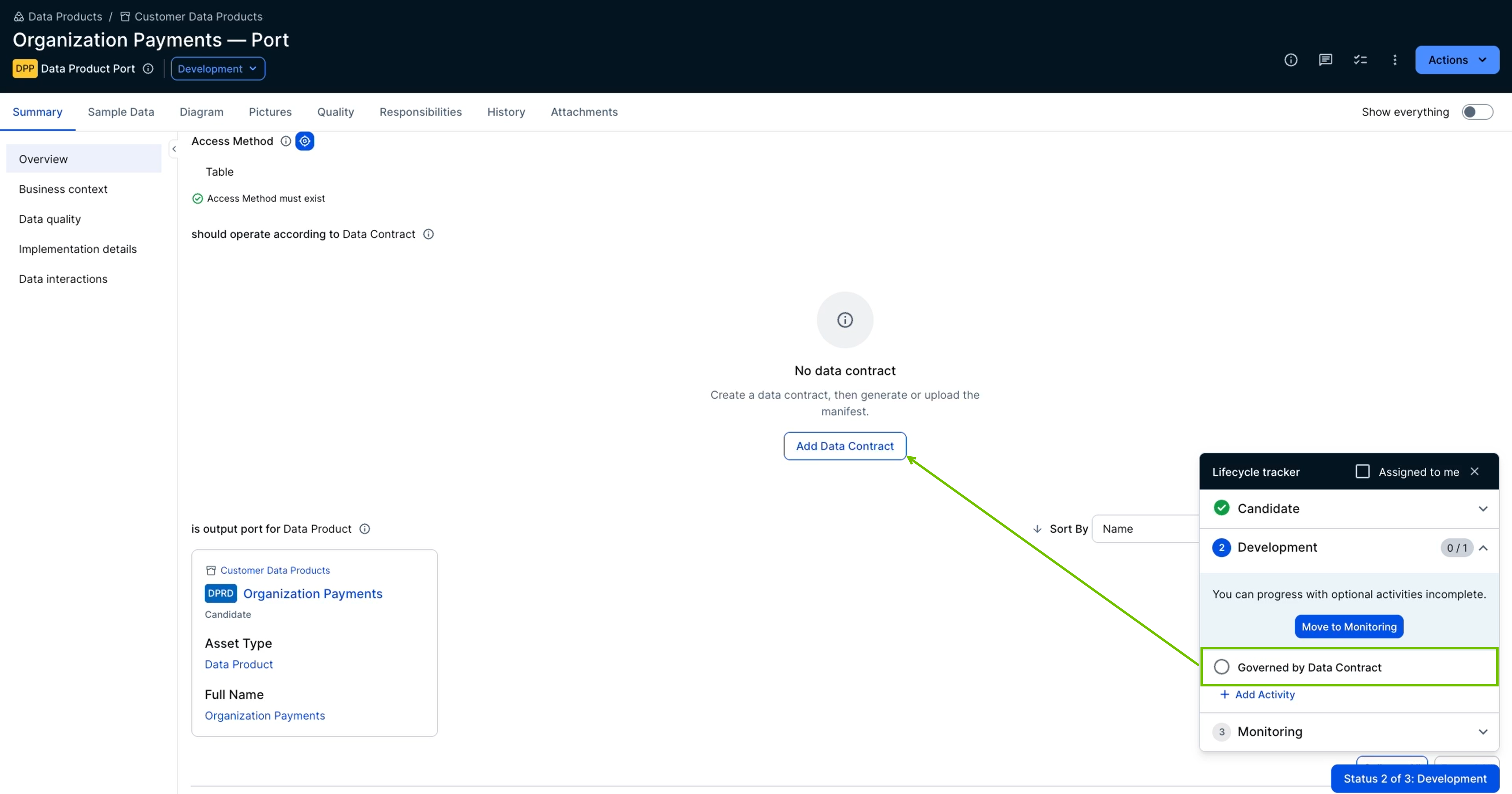
Once the Organization Payments — Port data product port is in the Development stage, the Organization Payments data product can transition to the Development stage. However, because you are already on the Data Product Port asset page, you can also complete the final step in the port's lifecycle by creating a data contract.
The data contract formalizes the agreement by specifying the data structure, format, and service-level objectives. Instead of drafting a contract from scratch, you can generate a data contract manifest from the Collibra knowledge graph or upload a manifest. Once the contract is created, the port can be moved to the Monitoring stage.
Approval and publishing
You can now move the Organization Payments data product to the Development stage. Before you can finalize the data product, designated stakeholders must approve it. Once approved, transitioning the data product to the Implemented stage automatically publishes it to Data Marketplace.
In this way, the lifecycle tracker ensures that only data products that meet governance standards are made available to data consumers.
Administrative setup
The structured lifecycle described in the previous example is made possible by configuring your operating model. At a high level, the setup involves the following steps.
| Step | Description |
|---|---|
| 1. Configure smart checks and lifecycle activities for asset types. |
Create smart checks and assign required activities, such as the Validate Business Case assessment or stakeholder sign-offs, to specific lifecycle stages. This builds your organization's definition of done directly into the automated lifecycle. |
| 2. Configure the Data Product and Data Product Port asset layouts. | Ensure that the lifecycle tracker widget is visible in the Data Product and Data Product Port asset layouts, and that the layouts are published. |