Collibra Insights widget
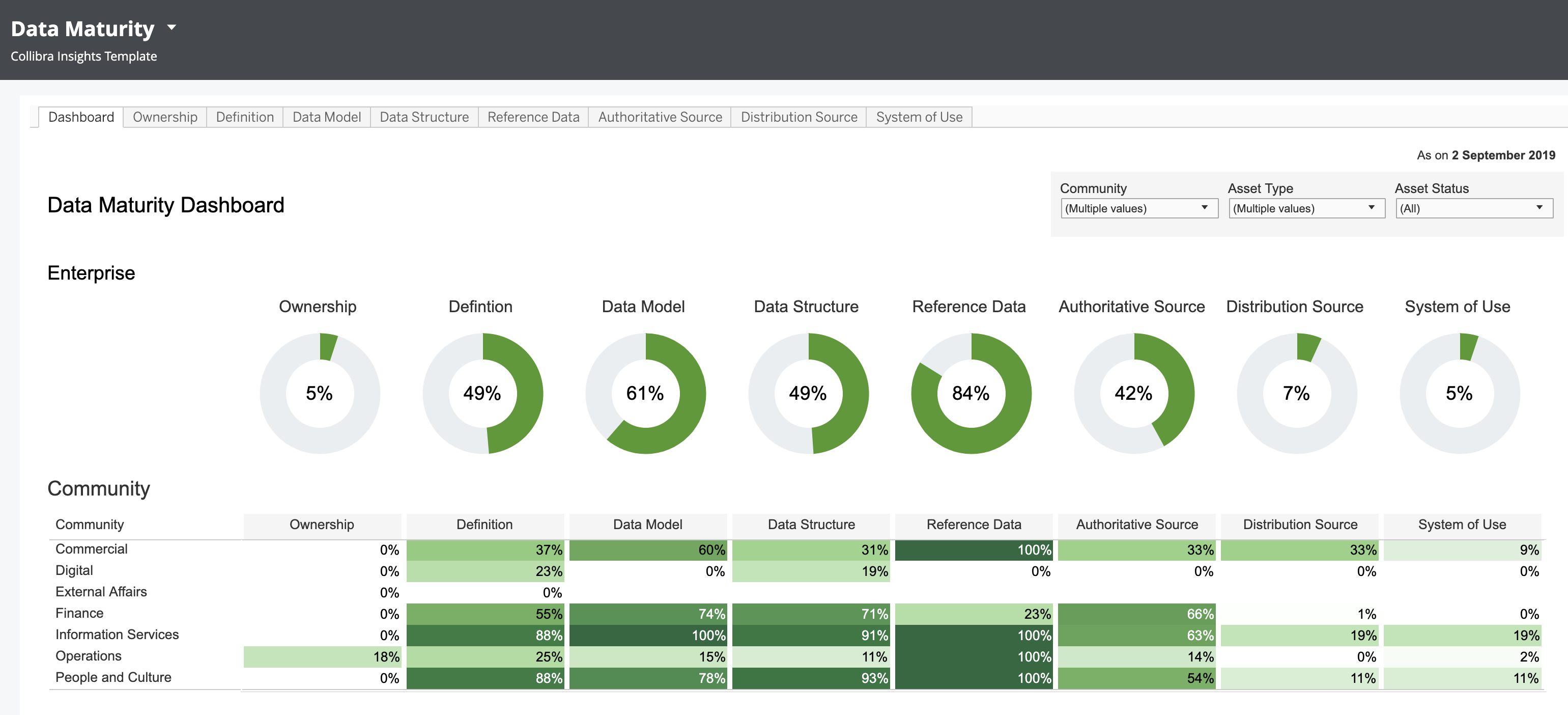
The Collibra Insights widget is a reporting widget that shows a dashboard report on a dashboard, such as Privacy Risk Readiness, Data Maturity Dashboard, Process Register, or any report from a webpage.
Important Whether or not a third-party webpage can be embedded is determined by the security settings of the third party.
Note If you are using the Collibra Insights widget in a dashboard to show asset views, you can't add more than one view of the same page to the dashboard. For example, you can't add two different views of a Global View to the same dashboard.
Prerequisites
- To manage your own dashboards: You have a global role that has the Manage your own Views, Dashboards, Search filters global permission.
- To manage another user's dashboards: You have a global role that has the Manage shared Views, Dashboard and Search Filter global permission.
- Before configuring dashboard reports, you need to set up Insights Data Access. You can then configure dashboard reports via the Collibra Platform settings, or generate the dashboard reports via a URL from tools such as Tableau Online, Power BI, Qlik, or ThoughtSpot. Note that Insights Data Access is not a free, out-of-the-box product. For more information, go to Insights Data Access.
Steps
- Open the widget for configuration.
Show more information
- Open the dashboard for which you want to configure the widget.
- Click
 → Edit Dashboard.
 - If needed, drag the widget from the Widgets section to the dashboard.
- On the widget, click → Configure.
- On the Report tab, enter the required information.
Field Description URL Address of the webpage that contains the report you want to show on the dashboard. Run in sandbox Warning To reduce security risks, we recommend leaving this checkbox selected. Only clear this box for trusted sources.Running the webpage in the sandbox mode ensures the following:
- The webpage will not run potentially harmful scripts.
- The webpage blocks APIs in the frame.
- The webpage cannot access your files and systems.
Trust this iFrame source If you're a custom dashboard developer, use this option to pass the CSRF token as a parameter in the URI when using custom HTML. - On the Widget tab, enter the required information.
- On the widget, click Save.
- In the upper-right corner of the page, click Save.