After the synchronization, the assets are available in the specified domain.
Warning Do not move the assets to another domain. Doing so may lead to errors during future synchronizations.
Asset status
By default, the assets are shown in a plain list, but you can enable a multi-path hierarchy to show it in a tree structure.
The Default Asset Status field in the capability determines the status of synchronized assets.
- If you select No Status, newly created assets receive the first status listed in your Operating Model statuses, and existing assets keep their assigned status.
- If you select Implemented, all assets receive the "Implemented" status.
Synchronized metadata per asset type
Important considerations:
- We always integrate the latest version of a model.
- The integrated attributes depend on training run type.
- If you don't see the listed synchronized metadata, the attribute type may not be included in the out-of-the-box asset page layout. In that case, you can manually add the attribute type to the layout to make it visible on the asset page.
- The Source Tags attribute is currently not ingested.
|
Asset type |
Synchronized metadata |
Public ID |
|---|---|---|
| AI Base Model | Description From Source System | DescriptionFromSourceSystem |
| Initiating User in Source | InitiatingUserInSource | |
| Creation Date in Source | CreationDateInSource | |
| Modification Date in Source | ModificationDateInSource | |
| Owner in Source | OwnerInSource | |
| Source Tags | SourceTags | |
| Databricks AI Model Version | Description From Source System | DescriptionFromSourceSystem |
| Version | Version | |
| Initiating User in Source | InitiatingUserInSource | |
| Creation Date in Source | CreationDateInSource | |
| Modification Date in Source | ModificationDateInSource | |
| Source Tags | SourceTags | |
| Model Accuracy | ModelAccuracy | |
| Model Precision | ModelPrecision | |
| Mean Squared Error | MeanSquaredError | |
| Mean Absolute Error | MeanAbsoluteError | |
|
Any custom metrics defined via the configuration. If you use custom metrics, ensure that you add them to the assignment and layout on the asset type page. Show available custom metrics
|
||
| AI Model Deployment | Description from source system | DescriptionFromSourceSystem |
| Initiating User in Source | InitiatingUserInSource | |
| Creation Date in Source | CreationDateInSource | |
| Modification Date in Source | ModificationDateInSource | |
| Retirement Date in Source | RetirementDateInSource | |
| Implemented Content Filtering | ImplementedContentFiltering | |
| Compute Configuration | ComputeConfiguration | |
| AI Agent | Description | Description |
| Initiating User in Source | InitiatingUserInSource | |
| Description from source system | DescriptionFromSourceSystem | |
| Instructions | Instructions | |
| Creation Date in Source | CreationDateInSource | |
| Modification Date in Source | ModificationDateInSource | |
| Tool Usage | ToolUsage | |
|
Any custom metrics defined via the configuration. If you use custom metrics, ensure that you add them to the assignment and layout on the asset type page. |
||
| AI Agent has version / is version of AI Agent Version | AgentHasVersion | |
| AI Agent Tool | AI Agent Tool can consult data source / can be consulted via Inference Data | AIAgentToolCanReadInferenceData |
| AI Agent Tool delegates to / can receive requests from AI Agent Version | AIAgentToolCallsAIAgentVersion | |
| AI Agent Tool delegates to / can receive requests from AI Endpoint | AIAgentToolCallsAIAgentEndpoint | |
| AI Agent Version | Version | Version |
| Initiating User in Source | InitiatingUserInSource | |
| AI Agent Version can call / can be called by AI Agent Tool | AgentVersionCallsTool | |
| Databricks Volume | Volume ID | VolumeId |
| Volume Type | VolumeType | |
| Catalog Name | CatalogName | |
| Schema Name | SchemaName | |
| File Location | FileLocation | |
| Owner in Source | OwnerInSource | |
| Description from source system | DescriptionFromSourceSystem | |
| AI Endpoint | Access Method | AccessMethod |
| Access Instructions | AccessInstructions | |
| Traffic Split | TrafficSplit | |
| AI Monitor | Data Drift Detection Enabled | DataDriftDetection |
| Prediction Drift Detection Enabled | PredictionDriftDetection | |
| Schedule | Schedule | |
| Alert Configuration | AlertConfiguration | |
| URL | Url | |
| File | Description | Description |
| URL | Url | |
| Document size | DocumentSize | |
| File Type | FileType | |
| Document creation date | DocumentCreationDate | |
| Document modification date | DocumentModificationDate | |
| Access Type | AccessType | |
| Storage Container | Description | Description |
| URL | Url | |
| Location | Location | |
| External System Label | ExternalSystemLabel | |
| Database | Description from source system | DescriptionFromSourceSystem |
| Owner in source | OwnerInSource | |
| Data Source Type | DataSourceType | |
| Schema |
Description from source system |
DescriptionFromSourceSystem |
| Owner in source | OwnerInSource | |
| Data Source Type | DataSourceType | |
| Table |
Description from source system |
DescriptionFromSourceSystem |
| Owner in source | OwnerInSource | |
| Column |
Description from source system |
DescriptionFromSourceSystem |
| Column Position | ColumnPosition | |
| Is Nullable | IsNullable | |
| Is Primary Key | IsPrimaryKey | |
| Primary Key Name (if the column is the primary key) | PrimaryKeyName | |
| Original Name | OriginalName | |
|
Technical Data Type Tip
You see the technical data type in the Technical Data Type field in the At a glance sidebar of the Column asset. If the At a glance sidebar is hidden, click |
TechnicalDataType |
 . For columns that have a structured technical data type, Array or Struct, click the hyperlink to see the structure of the data in a dialog box. In other locations, for example, in Table assets, click the

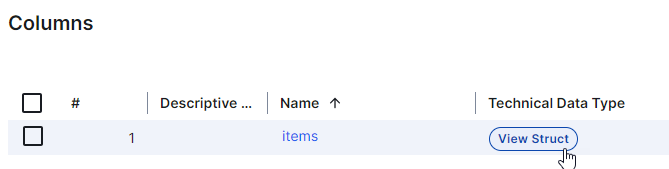
Synchronized metadata per agent type
The Databricks AI integration catalogs several types of Databricks AI agents: Knowledge Assistants, Supervisor Agents, Information Extraction tiles, Text Classification tiles, and Genie Agents. They expose different metadata to Databricks, so what is synchronized in Collibra Platform differs by type. If an agent is missing metadata you expected, it is likely due to one of these type-specific cases rather than a synchronization failure.
The following table summarizes what is synchronized for each type, grouped by category:
|
Synchronized metadata |
Knowledge Assistant |
Supervisor Agent |
Genie Agent |
Information Extraction |
Text Classification |
|---|---|---|---|---|---|
| Agent structure: | |||||
| AI Agent Version and AI Agent Tool |
 Yes Yes |
Yes |
Conditional |
Yes |
Yes |
| Traceability: | |||||
| Tool links to a Table asset |
Yes |
 No No |
Yes |
No |
Yes |
| Tool links to a Volume asset |
Yes |
No |
No |
Yes |
Yes |
| Serving and monitoring: | |||||
| AI Endpoint |
Yes |
Yes |
No |
Conditional | Conditional |
| AI Monitor |
Yes |
Yes |
No |
Yes |
Yes |
| Basic agent information: | |||||
| Instructions on AI Agent |
Yes |
Yes |
Conditional | Conditional | Conditional |
| Instructions on AI Agent Version |
No |
No |
No |
No |
Conditional |
| Creation Date in Source |
Yes |
Yes |
No |
Yes |
Yes |
| Initiating User in Source |
Yes |
Yes |
No |
Yes |
Yes |
| Modification Date in Source |
No |
No |
No |
Yes |
Yes |
Conditions:
- For Genie Agents, AI Agent Version and AI Agent Tool assets are created only after at least one queried table is already ingested as a Table asset. Until then, only the AI Agent asset appears.
- The AI Endpoint asset connects to the AI Agent Version asset through an AI Agent Deployment complex relation for Knowledge Assistants, Supervisor Agents, and Information Extraction and Text Classification tiles. That relation is what surfaces the AI Monitor asset on the version. For Information Extraction and Text Classification tiles, this AI Endpoint asset is a shared placeholder, populated only when the tile has scheduled scorers, and not a real serving endpoint.
- For Genie Agents, the Instructions attribute is populated only if the Genie space is configured with text instructions. For Information Extraction and Text Classification tiles, it's populated only if the task specification defines instructions. Text Classification tiles can also get Instructions on the AI Agent Version asset under that same condition.
- Modification Date in Source is unavailable for Knowledge Assistants, Supervisor Agents, and Genie Agents because the source APIs for these agent types do not expose a last updated timestamp.
Operational trust metrics
For AI agents in Databricks, the Databricks AI integration also collects operational trust metrics from agent interaction data. This includes metrics on LLM judge passes and fails, and token consumption metrics.
- Like attributes, these metrics are stored internally. However, unlike attributes, these aren't accessible through the Collibra Platform APIs.
- These metrics power the Agents dashboard, the Quality tab on AI Agent assets, and the Operational Health theme on the AI Trust Score.
- The metrics run on their own monitoring schedule, separate from and more frequently than the regular synchronization schedule. Since Databricks does not guarantee how quickly LLM judge results become available after an agent interaction, there may be a lag before these results appear in Collibra.
Support varies by agent type:
| Agent type | Operational trust metrics | Token consumption metrics |
|---|---|---|
| Knowledge Assistant | Judge pass, fail, and no-assessment counts | Not available. Databricks doesn't expose token usage data for this agent type. |
| Supervisor Agent | Judge pass, fail, and no-assessment counts | Input and output token counts |
| Information Extraction | Not available | Not available |
| Text Classification | Not available | Not available |
| Genie Agent | Not available | Not available |
To explore these metrics, in Settings, under AI Command Center, switch on Operational trust for AI agents.
For more information, go to Operational trust for AI agents and AI monitoring for AI agents.