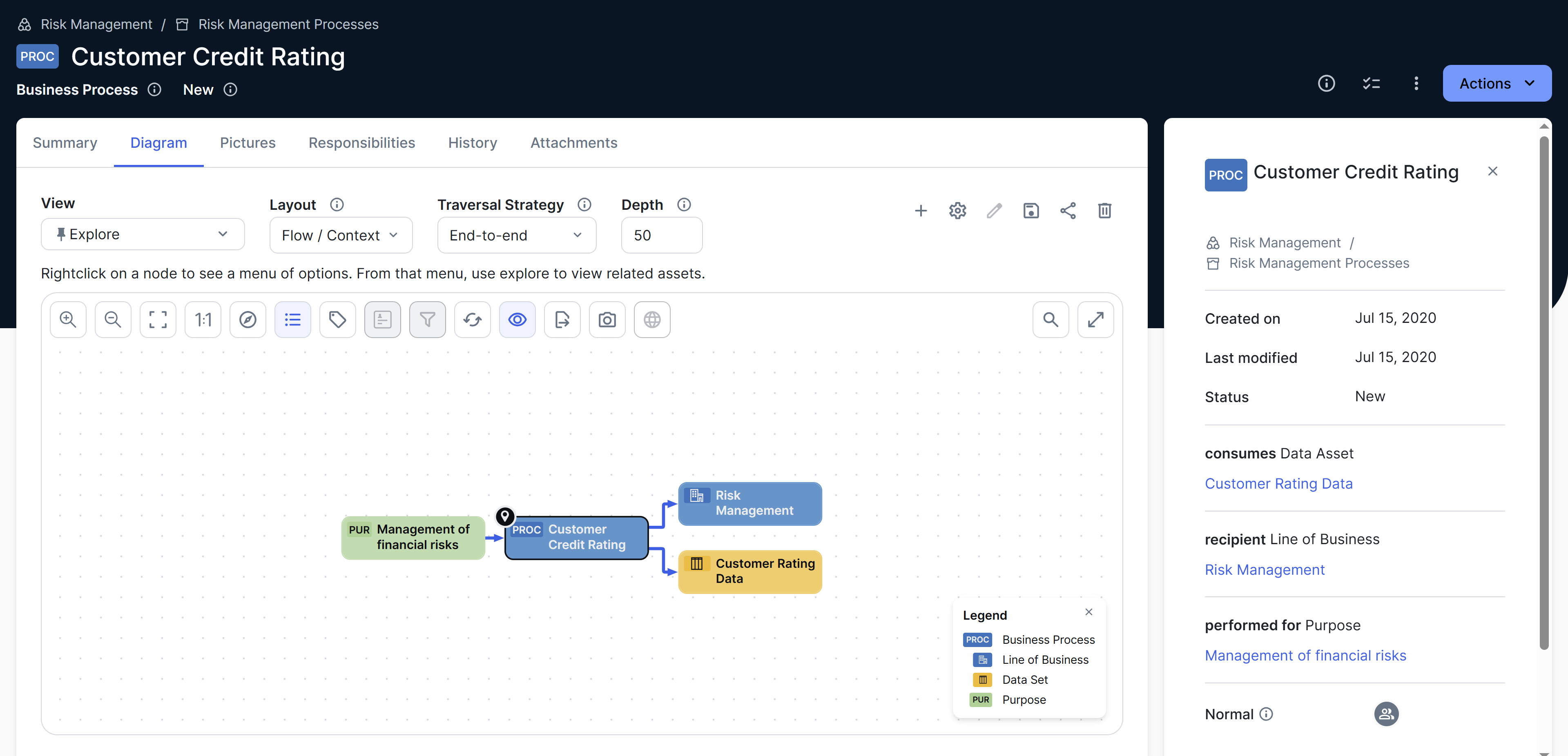
Diagrams allow you to show and interact with many assets and their relations in an easy-to-read format. They help identify how a specific asset is related to other assets.
You can find the diagram for an asset on the Diagram tab of the asset page. You can use the diagram editor to customize how a diagram is shown. Collibra provides several out-of-the-box diagram views for common use cases, and you can also create and share your own diagram views.
Here are some features you can expect from diagrams:
- A modern design with enhanced performance.
- The Explorer button to switch a diagram to the explorer mode.
- The option to use Collibra AI to automatically generate descriptions for diagram pictures. This feature consumes Collibra Units.
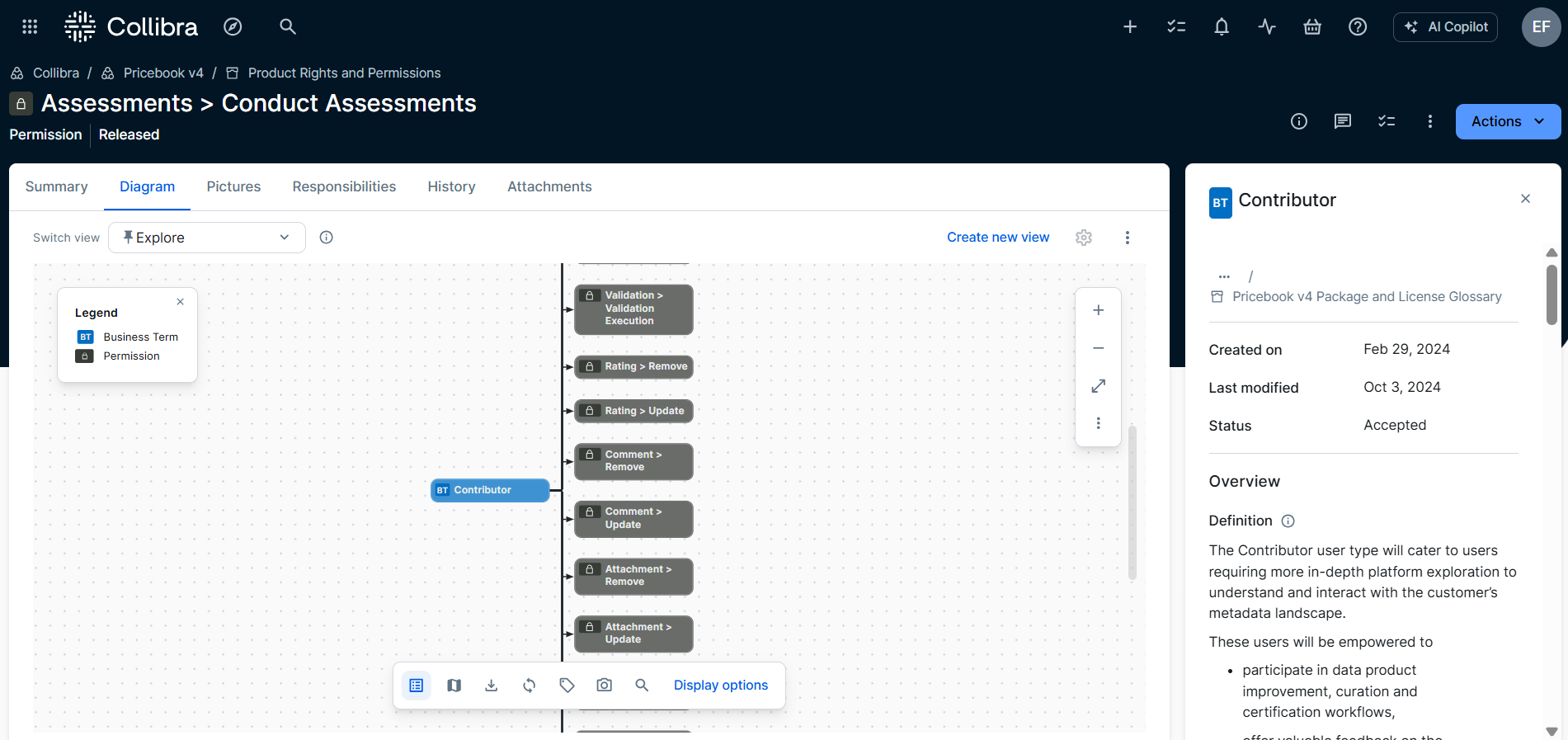
New diagram canvas (in preview)
The new diagram canvas includes a simplified header navigation for working with diagrams. It offers the same options but with a different layout, including:
- View options in the header (Layout, Traversal Strategy, and Depth) are grouped under Display options.
- Edit view options are renamed and grouped under
 .
.  (Edit name and description) is now Edit details.
 (Save (as) view) is now Duplicate view.
 (Share view) is now Copy link.
 (Delete view) is still Delete view.
- Zoom toolbar options are grouped together on the right side of the diagram.
- All other toolbar options are grouped together below the diagram.
Administrators can enable this layout (in preview) through the Beta features → New Diagram Canvas setting in Collibra Console.