If you want to download analysis and parsing errors for a single data source or all data sources, use the Export lineage option in the Technical Lineage Admin capability, and select the Transformations export type. The ZIP file contains an errors.csv file that lists every transformation and its processing status. The file includes all transformations, so filter on the status code to find the errors.
If you want to download analysis and parsing errors for a data source, you can export the transformation details of one or more data sources on the Sources tab page of the technical lineage viewer.
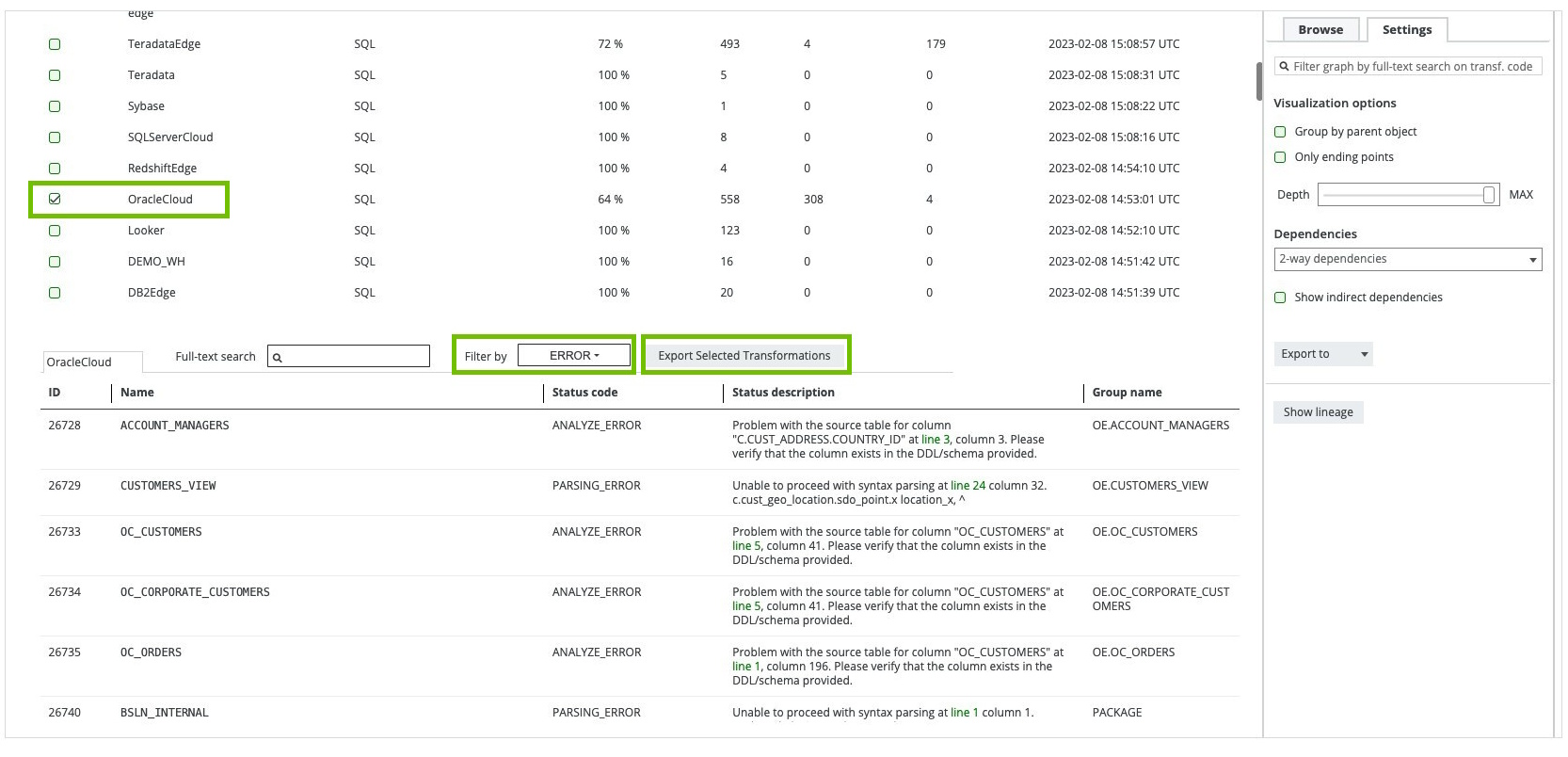
In the following example image, we've selected the OracleCloud data source and filtered on the error details.
Steps
- In the technical lineage viewer, click the Settings tab.
- Click Show lineage.
- Select the data sources for which you want to download the transformation details. If you want to download the transformation details for all data sources, do not select any data source.
- Click Export Selected Transformations.
A ZIP file that contains an errors.csv file is downloaded.