Note The content in this topic is nearly identical to the AI Governance model integration content. The only difference is the product name; this topic refers to AI Command Center.
When assessing the value and risks associated with an AI use case, it's important to be able to quickly identify which AI model version is used by the AI use case. From the AI Use Case asset page, you can link to any AI Model Version or AI Agent assets (or assets of child asset types) in your Collibra environment.
For complete details on the out-of-the-box attribute types and relation types specific to the AI Model Version asset type, go to AI Command Center operating model.
Be sure to check out the A human-centered intro to AI integrations course in Collibra University.
Methods for integrating AI models
You can bring AI model metadata into Collibra using automated integrations, command-line utility, or manual entry.
Supported integrations
Collibra offers out-of-the-box integrations that ingest Machine Learning (ML) model metadata as assets via Edge. For a complete list of supported integrations, go to About registering and integrating data sources.
Important These integrations are only available via Edge, not via Jobserver.
During an integration, Machine Learning (ML) model metadata is ingested as assets on the Collibra Platform. Integration-specific asset types are child asset types of the AI Model Version asset type.
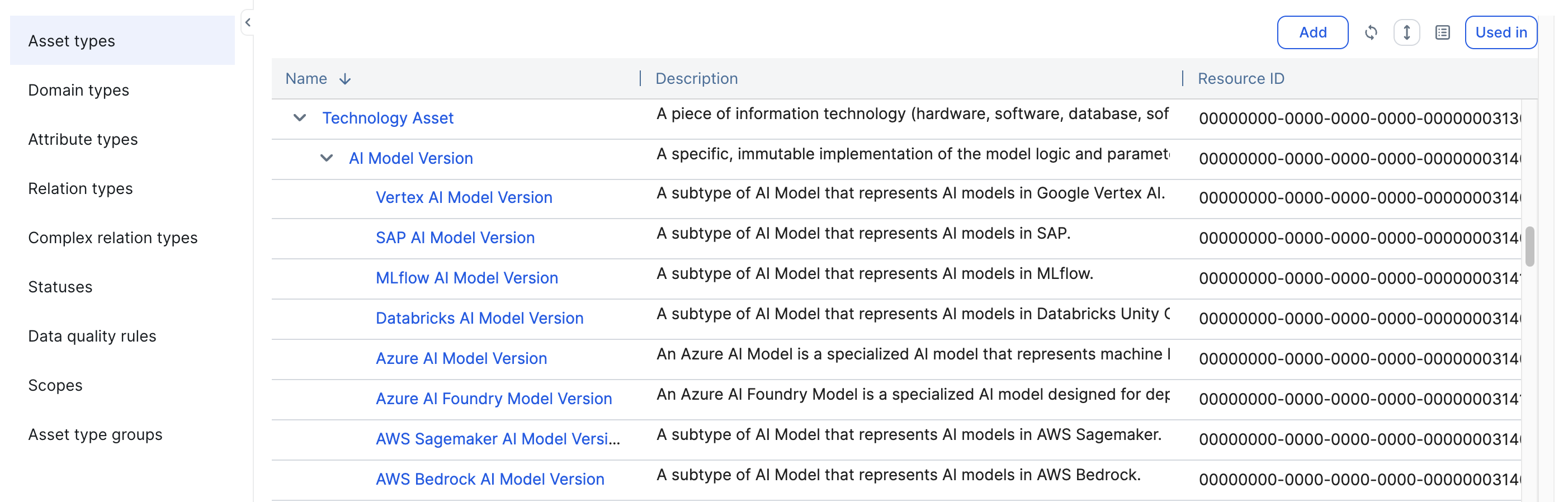
All assets of these types in your Collibra environment appear in the Assets drop-down list when manually linking AI model versions to your registered AI use cases.
CLI
The CLI is a unified command-line tool that allows you to manage AI model versions directly from your terminal or automation workflows. This method is ideal for developers who want to:
- Automatically detect frameworks and libraries: The CLI scans local projects for AI frameworks (for example TensorFlow, PyTorch, and scikit-learn) and libraries (for example pandas and numpy).
- Manage manifests: It creates a "collibra.yaml" manifest file to track registered models and prevent redundant entries.
- Streamline registration: Use a single command to scan code and link model versions to use cases and base models.
For complete information, including setup instructions and guidance through the interactive registration, go to:
Custom integration
If our Collibra-supported integrations don't suit your needs, you can perform a custom integration. On the Collibra Developer Portal, you can find a tutorial explaining how to use Python to create and synchronize AI Models in Collibra.
Metadata from your ML models is ingested as assets in Collibra. All AI Model assets (and assets of child asset types) appear in the Assets drop-down list when linking AI models to your registered AI use cases.
Manually create an AI Model asset
You can manually create AI Model Version assets:
- Via the Register AI Model button in the registry. For complete information, go to Register an AI model via the AI Command Center UI.
- Via the global Create button.
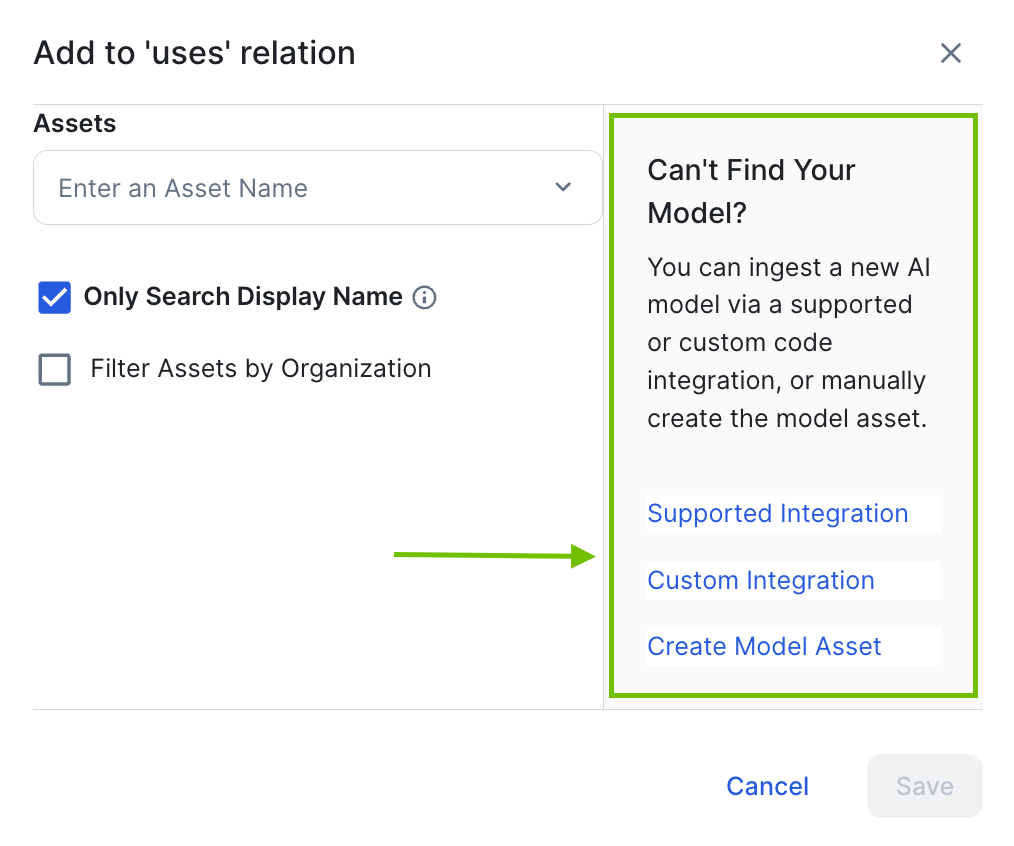
Can't find your AI model
If you are attempting to manually link an AI model to an AI use case, but you can't find the right asset in the drop-down list, use the "Can't Find Your Model?" helper in the UI. This sidebar provides direct links to initiate a supported integration, start a custom integration, or manually create the model asset.