The Search page consists of the following areas:
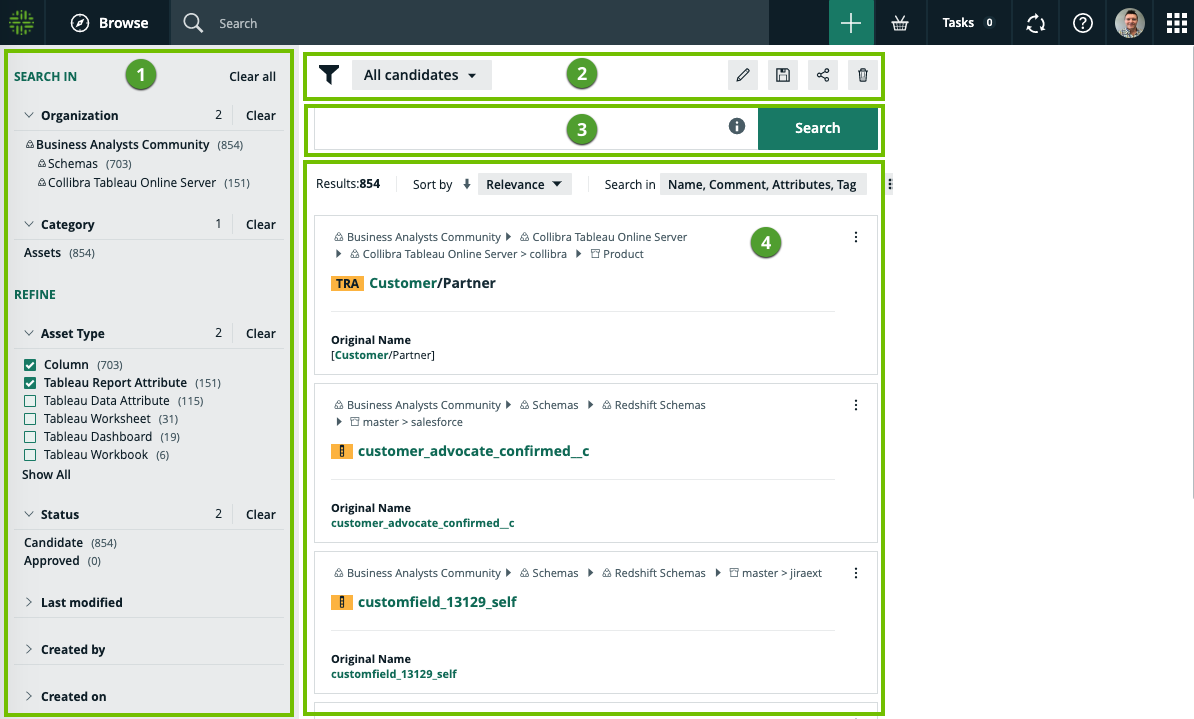
| No. | Part name | Description |
|---|---|---|
| 1 | Facet pane |
A dynamically generated collection of facets that allows you to:
Note The Facet pane is only shown if your search yields results. |
|
2 |
Search filters |
A drop-down list of all your saved search filters, with the name of the currently applied filter shown. By default, no search filter is applied. The buttons allow you to:
|
| 3 | Search input field |
Shows your search text. You can edit your search text here. Click |
| 4 | Search results |
Shows:
Click
For any result that is an asset, click the three dots ( Click the name of a search result to open its detailed page. Tip In Collibra Console, you can influence the order of the search results by editing the boost factor of resources and attribute types. See also Relevance in search results. |
 :
:  :
:  :
:  :
:  for examples of how wildcards and symbols work in your search text.
 to:
to:  ) to show the workflows that are available for the asset.
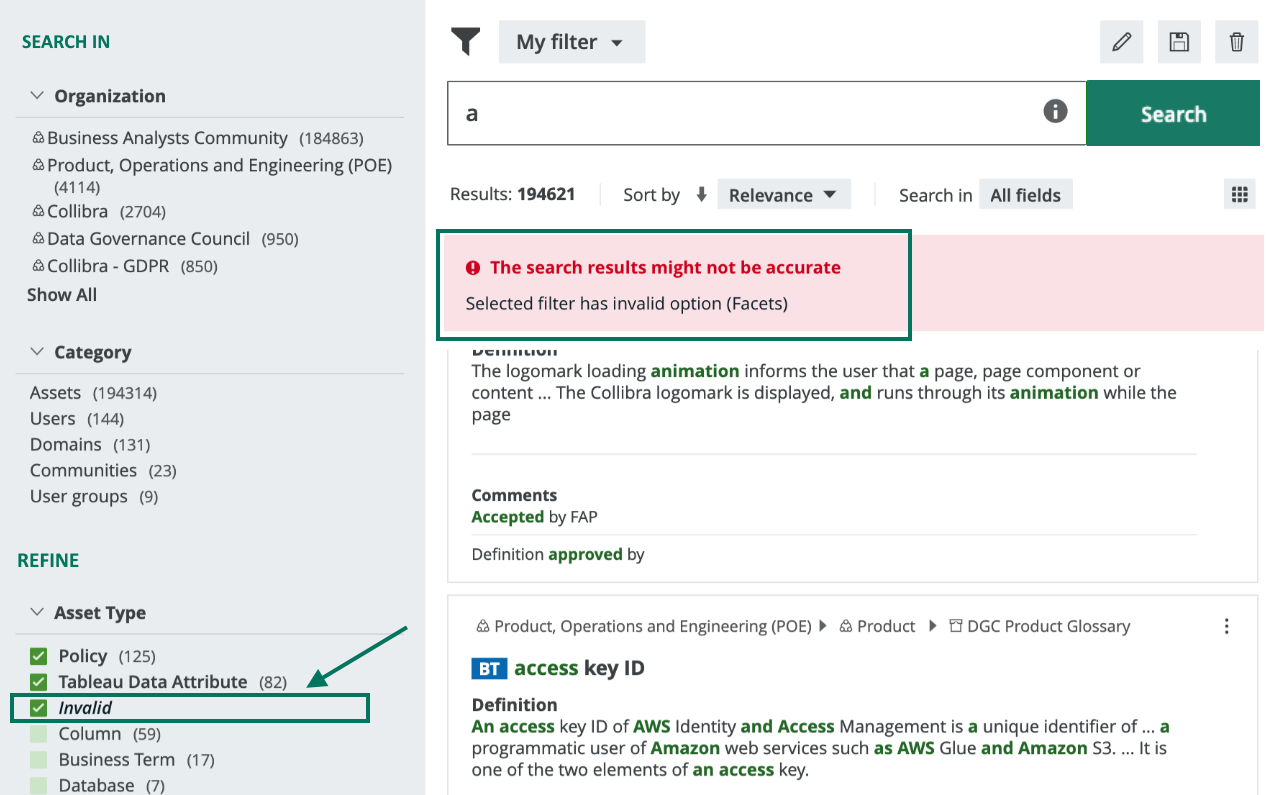
Note It is possible that you or another user created a search filter that includes a field or facet that no longer exists in your Collibra Data Intelligence Cloud environment. In this case, the invalid field or facet is highlighted, as shown in the following image, so that you can easily identify it and delete it from the search filter. Invalid fields and facets are ignored during search queries.