Asset Grid interface
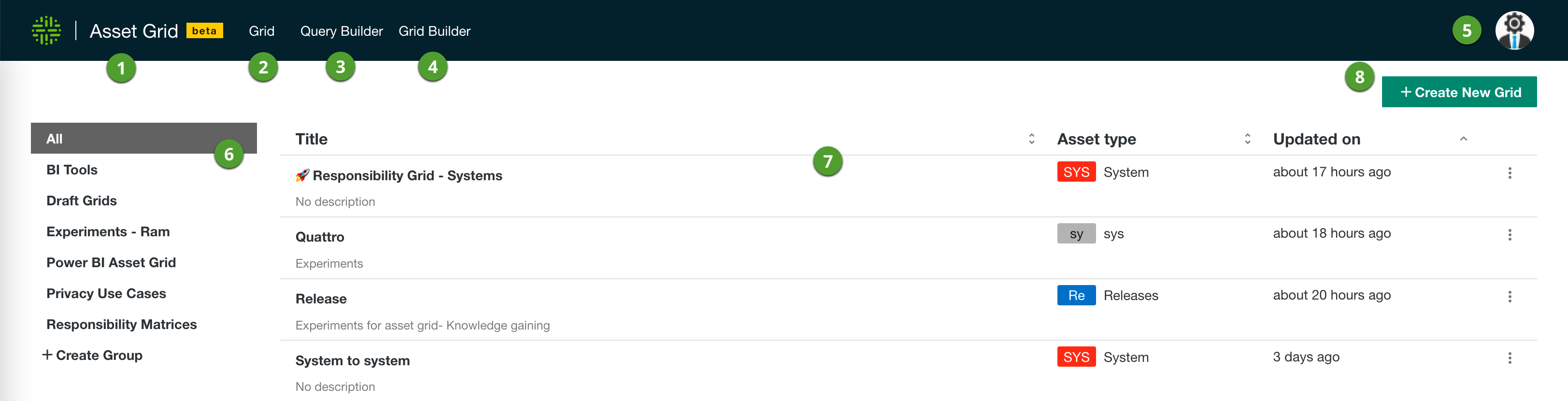
Asset Grid homepage
|
Item |
Description |
|---|---|

|
The link to go to the Asset Grid homepage. |

|
The link to the result of your grid. This link is only available when you open a grid or create a grid. |

|
The link to open the Query Builder. On this page, you build the queries to retrieve the data from your Collibra Data Intelligence Cloud environment. |

|
The link to open the Grid Builder. On this page, you define what data you want to show in your grid. |

|
Via your avatar you can return to your Collibra environment, and import and export grids. |

|
The list of Asset Grid groups. If you have a large list of grids, you can create groups to organize them. |

|
The table with the grids. Click each of the column header to sort the table in ascending or descending order. |

|
The button to create a new grid. |
Grid page
|
Item |
Description |
|---|---|
|
|
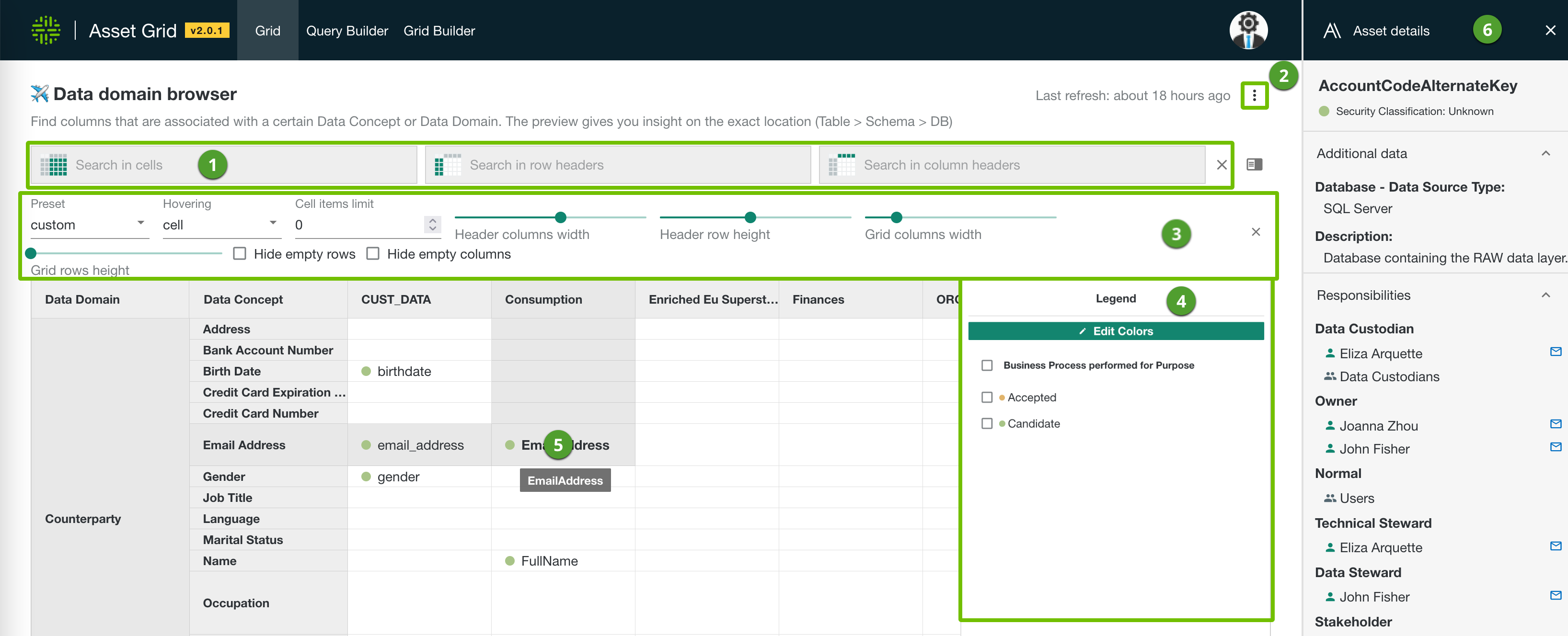
Search area to search for your data. You can search in the grid cells, grid header rows and grid column rows. Search queries are not case-sensitive. |
|
|
|
|
|
Grid layout setting, for example to edit the layout of the grid. This section is only visible if you enabled it via the Grid options. |
|
|
Grid legend with the meaning of the used color codes in the grid. You can open the legend with the In the legend, you can select items to filter the content in your grid. You can edit the colors of the legend items. |
|
|
Asset Grid table showing the retrieved data. Click a cell to open the asset details. |
|
|
In this section you can see more information on the selected asset in the grid. You can define the content of the details on the Grid Builder page. Click the header to expand or collapse a section. Clicking an item opens the asset in your Collibra environment. Click |
 icon.
icon. next to a name to send an email with your default email application.
 Query Builder page
|
Item |
Description |
|---|---|
|
|
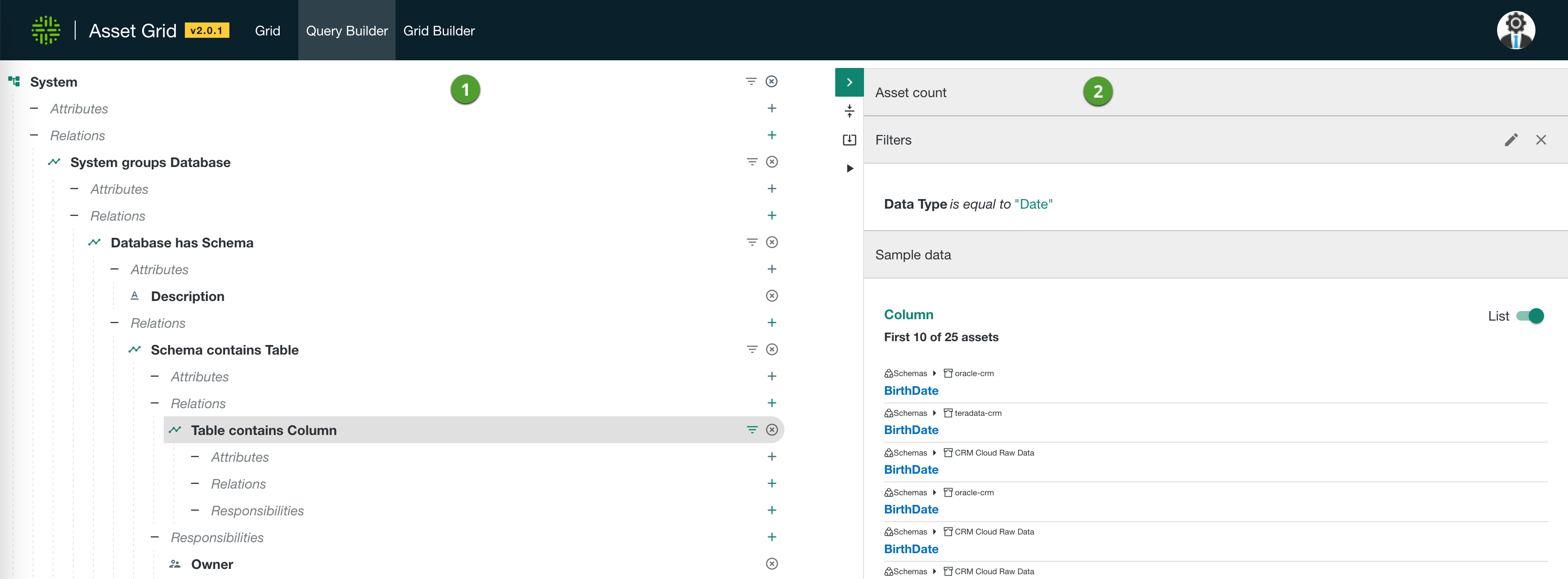
The actual Query Builder that allows you to select asset types via the relation of a parent asset type.
|
|
|
The Query Builder information pane. In this pane, you find extra information about the selected item in the actual Query Builder.
Note The maximum number of assets that can be shown in a grid is 8,000. |
 : Hide the Asset count field. Click
  to show the Asset count field. The Asset count field is shown by default.
 and
and  : Collapse all (
 : Download the query in JSON format.
 : Execute the query. This downloads the result of the query in JSON format.
Grid Builder page
|
Item |
Description |
|---|---|
|
|
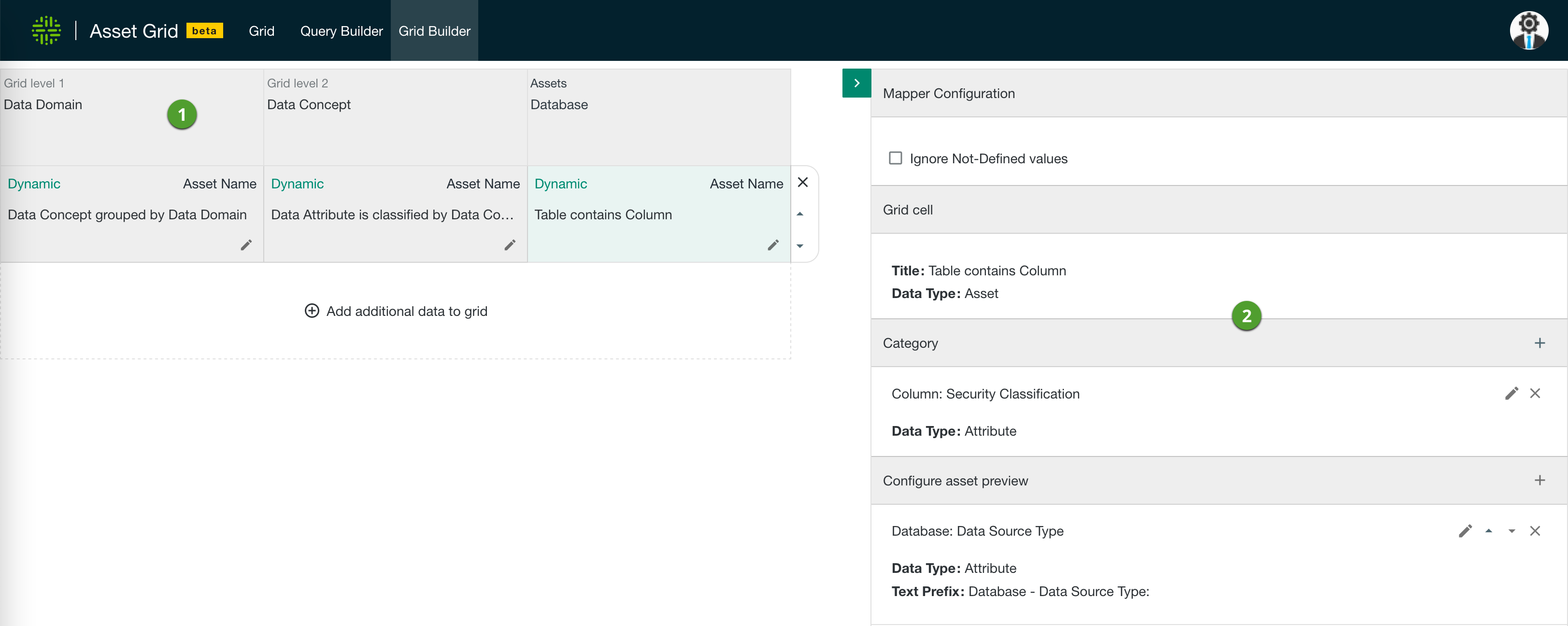
The table to define the content of the grid.
|
|
|
The section to define the asset preview. In this section, you define the information you want to show in the grid and the asset preview side pane.
|