View notifications
Note To configure your personal notification settings, see Manage a profile. To configure your global default notification settings, see Notifications admin settings.
Overview of the Notifications tab user interface
The following image and sections describe the key functional areas of the Notifications tab.
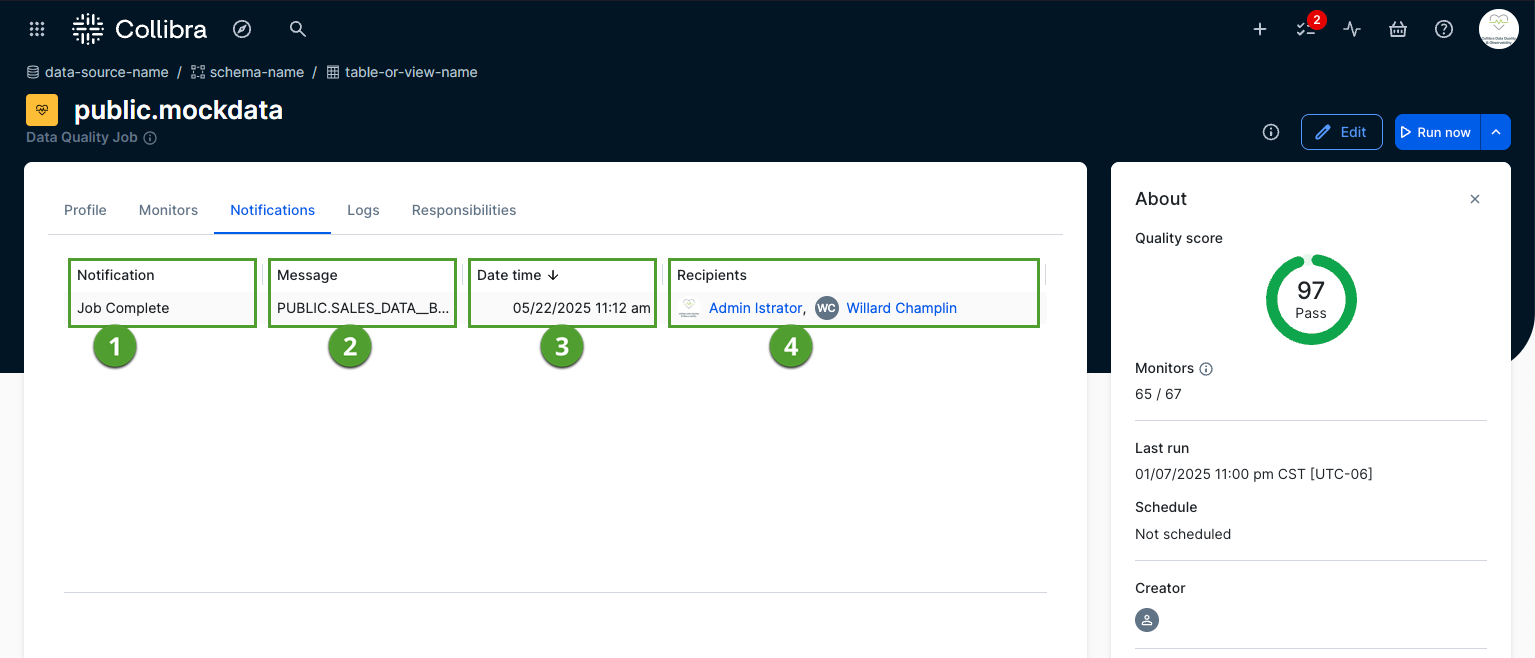
Notification
The Notification column ( ) shows the specific type of alert the system sends to recipients. The system can send the following notification types:
- Job failed
- Job completed
- Rows less than or equal to [value]
- Runs without data greater than or equal to [value]
- Days without greater than or equal to [value]
- Score below [value]
- Run time minutes greater than [value]
Message
The Message column ( ) shows the custom text included in the notification. This text displays either the default notification type or the specific job-level message you configure in the "Add notifications" step of the job creation process.
Date time
The Date time column ( ) indicates exactly when the system sends the notification. The time appears in the mm/dd/yyyy HH:MM am/pm format and uses the local timezone of your browser.
Note By default, the system shows the most recently sent notification at the top of the list.
Recipients
The Recipients column ( ) lists the users who receive the notification.