Request access to Data Notebook (in preview)
Data Notebook allows you to query, analyze, and visualize data from multiple sources directly within your Collibra environment. It is particularly useful for documenting existing data assets or sharing approaches and best practices on how to use specific assets.
The Request Data Notebook Access feature allows data citizens from your organization to self-request access to the Data Notebook application, facilitating a streamlined and governed roll-out. Administrators can activate this feature and determine the user groups for which it is available. You can then easily request access via a straightforward form.
Prerequisites
An administrator has enabled the Access requests setting. Additionally, if the administrator has specified a group for access requests, you are in that group.
Steps
-
On the main toolbar, click
 →
Data Notebook.
→
Data Notebook.
A dialog box appears.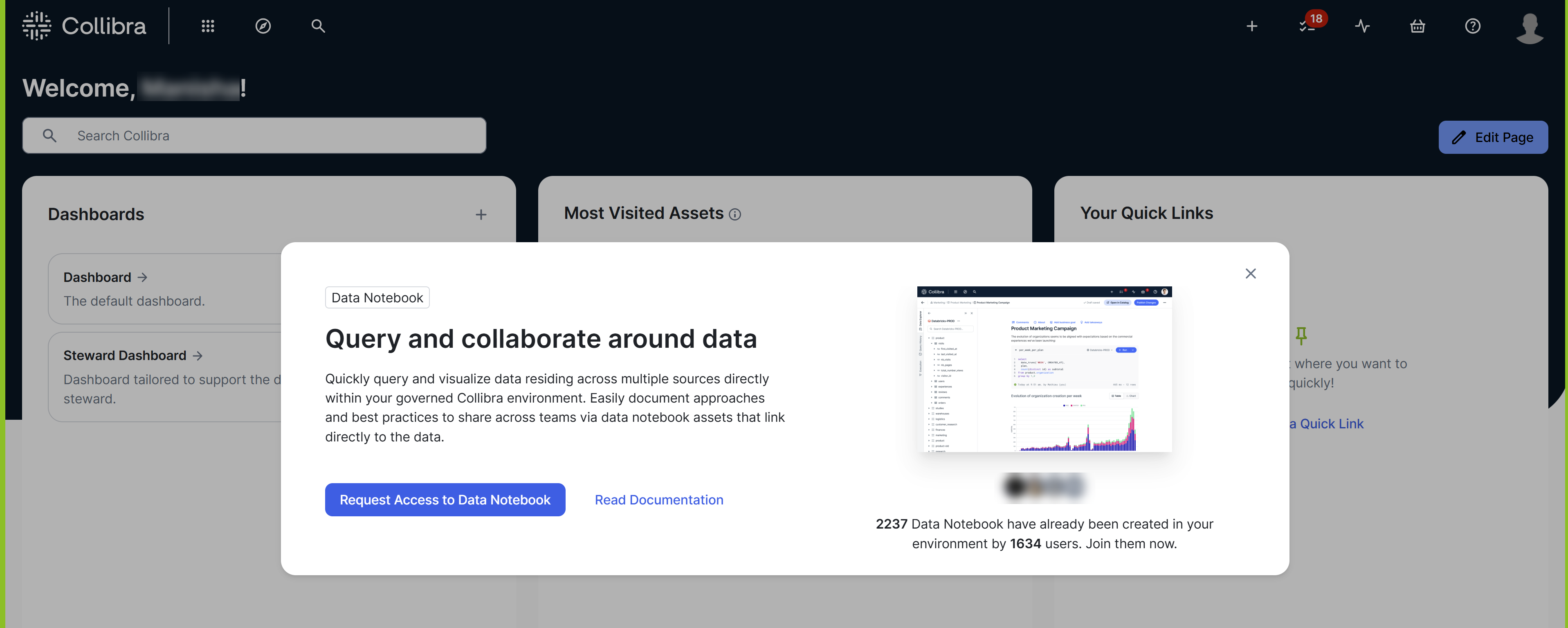
- Click Request Access to Data Notebook.
The Request Access to Data Notebook dialog box appears. - Enter information regarding why you need access to Data Notebook.Tip When approving your request, the reviewer may use this information to assign appropriate global roles or groups to you.
- Click Request Access.
Your access request is sent to reviewers as a task for them to approve or reject the request.
- When your request is approved or rejected, you are notified by email.
- When approving your request, the reviewer assigns certain global roles or groups to you. These roles or groups determine which tasks you can perform in Data Notebook. For information about which permissions a user needs depending on the tasks they want to perform, go to Permissions for Data Notebook.