Search suggestions guide you to the information you might be looking for.
Data Marketplace provides suggestions as you type. You can click one of the suggestions to use it. The result of clicking a suggestion depends on the suggestion type.
Suggestion types
The icon in front of a suggestion indicates the suggestion type.
| Icon | Meaning | Result when you click the suggestion |
|---|---|---|
|
|
Recent search | The suggestion shows a previous search action. Clicking the suggestion launches the suggested search action. |
|
|
Recently visited asset | This suggestion shows an asset that you recently previewed. Clicking this suggestion opens the preview of the suggested asset. |

|
Smart filter |
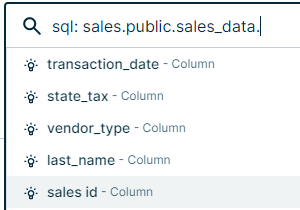
Important This suggestion type is not available in Data Marketplace in Search. This suggestion provides possible filters you can apply based on your search terms. The smart filter suggestions recognize search terms linked to asset type, system, status, and certification. Each time you add a .[search term], Data Marketplace searches for the value you entered and shows the result as a search suggestion. Note The SQL search only works if the Database, Schema, and Table asset types are part of the Data Marketplace scope. |


Examples
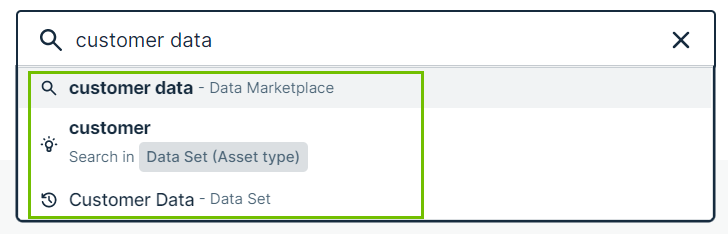
The search terms customer data result in 3 suggestions.
- The first suggestion is based on a recent search action. Clicking this suggestion launches the search for customer data in Data Marketplace again.
- The second suggestion provides the possibility to search for the terms customer with the filter Asset Type set to Data Attribute. This suggestion type is not available in Data Marketplace in Search.
- The last suggestion points to the Customer Data data set asset that you previewed before. Clicking the suggestion opens the asset preview again.
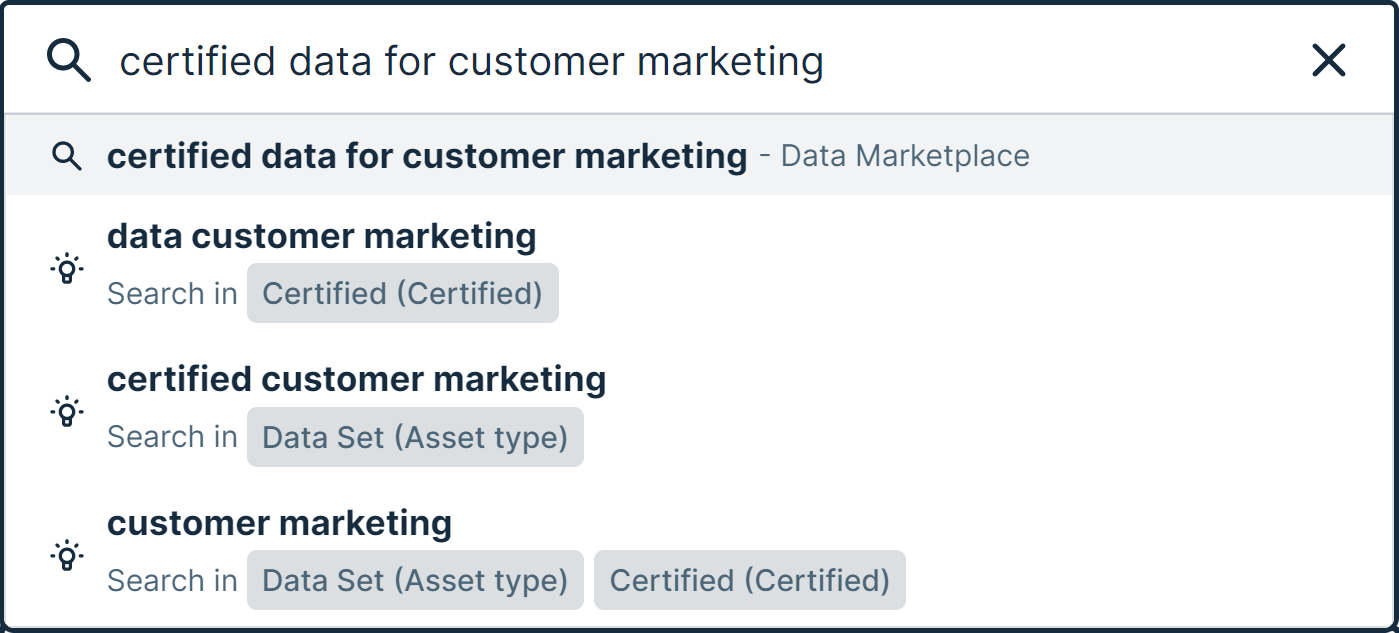
The search terms certified data for customer marketing result in the following suggestions.
- The first suggestion is based on a recent search action. Clicking this suggestion launches the search for certified data for customer marketing in Data Marketplace again.
- The second suggestion provides the possibility to search for the terms data customer marketing with the filter Certified set to Certified. This suggestion type is not available in Data Marketplace in Search.
- The third suggestion provides the possibility to search for the terms certified customer marketing with the filter Asset Type set to Data Set. This suggestion type is not available in Data Marketplace in Search.
- The last suggestion provides the possibility to search for the terms customer marketing with the filter Certified set to Certified and the filter Asset Type set to Data Set. This suggestion type is not available in Data Marketplace in Search.
You want to go to a table in the Sales database. This suggestion type is not available in Data Marketplace in Search.
- In Data Marketplace, search for sql: sales..
After typing the ., Data Marketplace shows the available schemas as search suggestions.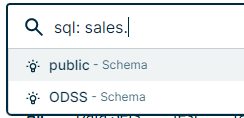
- You need the public schema, so you type public..
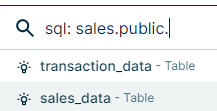
- You want to use the sales_data. If you type sales_data., a list of all columns in that table appears in the search suggestions.