About Data Marketplace

Data Marketplace makes data discovery easy for everyone in the organization by allowing searching in a curated subset of assets.

Data Marketplace variants

In Collibra, you have the following Data Marketplace variants.

Standalone Data Marketplace

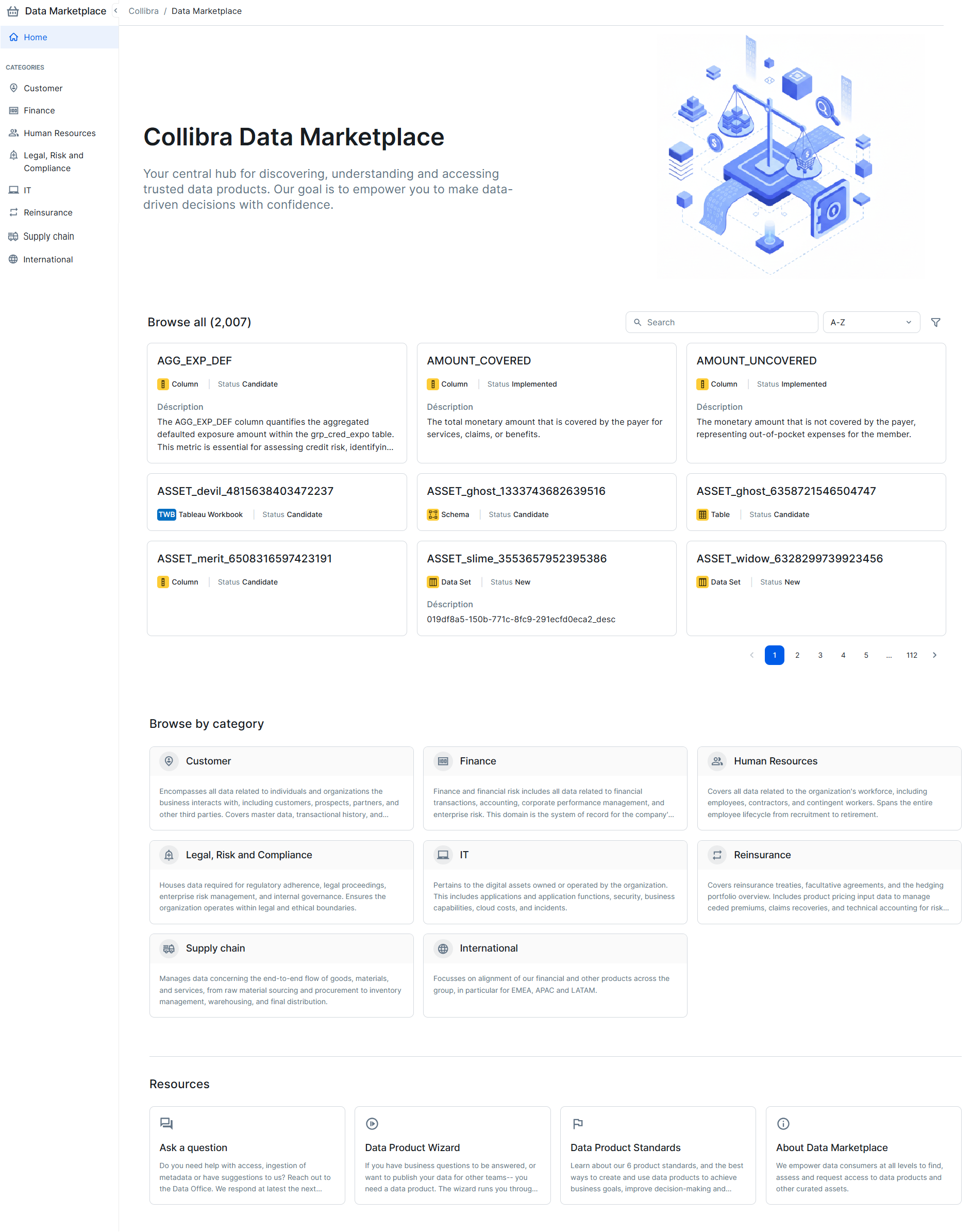
Standalone Data Marketplace is a dedicated search portal in Collibra Platform that needs to be enabled. With the correct permissions, standalone Data Marketplace provides data consumers, such as analysts, data scientists, and data engineers, with a user-friendly search interface to browse a curated subset of assets, preview these assets, and request the data they need.

Administrators can:

Tip If you want to replace standalone Data Marketplace with Data Marketplace in Search, go to Moving from standalone Data Marketplace to Data Marketplace in Search.

Data Marketplace in Search

Data Marketplace in Search integrates Data Marketplace into the Collibra Platform search. With the correct permissions, data consumers can have the Data Marketplace experience on the Collibra search page, providing them access to a curated subset of assets.
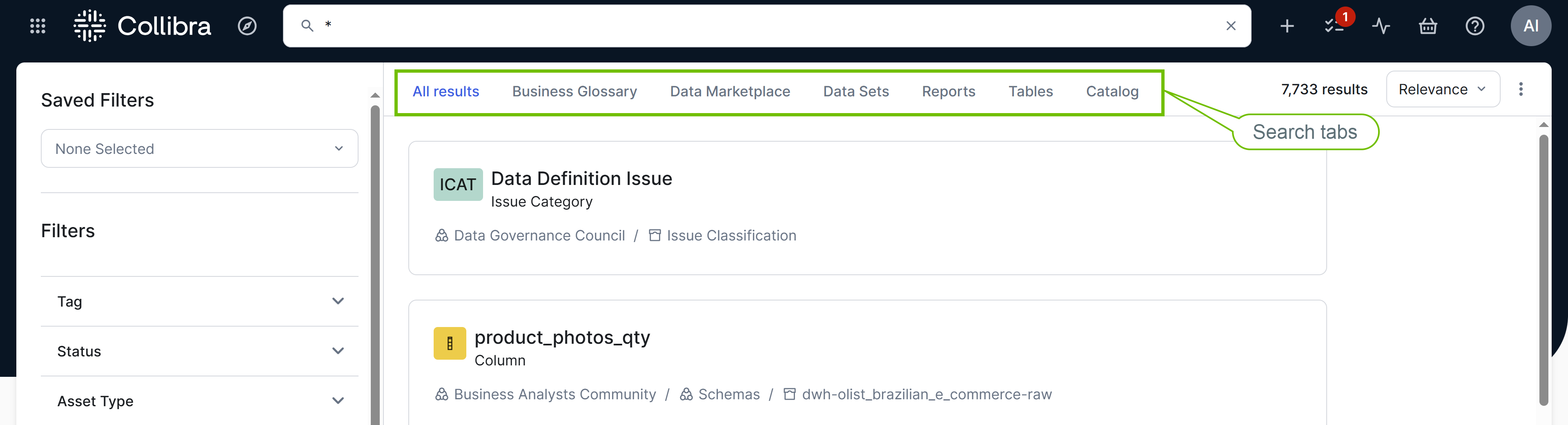
Image of the search page with Data Marketplace experience

This feature is available only in the latest UI.

Differences between standalone Data Marketplace and Data Marketplace in Search

Feature Available in standalone Data Marketplace? Available in Data Marketplace in Search*?
Data Marketplace is available for all users with the correct permissions.Yes, and after enabling Data MarketplaceYes

Data Marketplace searches within the Data Marketplace scope, meaning within specific asset types, statuses, communities, and domains.

YesYes
Data Marketplace-specific filters (filter facets) allow you to refine the search results. YesYes
Data Marketplace can search for data based on an attribute of an asset.NoYes
Data Marketplace can search for data based on specific relations between assets. For example, when searching for a column name, you can find the data sets to which the column is added. YesYes

Data Marketplace allows you to quickly apply frequently used filters.

Yes, via quick filter search tabsYes, via quick filters

Data Marketplace allows you to create personal filters.

Yes, via personal filtersYes, via saved filters
Administrators can save a set of filters for all users or for specific user segments in the organization.Yes, via filter tabsYes, via saved filters and quick filters

Data Marketplace can guide you to the information you might be looking for via search suggestions.

YesYes, some suggestions are provided
Administrators can define which actions are available on the various pages in Data Marketplace.YesYes, the actions defined for asset previews are available
Data can be opened in preview. The asset preview shows the asset information such as the details, responsibilities, privacy restrictions, and related assets. The asset preview allows for investigating the data without losing track of the search results. YesYes
Administrators can define which user group receives automatic update emails about Data Marketplace.YesYes
Data Marketplace has a dedicated landing page where you have quick and easy access to recently visited assets.YesNo
Administrators can define the search result fields that must be available.NoYes

* This feature is available only in the latest UI.

Moving from standalone Data Marketplace to Data Marketplace in Search

If you have configured standalone Data Marketplace before and want to configure Data Marketplace in Search, consider the following: