The Settings tab pane allows you to edit the technical lineage, search for queries and export the technical lineage.
You can use the Display options pane to edit the technical lineage.
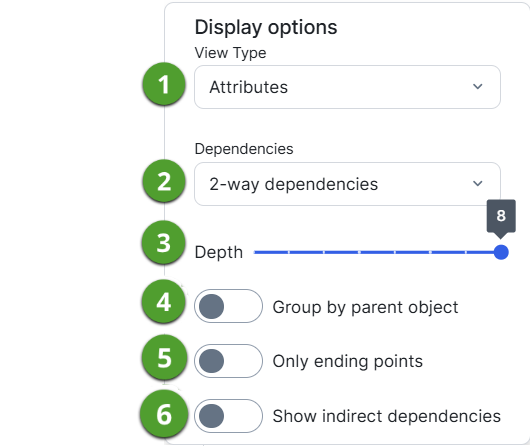
|
No |
Name | Description |
|---|---|---|

|
View Type |
Determines which details are shown in the technical lineage graph:
|
|
|
Dependencies |
Determines which dependencies are shown in the technical lineage graph:
|

|
Depth |
Determines the maximum flow depth. The relation path length from the first node in the technical lineage graph to any other node is automatically adjusted to the maximum flow depth. If you see
|

|
Group by parent object |
Groups tables and columns together by their hierarchical parent object. For example, a schema is the parent object of a table.
|

|
Only end points | Hides all data objects in the middle of the data flow and only shows the ending points of the technical lineage. |

|
Show indirect dependencies |
Includes indirect dependencies in a technical lineage. When a column flows from one table to another, the lineage reflects the direct dependency between the column in the source table and the column in the target table. This is considered a direct lineage. By default, Collibra Data Lineage only shows direct lineage. An indirect lineage, on the other hand, shows indirect dependencies. For example, if a JOIN clause is used in a query, the columns in the resulting view are generated by the JOIN clause; in other words, by an indirect dependency, not an actual flow of data. |
 in the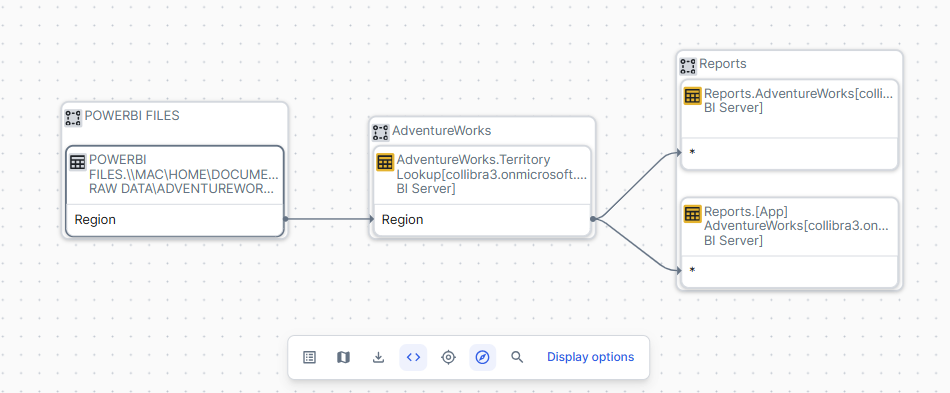
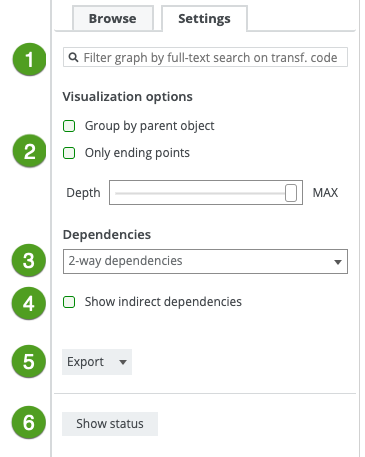
|
No |
Name | Description |
|---|---|---|
|
|
Search field | Finds specific transformation code in a selected object or attribute. As you type, corresponding object names from the technical lineage appear in a drop-down list. If you press Enter, the technical lineage only shows the parts that contain your search term(s). |

|
Visualization options |
Defines how data objects are shown in the technical lineage. |
|
Group by parent object
|
Groups tables and columns together by their hierarchical parent object. For example, a schema is the parent object of a table.
|
|
| Hides all data objects in the middle of the data flow and only show the ending points of the technical lineage. | ||
|
Determines the maximum flow depth. The relation path length from the first node in the technical lineage graph to any other node is automatically adjusted to the maximum flow depth. If you see |
||
|
|
Dependencies |
Determines which dependencies are shown in the technical lineage graph:
|
|
|
Includes indirect dependencies in a technical lineage. When a column flows from one table to another, the lineage reflects the direct dependency between the column in the source table and the column in the target table. This is considered direct lineage. By default, Collibra Data Lineage only shows direct lineage. An indirect lineage, on the other hand, shows indirect dependencies. For example, if a JOIN clause is used in a query, the columns in the resulting view are generated by the JOIN clause; in other words, by an indirect dependency, not an actual flow of data. |
|
|
|
Export |
Exports the technical lineage to the following export types:
|
|
|
Show status |
Switches to:
|
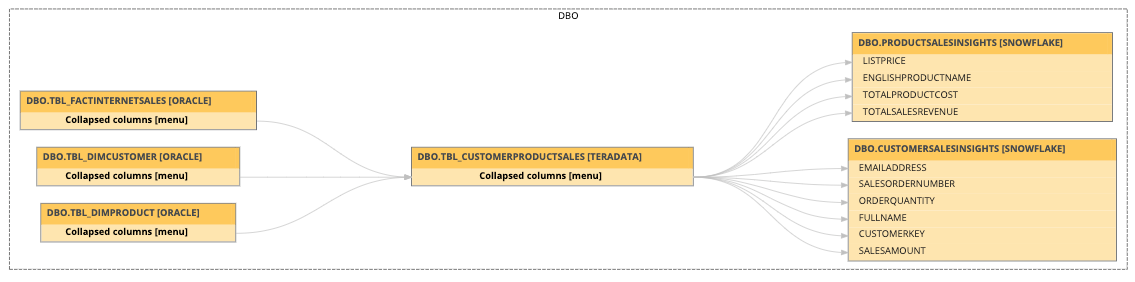
 in the