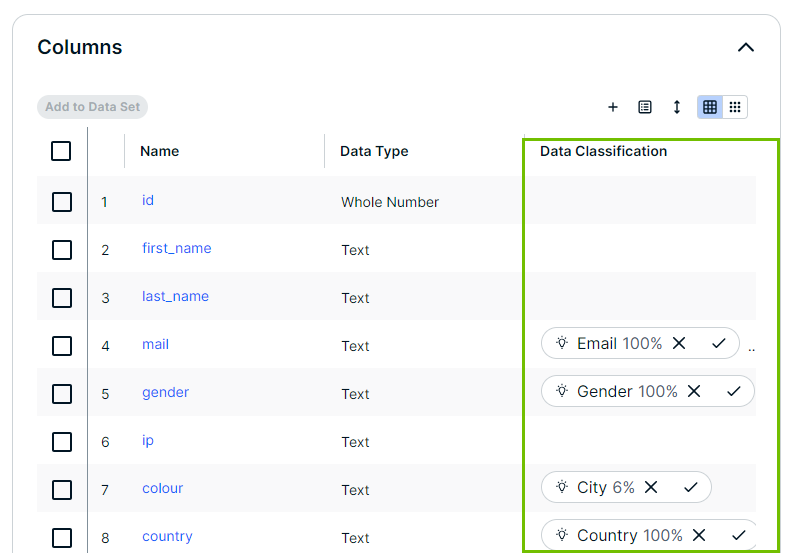
After the automatic data classification process runs, data stewards review the suggestions to ensure assets are accurately classified.
- If no data classes are suggested for a column, the automatic data classification process could not predict the data class.
- Sometimes multiple data classes can be suggested.
- The percentage next to the data class shows the confidence level of the suggestion. This score represents the system's certainty based on analyzed data samples.
- If automatic data classification acceptance and rejection is enabled, some data classification suggestions with a confidence level within the defined thresholds can be accepted or rejected automatically.
- You can accept or reject the data classification suggestions, and add a new data class.
Prerequisites
- You have the required permissions to reject or accept suggestions.
- The automatic classification process is run for the relevant column.
Accept a suggestion
- Open a Column, Table or view that shows the data classification suggestion.
You can view the suggestions in multiple places. - Next to the suggested data class, click the Accept icon.
Once accepted, the suggestion icon disappears.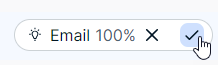

Accepting a data class formally assigns the data class to the asset.
Collibra remembers when a data class suggestion has been accepted. This data class won't be updated by the data classification process.
If automatic data classification acceptance and rejection is enabled, some data classification suggestions with a confidence level within the defined thresholds can be accepted automatically.
Reject a suggestion
- Open a Column, Table or view that shows the data classification suggestion.
- Next to the suggested data class, click the Reject icon.
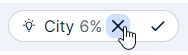
Rejecting a data class suggestion removes the data class from the column. Collibra remembers when a data class suggestion has been rejected. This data class won't be suggested again by the data classification process.
Even after a rejection, you retain full control. You can add a rejected data class back by manually classifying the asset. The rejected data classes are listed at the end of the list.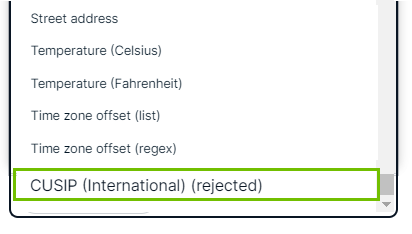
If automatic data classification acceptance and rejection is enabled, some data classification suggestions with a confidence level within the defined thresholds can be rejected automatically.
Impact of rerunning data classification
You can run the data classification process on assets again, even when these assets have accepted or rejected data classes. The next data classification run will not suggest any accepted or rejected data classes, but it will look for new data classes that might now apply to the asset.