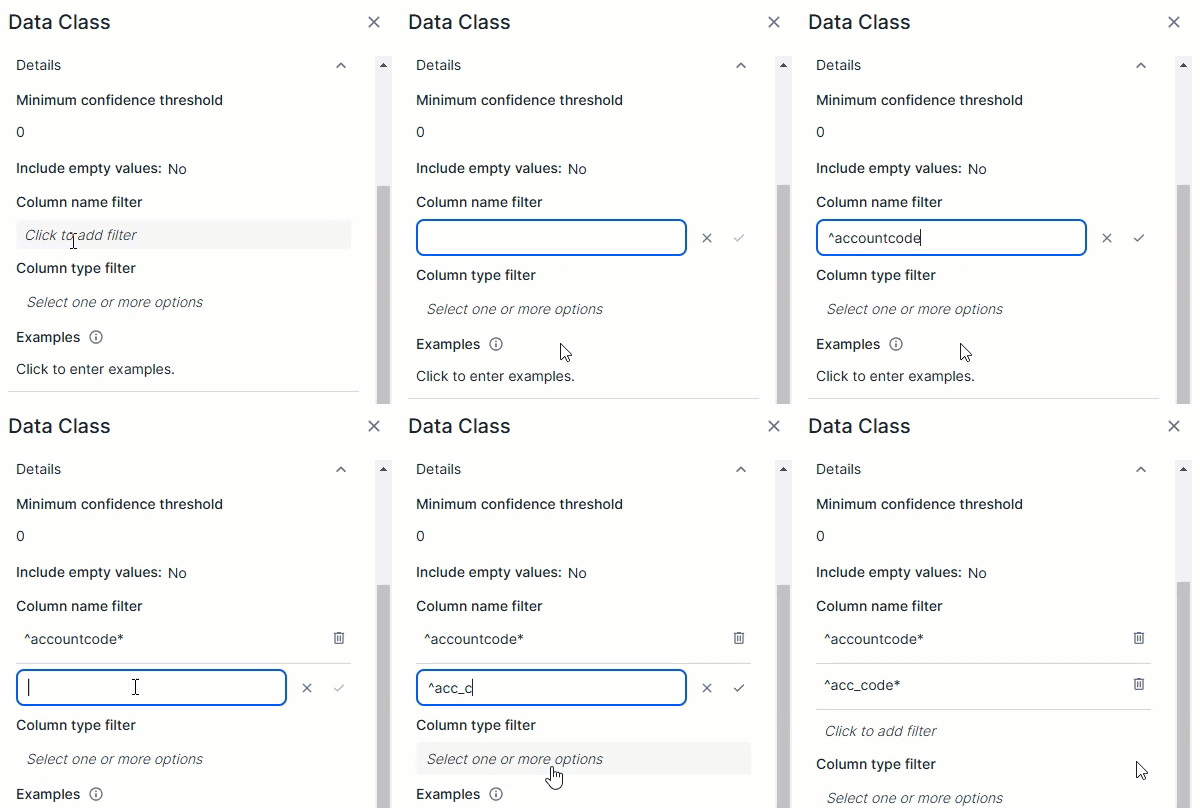
Data classes are the groups used to classify data, such as email, phone number, or web browser. They are used to identify data patterns.
Users with the required permissions, such as data stewards, can create, update, remove, and merge data classes. They can also import out-of-the-box data classes and update them.
The automatic data classification method uses the classification rules defined in a data class to check if an asset can be classified with the data class. A data class can include multiple rules, and the rules can be of different types. A data class is assigned to a column as soon as one of the rules applies to the column.
By default, rules based on column name and data type are evaluated before rules based on samples, such as regular expressions for data and lists of values for data. Rules based on samples are evaluated in the order in which they appear in the data class.
If the name of the Column asset matches the regular expression in the classification rule, the data class is applied, and no other rules are checked for that column.
If the column's data type in the data source matches the data type in the classification rule, the data class is applied, and no other rules are checked for that column.
If the column name and data type don't match, sample data from the column is evaluated against the other rules in the data class. These rules are processed in the order of appearance in the data class. When a rule matches a sample, the sample is considered a match, and the confidence score of the data class increases. At this point, the remaining rules are skipped for that sample. In that sense, it's important to add rules that are more likely to produce a match before others.
A data class includes the following elements:
| Data class element | Description |
|---|---|
| Name | The name of the data class. |
| Enabled |
Enabled indicates whether the data class needs to be taken into account during the data classification process. This option can be useful if the data class is not ready for use or if it is in testing phase. |
| Description |
The description of the data class. |
| Details | |
|
Minimum confidence threshold
|
Minimum confidence threshold is the confidence percentage that must be reached for the data class to be considered as a possible classification result. The confidence percentage refers to the percentage of values in a column that match at least one of the classification rules in a data class, for example, the regular expression.
Example If you add value 80 in this field, this data class will be suggested by the automatic data classification process only if the confidence percentage reaches 80 percent or higher. |
|
Include empty values
|
Include empty values indicates if you want to include empty values in the confidence percentage calculation.
This option can be used to receive an accurate confidence score for all data in a column. Example
You have a column Z with 40 empty values and 60 phone numbers. You have a data class A with a regular expression to detect US phone numbers.
Important Some regular expressions are constructed to allow a match with empty values. This means that, through the regular expression, empty values can be matched to the data class, which affects the confidence score. |
|
Column name filter
|
The Column name filter allows you to limit a data class to specific columns based on their name in the data source. The data class is considered only if the column's name in the data source matches one of the regular expressions in the filter.
|
|
Column type filter
|
The Column type filter allows you to limit a data class to specific column types based on their data type in the data source. The data class will be considered only if the column's data type in the data source matches one of the specified data types.
Using the column type filter makes the classification of dates, times, and time stamps easier because the data class can be restricted to those data types. Example
If you select The following list shows the available options in the Column type filter and their mapped SQL data types (java.sql.Types).
|
|
Examples
|
Some examples of values that match the classification rule for the data class. |
|
A classification rule is used by the data classification process to calculate the confidence score, which is a percentage that indicates the likelihood that the data class fits the data in an asset.
Important
By default, rules based on column name and data type are evaluated before rules based on samples, such as regular expressions for data and lists of values for data. Rules based on samples are evaluated in the order in which they appear in the data class. Show more information
If the name of the Column asset matches the regular expression in the classification rule, the data class is applied, and no other rules are checked for that column. If the column's data type in the data source matches the data type in the classification rule, the data class is applied, and no other rules are checked for that column. If the column name and data type don't match, sample data from the column is evaluated against the other rules in the data class. These rules are processed in the order of appearance in the data class. When a rule matches a sample, the sample is considered a match, and the confidence score of the data class increases. At this point, the remaining rules are skipped for that sample. In that sense, it's important to add rules that are more likely to produce a match before others.
|
|
|
Description
|
A description of the classification rule. |
|
Type
|
The type of classification rule. The possible values are Regular expression for column names, Data type, List of values for data, or Regular expression for data. Depending on your selection other fields appear.
|
|
Regular expression for column names |
If you select Regular expression for column names, you need to complete the following fields.
|
|
Data type |
If you select Data type, you need to complete the following fields.
|
|
List of values for data |
If you select List of values for data, you need to complete the following fields.
|
|
Regular expression for data
|
If you select Regular expression for data, you need to complete the following fields.
|