A relation is a characteristic that shows how assets are related to one another. The relation type defines which asset types can be related and which connections can exist between the asset types.
Kinds of relations
In the latest user interface, a relation can be of one of the following kinds.
| Kind | Description |
|---|---|
| Explicit | Shows how one asset is related to another asset directly. Previously, explicit relations were referred to simply as relations, a naming convention still used in the classic user interface. The latest user interface uses the term "explicit relations" to distinguish them from the newly introduced "derived relations". |
| Derived | Shows how one asset is related to another asset that is multiple relations away. The Derived Relations feature is available only in the latest user interface, and only if the Derived relation support setting in Collibra Console is activated. |
Differences between explicit and derived relations
The following table describes the differences between explicit and derived relations.
| Explicit relation | Derived relation |
|---|---|
| Shows how one asset is related to another asset. | Shows how one asset is related to another asset that is multiple relations away. |
| A direct, manually created connection between two assets. | An indirect connection between two assets that is automatically inferred based on existing explicit relations. |
| Needs to be manually created for an asset. | Can't be manually created for an asset. |
| Represents an edge in the knowledge graph. It is physically registered (persisted) in the database. | Represents a path in the knowledge graph. It is calculated dynamically based on existing explicit relations and is not persisted in the database. |
| Use this if there is no existing path to the asset, or if there is an existing path but it doesn't convey the same business meaning that you need. | Use this if there is an existing path that already conveys the same business meaning that you need. However, if you experience performance issues with a derived relation, use an explicit relation instead. |
Identifying explicit and derived relations on asset pages
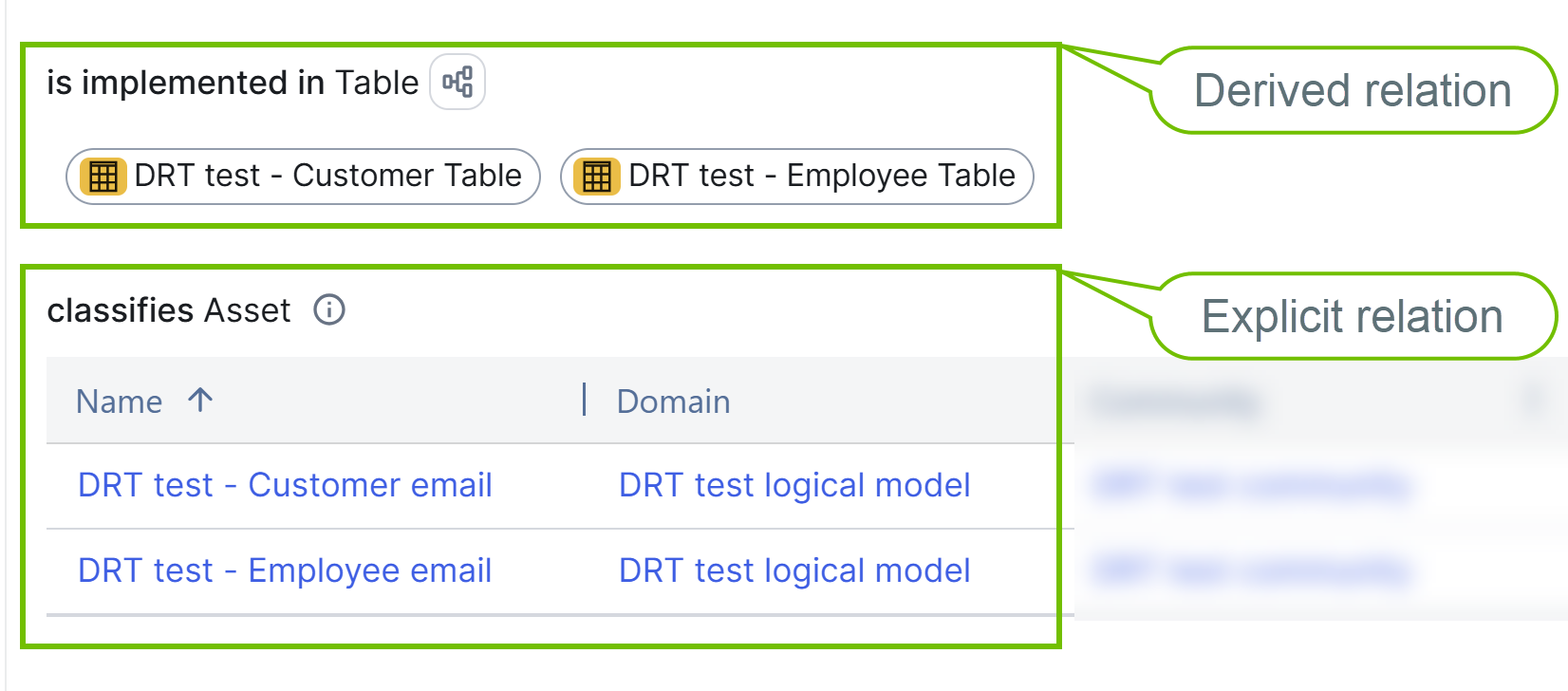
Both derived and explicit relations are shown on the Summary tab on an asset page, as a relation table, tile, or list. You can identify a derived relation on an asset page by the diagram icon  . Clicking shows the relation paths on which the derived relation is based, and clicking an asset name opens the corresponding asset page.