Review the history
Currently, only the job definition changes are shown. These include job creation, updates, and deletion.
Overview of the History tab user interface
The following sections describe the key functional areas of the History tab.
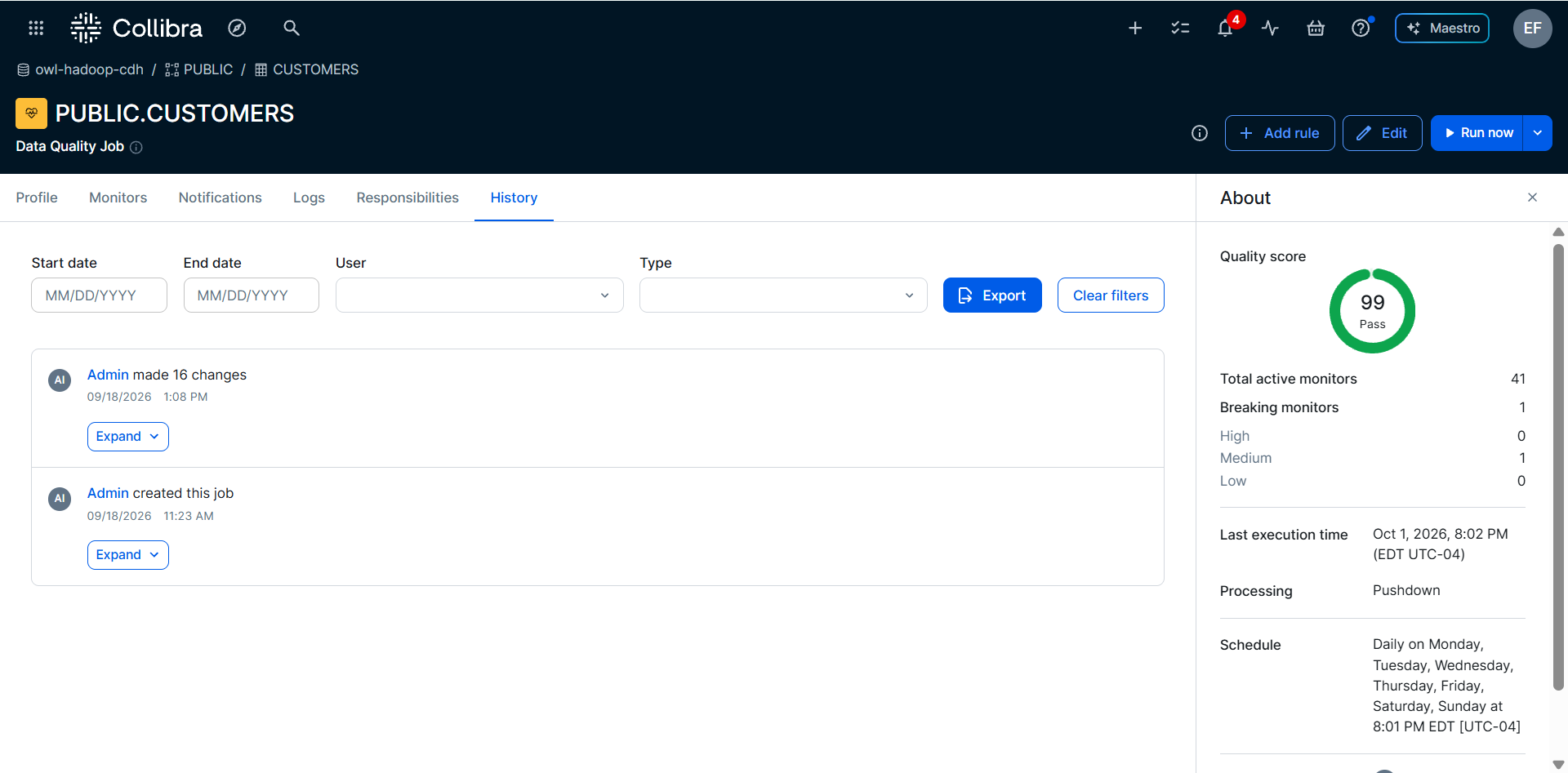
Change list
The change list shows every event recorded against the job, newest first. Each entry shows:
- The user or service account that made the change.
- The date and time of the change in your local time zone.
- The action type of Create, Update (previous vs. updated property values), or Delete (only appears in APIs).
Change details
For Update events, expanding an entry shows the specific fields that changed, with the previous and new value for each. A dash (-) indicates there was no prior value.The results are shown immediately after you make a change.
Note For jobs created before change history tracking was introduced, a message appears because no prior history exists. In these cases, the next change to the job is logged as an Update event.
Filters
Filter the change list by:
- Date range (start date and end date)
- User associated with the job
- Action type (created, updated, and deleted)
Export
Click Export to export the currently filtered history as a JSON file.
Note For jobs created before this feature was released (2026.10), the earliest entry is a system marker indicating that configuration history prior to this date is unavailable. For jobs created after the feature release, the first entry includes only the creation date and the creator.