About roles
Note Roles in Data Access are not the same as global or resource roles.
In Data Access, a role is a type of access control that grants identities access, such as Read, Write, or Admin, on data objects.
Components
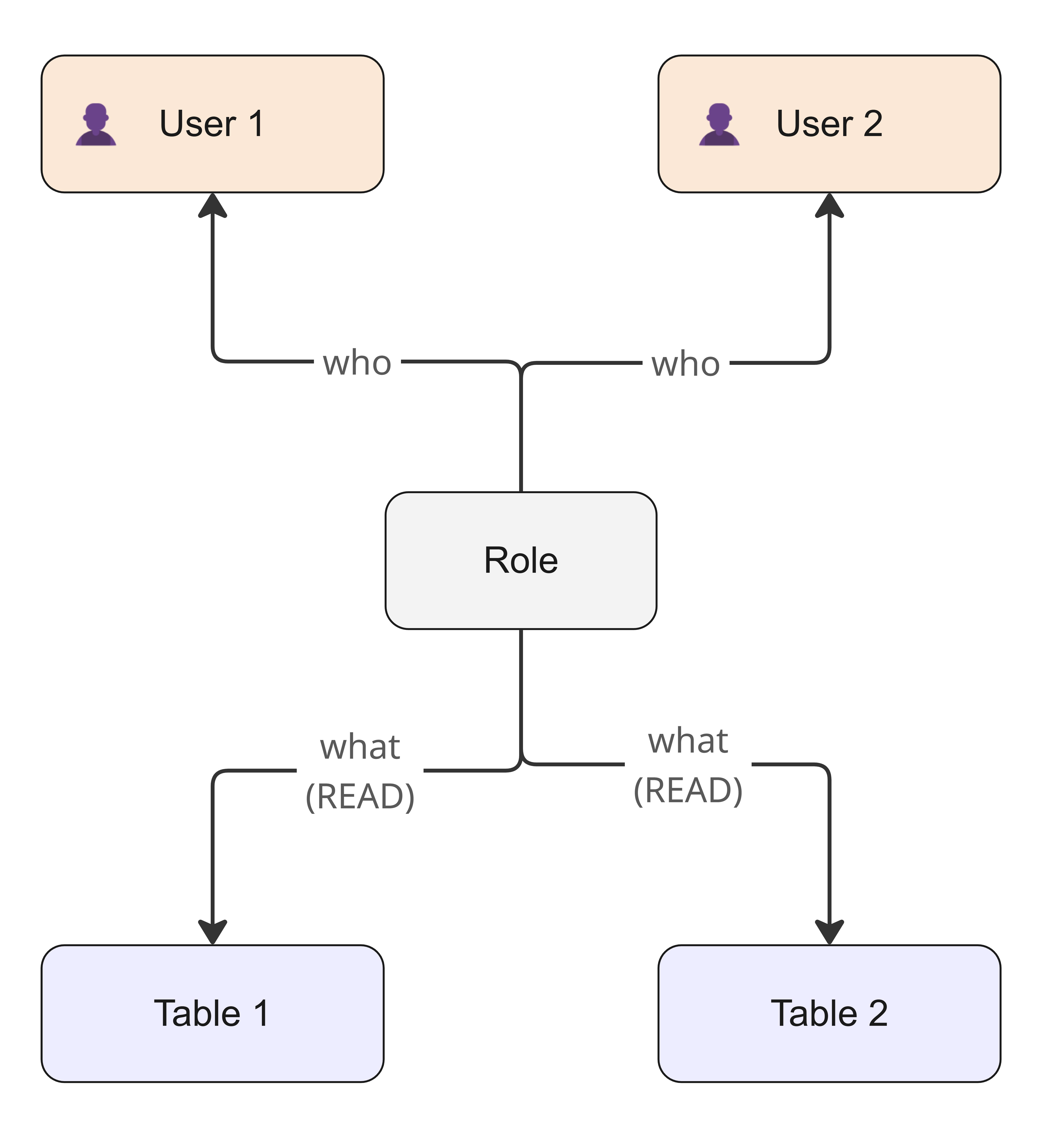
A role has the following components.
| Component | Description |
|---|---|
| What | The data objects, such as tables and columns, and the permissions that are applied to them. |
| Who | The beneficiaries that are authorized to access the data objects. The beneficiaries receive the permissions that are assigned to the data objects. Everyone else is denied access on the data objects. |
A role acts as a binding entity that ensures that every beneficiary that is defined in the Who component (the Beneficiaries section) receives the level of access that is defined in the What component (the Access on section).
Permissions
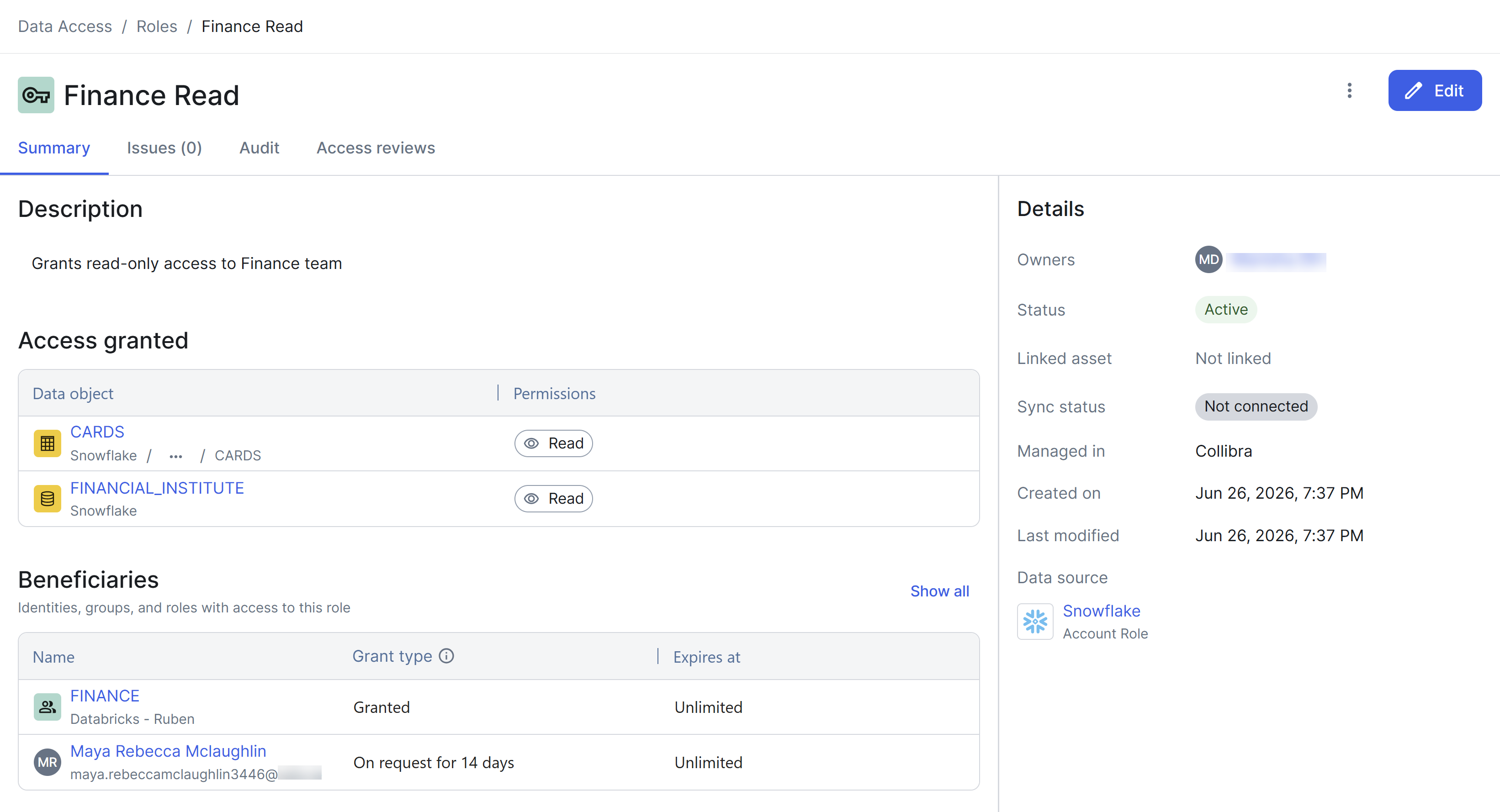
When adding a data object to a role, you can select the following high-level permissions: Read (default), Write, and Admin. These high-level permissions are automatically translated into the specific technical privileges that are required by the target data source. For example, assigning Read permissions on a Snowflake table translates into SELECT and REFERENCES privileges, while Write translates into a set of privileges including INSERT, UPDATE, and DELETE.
When you select a high-level permission, such as Read, you apply a dynamic set of privileges. If the target data source introduces a new technical privilege that maps to the Read permission, the role automatically includes the new privilege. This ensures that the beneficiaries of a role always have the complete, current set of privileges, without any manual intervention.
For more precise control, you can select granular, low-level underlying permissions that are specific to the data source, for example, granting only INSERT without DELETE. These underlying permissions are dynamically retrieved from the data source.
Dynamic rules
With dynamic rules, you can define conditions that automatically determine which data objects are included in a role and which identities are granted access on the data objects, without having to select each entity individually.
Suppose that you want every member of your Sales department to have Read access on customer data. Instead of manually assigning permissions each time someone joins the Sales department or a new table is created, you can create a single role with the following dynamic rules:
- What component: Grant Read permissions on all the tables that are tagged
Category:Customerand are scoped to Sales_Database. - Who component: Include all the identities that are tagged
Department:Sales.
When a new employee joins your Sales department, they automatically receive Read permissions on all relevant customer data. Similarly, when someone creates a new table and tags it Category:Customer, the role automatically applies to it, making the data available to the entire Sales department without any additional configuration.