Dynamic rules in access controls
In Data Access, you can make an access control dynamic by using dynamic rules, also called Attribute-Based Access Controls (ABAC).
Instead of manually specifying static data objects and identities (entities), you can use dynamic rules to automatically target the entities that you want to include in the access control. After you create a dynamic rule, it is automatically applied to future entities. This means that if an entity is added or updated in your data source later, the access control includes it if it satisfies the dynamic rule.
Scenarios
You can use dynamic rules in an access control in the following scenarios:
- You want to mask all columns that have the tags
Classification:PIIandCategory:Employeefor everyone except the identities that have the tagDepartment:HR. - You want any identity that has the tag
Department:Marketingto be able to access any table that has the tagCategory:Marketing.
How dynamic rules work
Dynamic rules use Boolean expressions that are based on tags. Tags are imported from your data sources during synchronization, and they are read-only in Data Access.
Dynamic rule in the What component
When you add a dynamic rule to the What component, you define which data objects your access control includes. Instead of selecting data objects individually, you specify conditions that the data objects need to meet to be included in your access control.
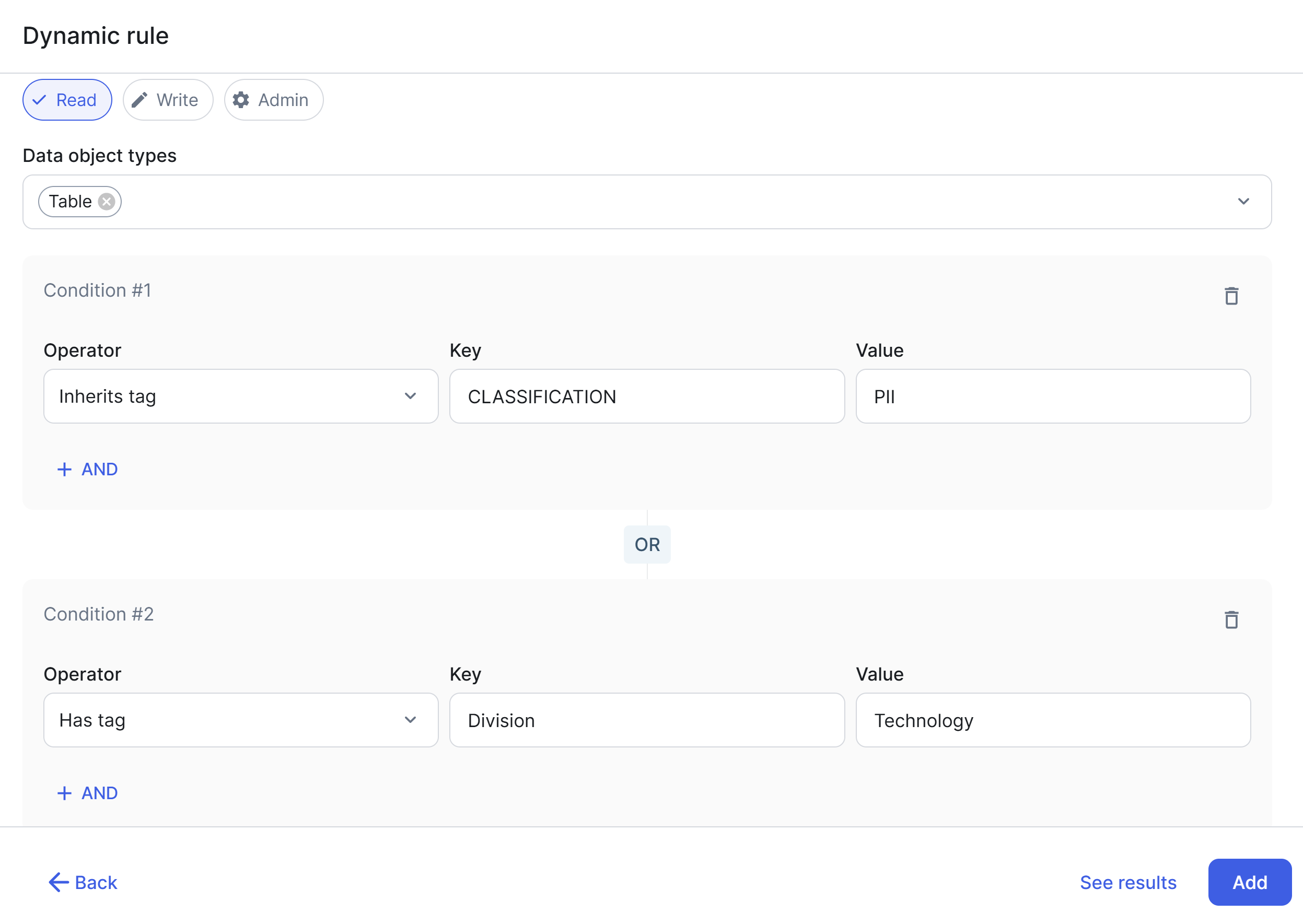
For a role, adding a dynamic rule to the What component involves defining a scope, selecting data object types, setting permissions, and building conditions. For a column mask, it involves only defining a scope and building conditions. For a row filter, it involves only defining a scope (one or more schemas that you own).
| Configuration step | Description |
|---|---|
| Scope | Select one or more data objects to define the boundary within which matching data objects are searched. For example, selecting a database restricts the dynamic rule to that database only, preventing Data Access from scanning your entire data source. |
| Data object types | Select the types of data objects to target within the scope (for example, Table and View). Only the data objects of the selected types are evaluated against the conditions that you specify. For column masks, the data object type is always Column. |
| Permissions | Select the level of access (Read, Write, or Admin) to grant on matching data objects. This is applicable only to roles. |
| Conditions |
Build one or more Boolean expressions by using tag-based conditions. These conditions are evaluated against all data objects that are within the defined scope and are of the selected types. Only matching data objects are included. For example, you can define the condition |
- The available options in the Key field include the tag keys that are imported from all the connected data sources.
- You can preview the results by clicking See results. The results show the data objects that currently meet the tag conditions. This lets you validate the scope of your dynamic rule before it is applied to your data sources.
Dynamic rule in the Who component
When you add a dynamic rule to the Who component, you define which identities your access control includes as beneficiaries. Instead of selecting identities individually, you specify conditions that the identities need to meet to be included in your access control.
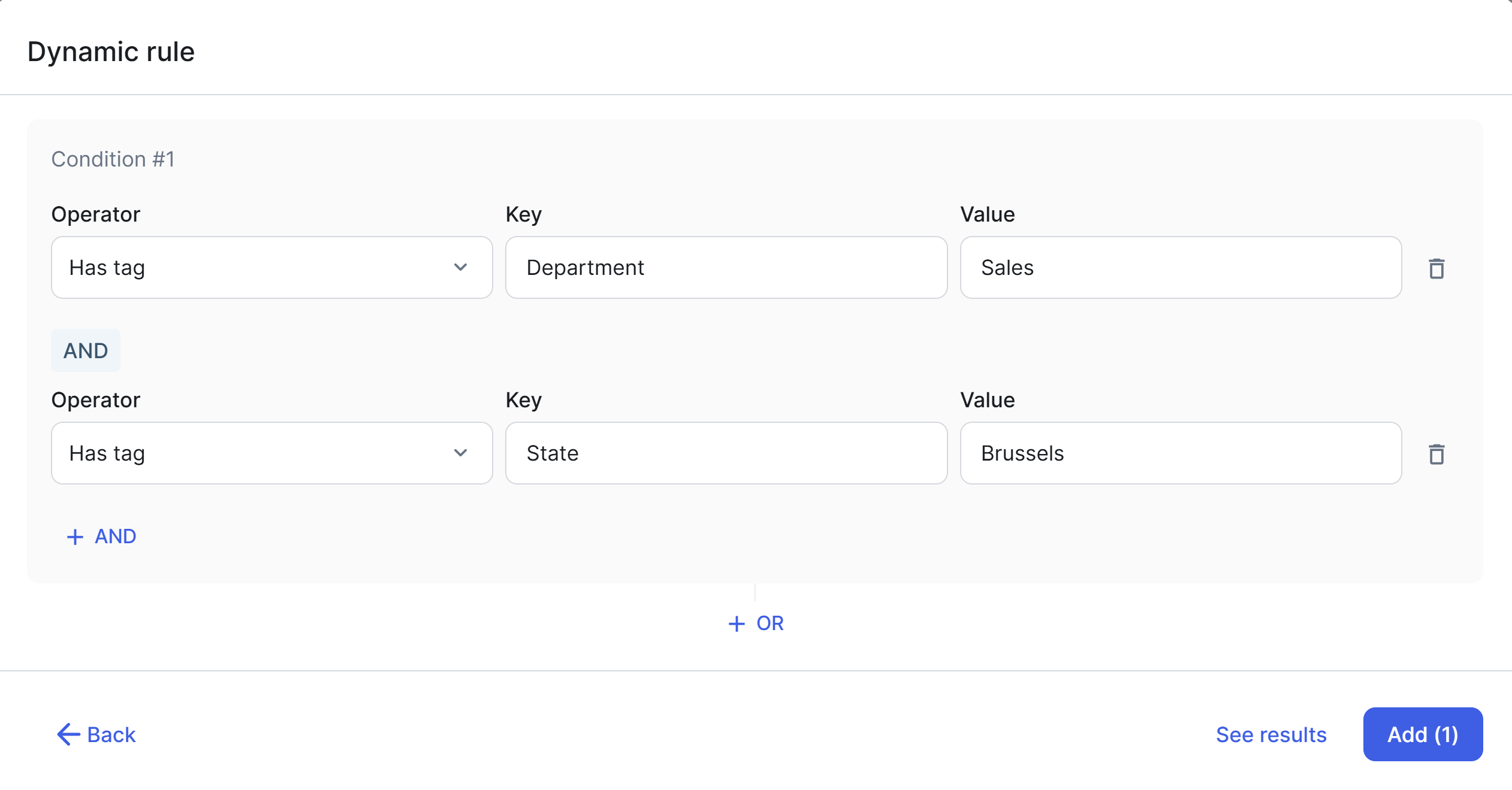
Adding a dynamic rule to the Who component involves building one or more Boolean expressions by using tag-based conditions. These conditions are evaluated against all identities. Only matching identities are included.
For example, you can define the condition Has tag Department:Sales to target only the identities that belong to the Sales department. You can also combine multiple conditions by using AND or OR logic to build more precise rules.
Tag operators in the What component
A tag operator in the What component determines how a data object is evaluated based on its position in the data hierarchy: whether a specific tag is applied directly to the object itself, inherited from an ancestor, or present on a descendant.
The following tag operators are available in the What component of roles and column masks.
| Tag operator | Description |
|---|---|
| Has tag |
Includes the data object only if the tag is applied directly to it. |
| Inherits tag |
Includes the data object if the tag is applied directly to it or inherited from its ancestor, for example, its parent schema or database. This operator is not available in the What component of column masks. |
| Contains tag |
Includes the data object if the tag is applied directly to it or present on any of its descendants, for example, its columns. This operator is not available in the What component of column masks. |
Comparing tag operators in the What component
The following table summarizes how each tag operator behaves based on where the tag is applied relative to the target data object.
| Where the tag is applied | Has tag | Inherits tag | Contains tag |
|---|---|---|---|
| On the target data object |
|
|
|
| On any ancestor of the target data object |
|
|
|
| On any descendant of the target data object |
 Access control does not apply Access control does not apply |
|
|
 Access control applies
Tag operators in the Who component
A tag operator in the Who component determines how an identity is evaluated based on its organizational structure: whether a specific tag is applied to the identity or inherited from its group.
The following tag operators are available in the Who component of roles, column masks, row filters, and groups. A dynamic rule in a group's Who component defines its membership dynamically, that is, matching identities by tag conditions.
| Tag operator | Description |
|---|---|
| Has tag |
Includes the identity if it has the tag. An identity gets its tags from its linked accounts. |
| Inherits tag |
Includes the identity if it has the tag or if any of its groups have the tag. |
Comparing tag operators in the Who component
The following table summarizes how each tag operator behaves based on where the tag is applied relative to the target identity. The tags on an identity come from the tags on all of its linked accounts.
| Where the tag is applied | Has tag | Inherits tag |
|---|---|---|
| On the target identity |
|
|
| On any group to which the target identity belongs |
|
|