Note The content in this topic is nearly identical to the AI Command Center alerts content. The only difference is the product name; this topic refers to AI Governance.
Imagine an AI model is no longer deployed. In the Lifecycle tracker on the AI Model Version asset page, you click Move to Archived, to archive the AI Model Version asset. In turn, the asset status becomes Archived. Now you want to alert Owners of AI use cases that use that AI model that the model is no longer authorized.
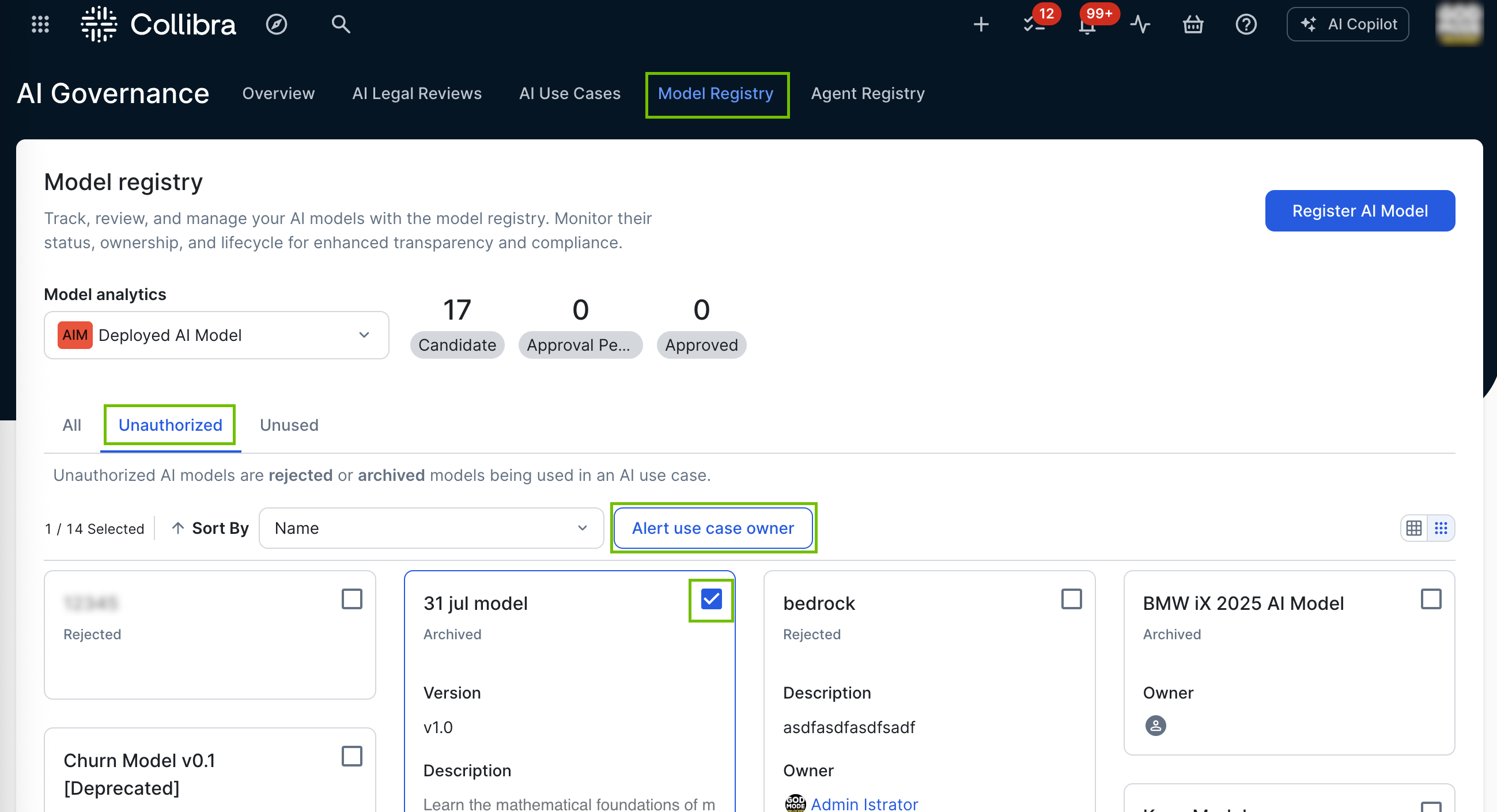
On the Model Registry page, the Unauthorized view shows all unauthorized AI Model Version assets in your Collibra environment. Unauthorized AI Model Version assets meet the following conditions:
- The asset has the status Rejected or Archived.
- It is related to an AI Use Case asset via the relation type "AI Model Version is used by / uses AI Use Case".
- The related AI Use Case asset does not have the Rejected or Archived status.
Requirements and permissions
You have:
- A global role with the Product Rights > Assessments global permission.
- A global role with the AI Governance > Register AI Model global permission.
The out-of-the-box AI Business User and AI Producer global roles have these permissions.
Steps
- On the Model Registry page, click the Unauthorized view.
- Select one or more AI Model Version assets for which you want to send alerts.
- Click Alert use case owner.
All Owners of AI use cases that are related to the AI model or models you selected are notified via the Notification Center.