Protect groups
You must create at least one Protect group before creating a data protection standard or a data access rule. Each Protect group is associated with a role in the data source provider.
Note In BigQuery, roles are referred to as principals.
The Groups tab in Protect contains an overview of the Protect groups that are created for data protection standards and data access rules. The table on the Groups tab contains the Protect groups that are active in the data source.
This topic describes how to create a Protect group and what is shown on the Groups tab in Protect.
Create a Protect group
Requirements and permissions
You have a global role that has the Protect > Edit or Protect > Administration global permission.
Steps
- Open Protect.
- On the Groups tab, click Collibra Protect Group API.
- For the next steps, go to Add a new group.
- When creating a Protect group, you are prompted to specify the data source provider (for example, Snowflake) and the existing role from the data source provider to map the role to the group.
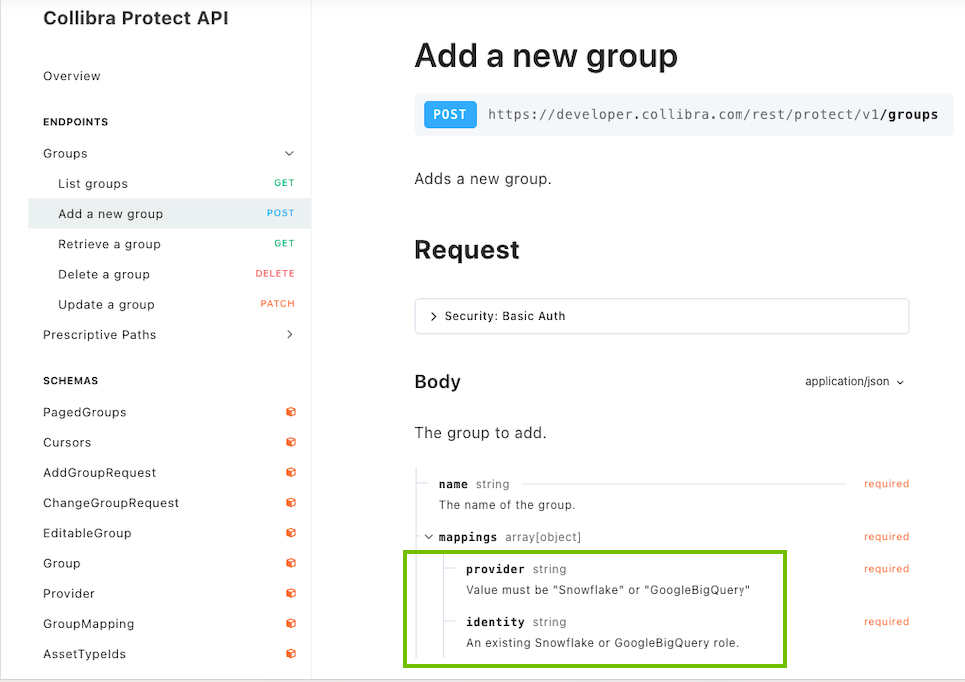
- The following image shows the roles in the Snowflake data source provider.

-
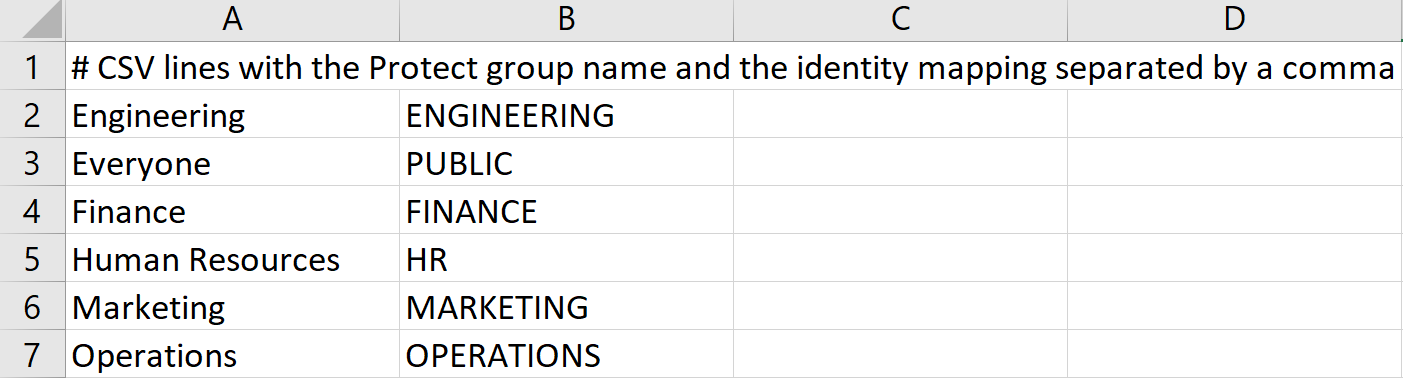
The following images show a CSV file (named protect_groups.csv) that contains Protect groups to be added to Collibra, and a bash script that adds those Protect groups to Collibra for Snowflake.

Groups tab
The following table describes the columns that are shown in the table on the Groups tab.
| Column | Description |
|---|---|
| Group Name | The name of the group. |
| System Reference | References to identify the data source provider and the role associated with the group. |
|
Created By |
The name of the user who created the group. |
| Created Date | The date when the group was created. |