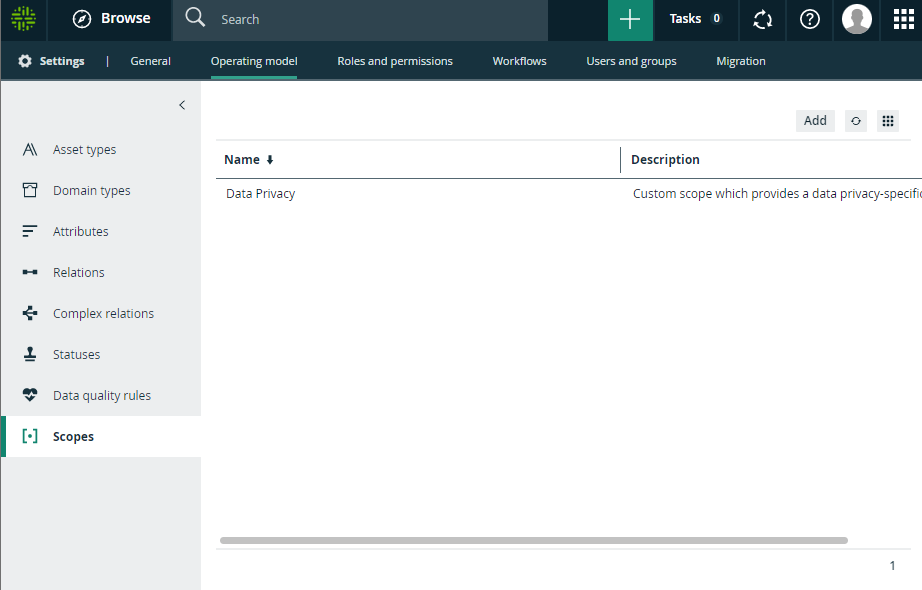
Scopes page overview
The Scopes page in the Collibra Settings provides an overview of the scopes in the Collibra Data Intelligence Cloud.
By default, you see the enhanced Scope page. However, your Collibra environment may still have the basic Scope page enabled. Contact Collibra support for more information.
You can read this procedure for both versions:
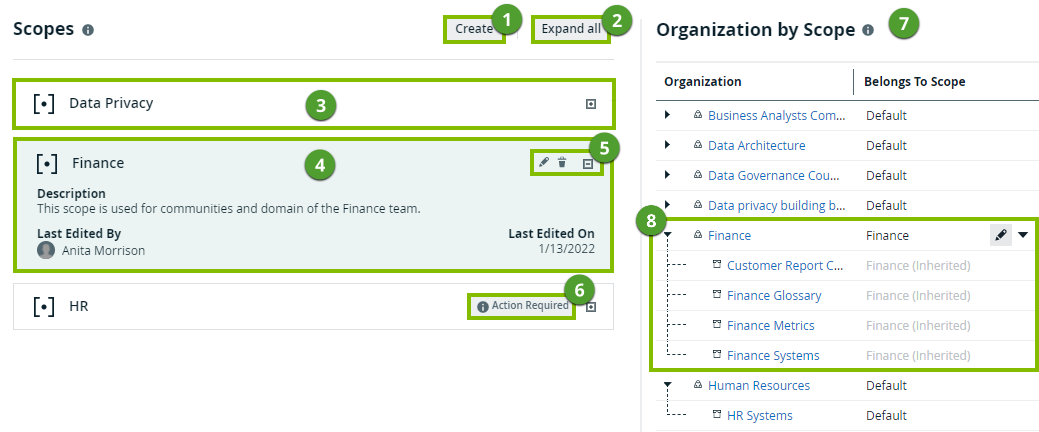
| Number | Section | Description |
|---|---|---|

|
Create button |
Button to create a scope. |

|
Expand all / Collapse all button |
Button to expand or collapse all scope tiles. |

|
Collapsed scope tile |
Scope tile that is collapsed to reduce its size. You can expand it by clicking the  button. button. |

|
Expanded scope tile |
Scope tile that is expanded, showing the metadata about the scope, such as the description. |

|
Scope action buttons |
Buttons to edit or delete the scope, and to collapse the scope tile. |

|
Action Required warning |
Warning to indicate that this scope currently does not contain any communities or domains. |

|
Organization by Scope section |
Section that contains an overview of communities and domains, and shows to which scope each community and domain belongs. |

|
Communities and domains per scopes |
A community that belongs to a custom scope. Its domains and subcommunities inherit the same scope. |