The Data Marketplace search results page
The Data Marketplace search results page consists of the following sections and features.
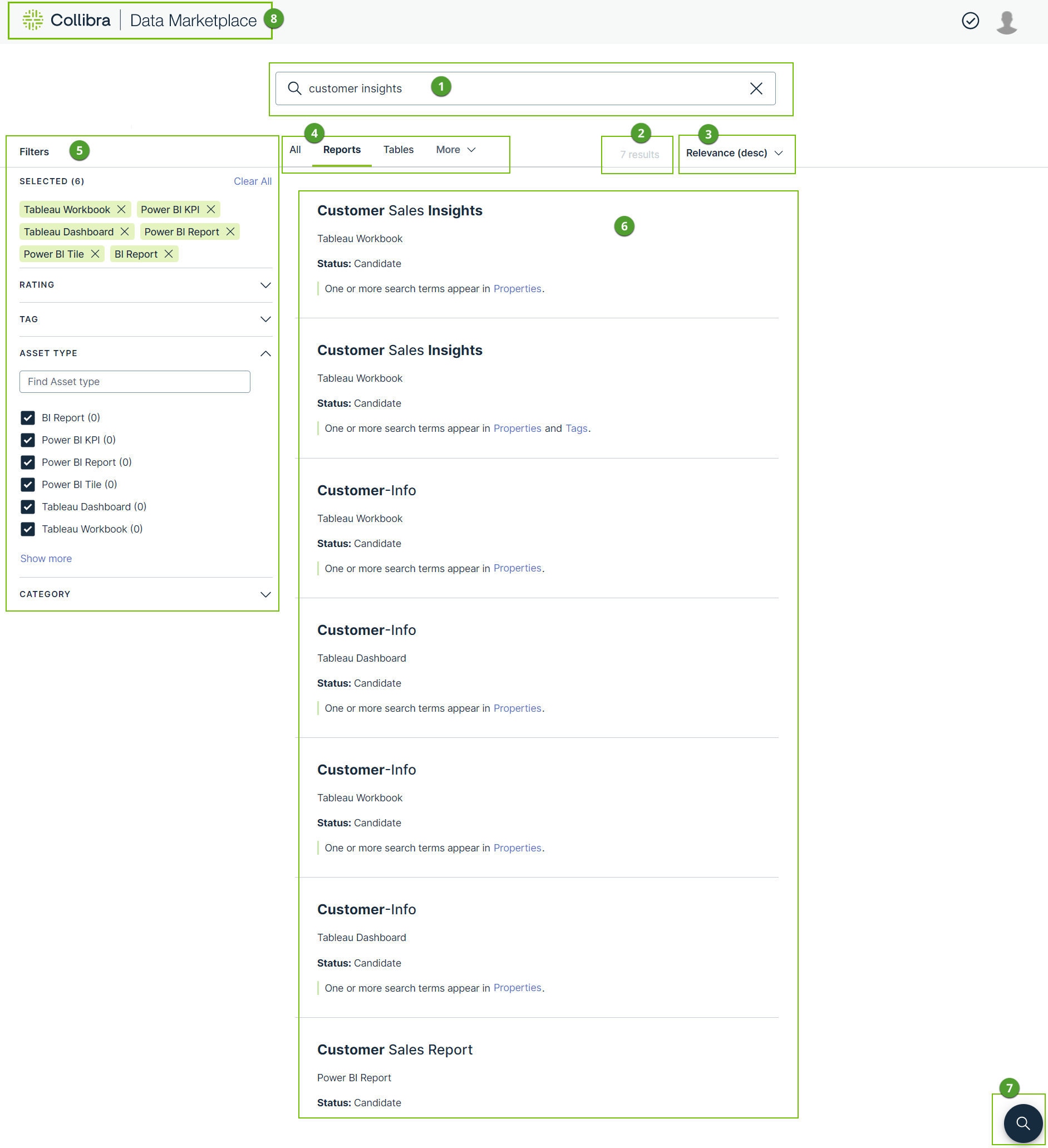
| Section | Description | |
|---|---|---|

|
Search |
The search field contains the search terms you used. |
|
|
Number of search results | This section shows the number of results for your search action. |
|
|
Sort options | The sort options allow you to sort your search results. |
|
|
Filter tabs |
Filter tabs allow you to only show assets of a specific type or apply a group of filters in one action.
See also Filter your search results. |
|
|
Filters pane |
Filters allow you to refine your search results further. |
|
|
Search results |
This section shows a list of results that match your search action. For each search result, a summary is available.
|
|
|
Back to search | This icon guides you to the top of the page. |
|
|
Back to landing page | This button brings you back to the Data Marketplace landing page. |


