The Data Marketplace landing page
The Data Marketplace landing page is your starting point for finding the data you need. The page consists of multiple areas.
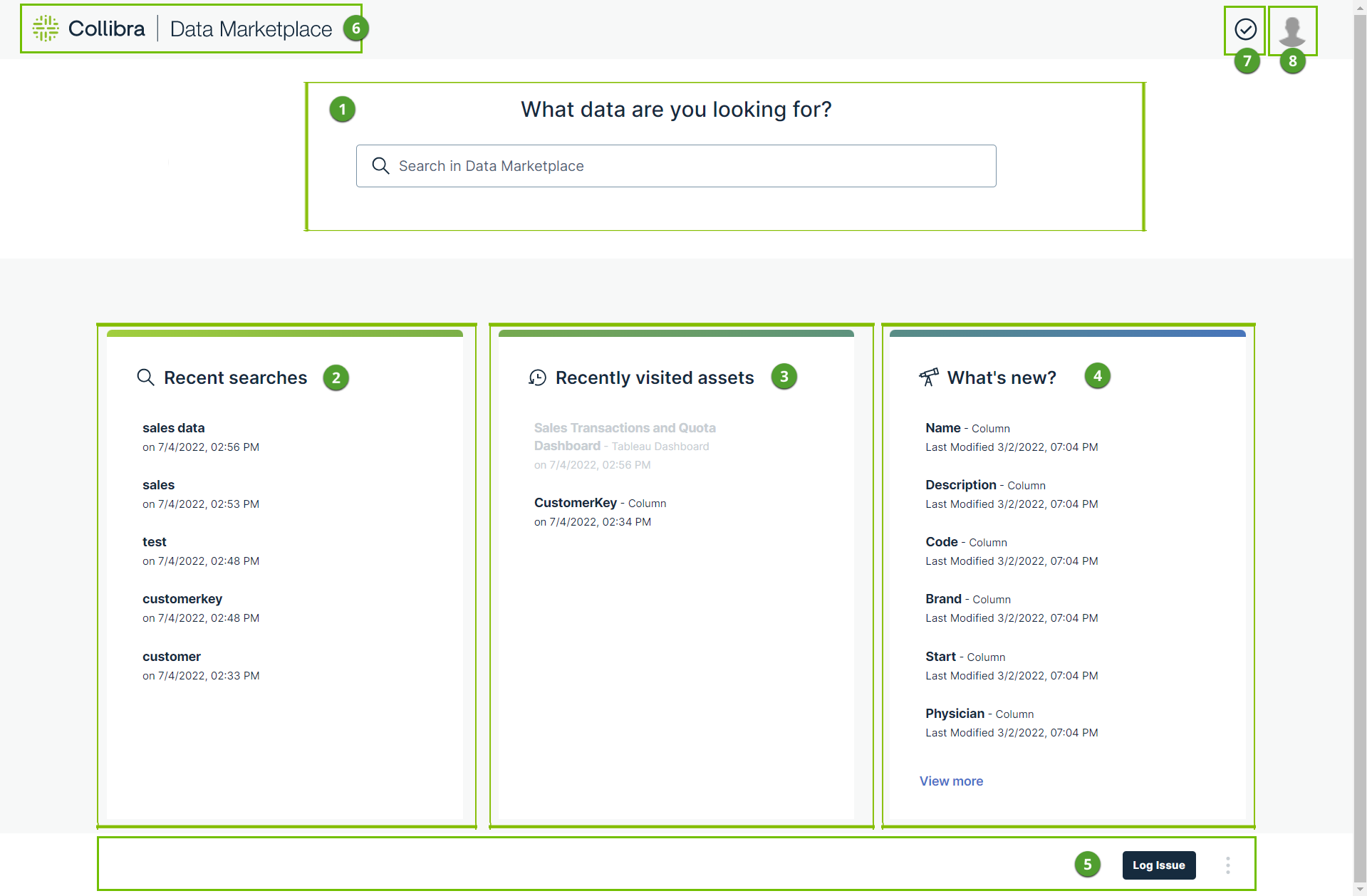
| Area | Area name | Description |
|---|---|---|
| 1 | Search |
A Data Catalog-specific search field that you can use to find any asset in Collibra Data Catalog, like Data Set, Schema, Table, Column, Tableau Workbook, BI report, and Power BI Dashboard. If search suggestions are not enabled, the search starts automatically after a few seconds. This search field works in the same manner as does the global search field, but only searches through the scope as configured by the Data Marketplace administrator. |
| 2 | Recent searches |
This area shows the recent searches that you performed in Data Marketplace.
|
| 3 | Recently visited assets |
This area shows the assets for which you opened the preview in Data Marketplace.
|
| 4 | What's new? |
This area shows all assets that have recently been updated in Data Catalog and that are in scope of Data Marketplace. |
| 5 | Landing page actions | In this area, actions can be available. The Data Marketplace administrators can make actions available in this area. |
| 6 | Back to landing page | This button brings you back to the Data Marketplace landing page. |
| 7 | Notifications | This button provides an overview of the messages you received from Data Marketplace. |
| 8 | Avatar |
Via the avatar, you can:
|
 to pin the search action and make sure it remains available in the list.
 to remove the recent search action.
