Search in Data Marketplace
-
In the main menu, click
 , then
 Data Marketplace.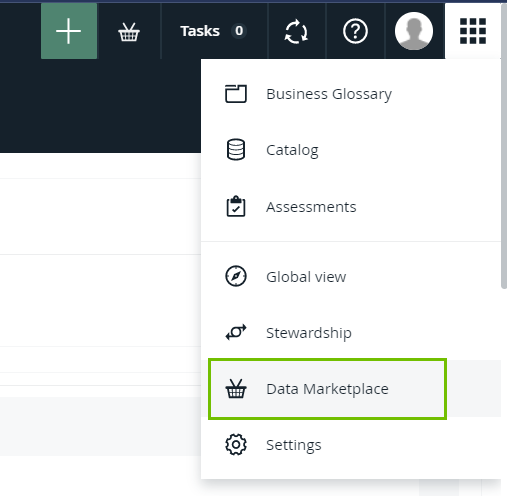
If Data Marketplace does not appear in the application selector after clicking, the feature is not enabled or you don't have the required permissions.
The Data Marketplace landing page opens.
- In the search field, enter your search terms.
- Optionally, use wildcards and symbols.
- If search suggestions are not enabled, the search starts automatically after a few seconds.
If search suggestions are enabled, suggestions appear as you type. Click one of the suggestions to use it or press Enter to ignore the suggestions.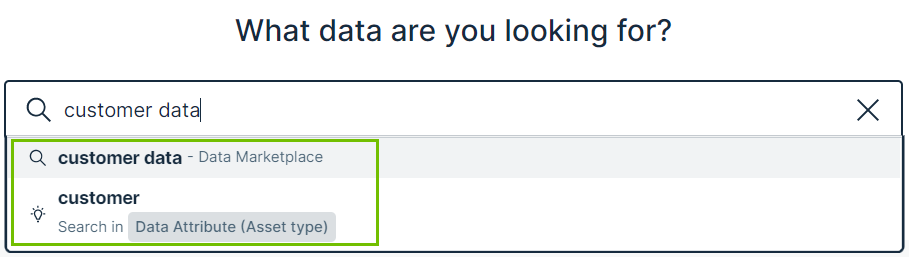
- Click
 to remove your search terms.
The search results page opens.