Traceability diagrams best practices
Applies to: Traceability diagrams
Recommendation
Leverage diagram design best practices to enhance readability of diagrams and avoid unnecessary complexity and rendering times
Impact
- Rendering of diagrams is faster
- Improved readability, for better user experience and utility
Best practice recommendations
- In the General Properties favor the end-to-end Traverse option to make it easier for users to read the diagrams in a single left-to-right direction.
- Use property overlays wherever possible to simplify the number of elements in the diagram, providing clearer illustration of business-understandable relationships.
- Create multiple context-specific views based on different users’ needs
- Avoid diagramming complex relationships, see our best practice on re-crafting complex relationships as multiple simple relationships.
- Use boxed or boxing style in the edge configuration to clarify relationships with optimal readability.
- Use collapsed as the boxing node option in Node Properties for boxes which have high granularity, for example, columns, fields, terms, ... .
- In Node Properties, be sure to use the Use the edges’ appropriate direction (outgoing and incoming), based on the relationship.
- For assets you want to give high visibility to enable the context checkbox in the Node Properties to bring them in to central focus when the diagram is rendered.
Topic area
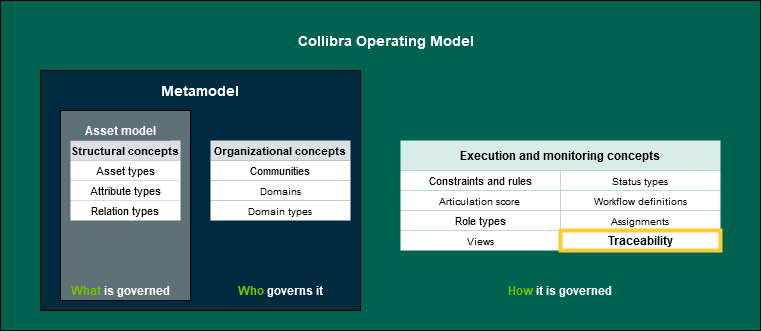
Operating Model → Execution and Monitoring Concepts → Traceability
Validation criteria
Manual validation of the above recommendations being used in design
For more information see Collibra's Documentation Center:
- Diagrams: https://productresources.collibra.com/docs/collibra/latest/#cshid=DOC0114
- Diagram editor: https://productresources.collibra.com/docs/collibra/latest/#Assets/Diagrams/Layout/ref_diagram-editor.htm
- Tips for creating correct diagram view with the diagram view text editor:https://productresources.collibra.com/docs/collibra/latest/Content/Assets/Diagrams/DiagramViews/JSON/co_tips-for-creating-correct-diagram-views.htm
- Picture editor: https://productresources.collibra.com/docs/collibra/latest/Content/Assets/Pictures/ref_picture-editor.htm