About registering a data source
By registering a data source via, you connect a data source to Collibra. With this, you can make metadata of the data source available in Collibra.
Collibra supports two ingestion processes: via Jobserver or via Edge.
When you enable registering a data source via Edge, you can choose to register a data source using Edge or using Jobserver.
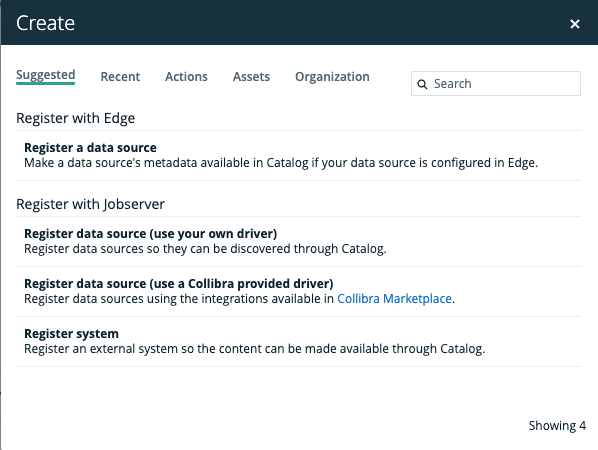
Differences between registering a data source via Jobserver or via Edge
The following table shows the differences between registering a data source via Jobserver or via Edge.
|
Part of process |
Register a data source via Jobserver |
Register a data source via Edge |
|---|---|---|
|
Permissions |
The required permissions to register a data source via Jobserver or via Edge are the same except for the following permission: You need a resource role with the following resource permissions on the Schema community:
|
The required permissions to register a data source via Edge or via Jobserver are the same except for the following permission: You need a global role with the View Edge connections and capabilities global permission. |
|
Registering a data source |
When you register a data source via Jobserver, you have to enter all database connection properties in the Register data source dialog box. |
Before you register a data source via Edge, you have to enable data source registration via Edge. You also create JDBC connections to your data source and Edge capabilities with a JDBC Catalog JDBC ingestion capability template. When you register a data source in Data Catalog, you can then select which database you want to add to the JDBC connection. |
|
Refreshing or synchronizing |
After registering a data source, a Schema asset is created. On the Configuration tab page of the Schema asset page, you can refresh a data source. |
After registering a data source, a Database asset is created. The Database asset has a relation of the type "Technology asset groups / is grouped by Technology asset" to the System asset that was selected when registering the data source. On the Configuration tab page of the Database asset page, you can synchronize one or many schemas. |
|
Profiling options |
At the end of the registering process, you can select profiling options to create profiling and sample data. The profiling data is automatically created after the refresh process. |
You have to enable profiling and classification via Edge. After registering a data source, you can select profiling options to create profiling data and data classes on a Database asset page. The metadata is profiled and classified automatically or manually after synchronizing a schema. |
Difference between registering a data source and importing data
When you register a data source, Data Catalog reads and processes metadata of data sources that are not governed in Collibra Data Intelligence Cloud. Collibra will create assets of the relevant types, such as Database, Table and Column.
Example You register a data source that contains your financial data in a SAP HANA database. Afterwards, you can use the Collibra to manage the data, for example manage access control through data sets and use traceability to see your data lineage.
When you import data, you create or edit assets or complex relations, with their characteristics, from a view. Collibra will create assets of the type specified in the imported XLSX or CSV file.
Example You import an XLSX file containing the most common business terms of your company. You can use Collibra to approve the terms and link them to more technical assets.
Naming convention
When you register a data source, Collibra follows a strict naming convention for the names of the new assets. Each asset has a display name and full name. You can freely edit the display name. However, you should never edit the full name, because Data Catalog may need it to refresh data sources. Editing the full name may cause unexpected results and break the synchronization process.
Warning Editing the full name of the Database and Schema assets may lead to errors during the refresh process.