Database asset page
The Database asset page provides a complete overview of all information related to the Database asset.
Select which part of the Database asset page you want to see.
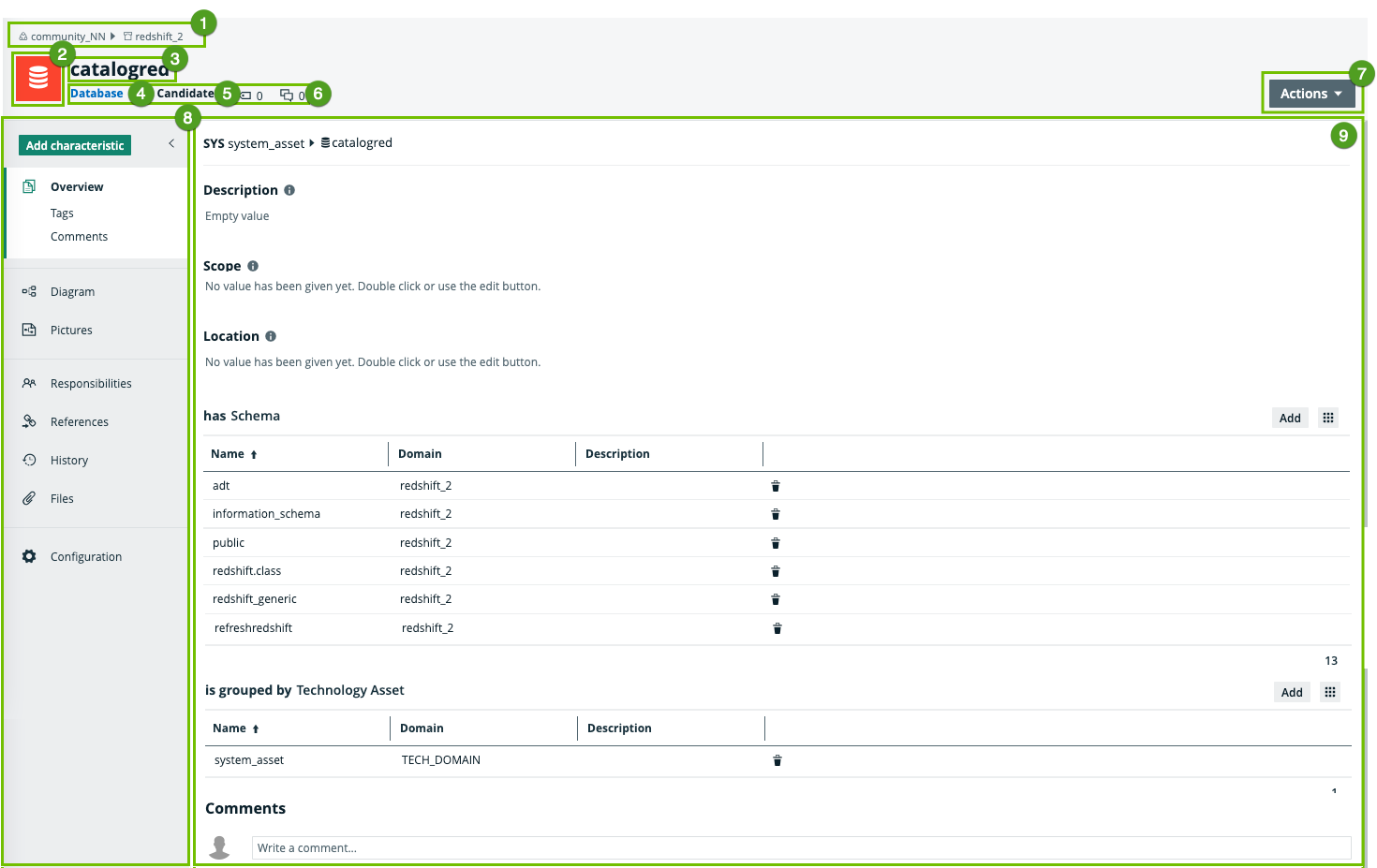
|
Number |
Section |
Description |
|---|---|---|
|
|
Breadcrumbs |
The breadcrumbs of the current |
|
|
Asset type representation |
The icon or abbreviation of the Tip You can edit how an asset type is represented. |
|
|
Asset name |
The name of the |
|
|
Asset type |
The name of the asset type, for example Schema or Data Set. |
|
|
Status |
The asset status, for example Approved. |
|
|
Collaborative features |
The collaborative features of assets, which consists of the following: |
|
|
Actions menu |
Button to start workflows and perform other actions. |
|
|
Tab pane |
A collapsible pane that allows you to navigate to other pages of the |
|
|
Editor |
The currently selected page of the tab pane. Tip If you want to copy and paste text from other sources into a text field, we recommend that you click |


 :
:  : Link to the
  :
Link to the
:
Link to the 


 , and then paste the text into the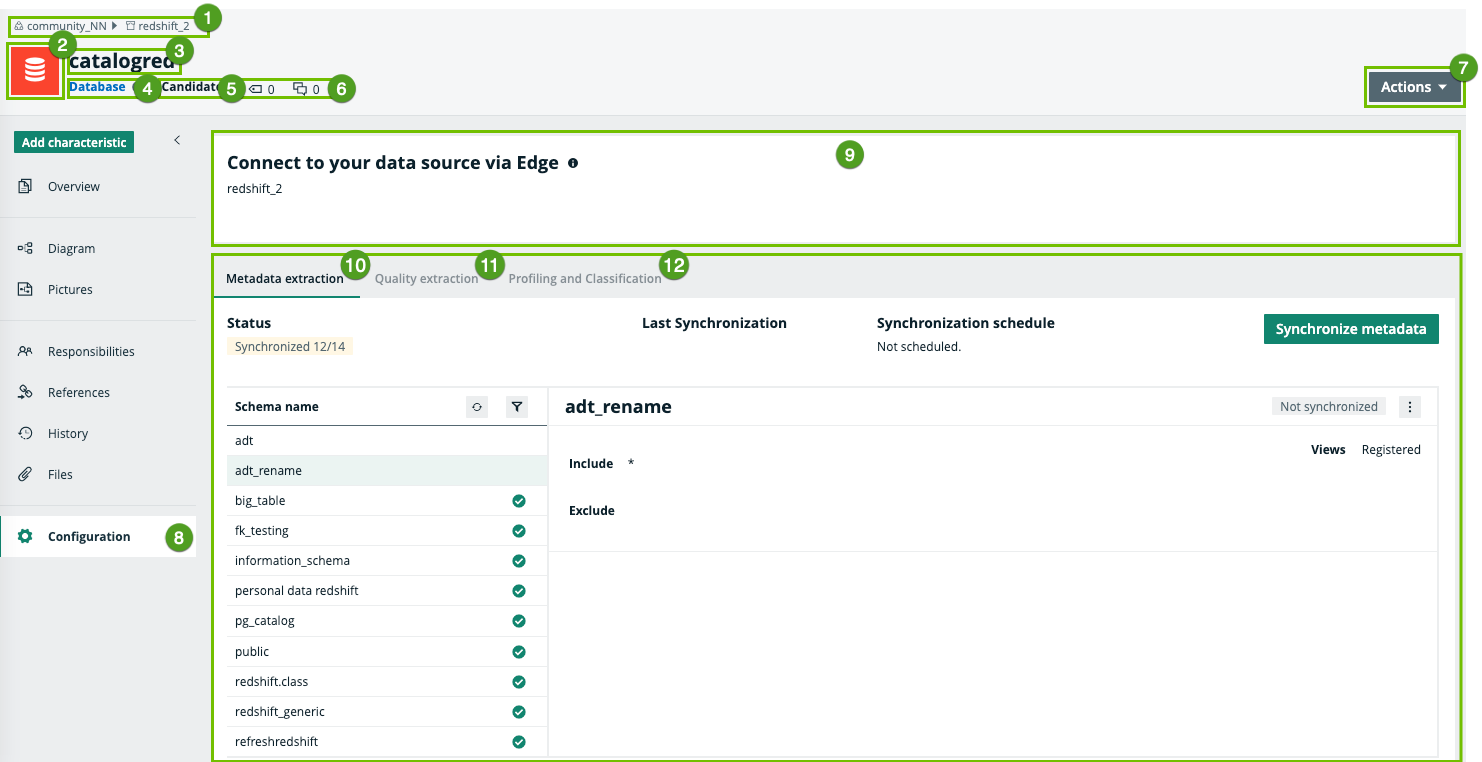
|
Number |
Section |
Description |
|---|---|---|
|
|
Breadcrumbs |
The breadcrumbs of the current |
|
|
Asset type representation |
The icon or abbreviation of the Tip You can edit how an asset type is represented. |
|
|
Asset name |
The name of the |
|
|
Asset type |
The name of the asset type, for example Schema or Data Set. |
|
|
Status |
The asset status, for example Approved. |
|
|
Collaborative features |
The collaborative features of assets, which consists of the following: |
|
|
Actions menu |
Button to start workflows and perform other actions. |
|
|
Tab pane |
A collapsible pane that allows you to navigate to other pages of the The currently selected pane is the Configuration pane. |
|
|
Connection details |
The name of the JDBC connection. |
|
|
Metadata extraction |
A tab pane that shows the overview of all schemas in the database that you can synchronize and the status of the synchronization process. |
|
|
Quality extraction | A tab pane that allows you to synchronize Data Quality user-defined rules, metrics, and dimensions into Collibra Data Catalog for the selected shemas. |
|
|
Profiling and Classification | A tab pane that has a button to run profiling and classification and shows the profiling and classification status and the selected profiling options. |


