Resolve schema refresh conflicts
If you refresh a schema, the ingestion process detects differences between the original schema, already in Collibra Data Intelligence Cloud, and the updated schema.
If columns or tables have been added to or removed from the schema, the process will create or delete the corresponding Column and Table assets in Collibra. However, the ingestion process results in a refresh conflict if one or more columns or tables were added and others were removed. If that happens, it adds a Refresh conflict attribute to all added and removed columns or tables. You have to resolve these conflicts before you can refresh the schema again. If you do not resolve the refresh conflicts, any future attempts to refresh the data source will fail.
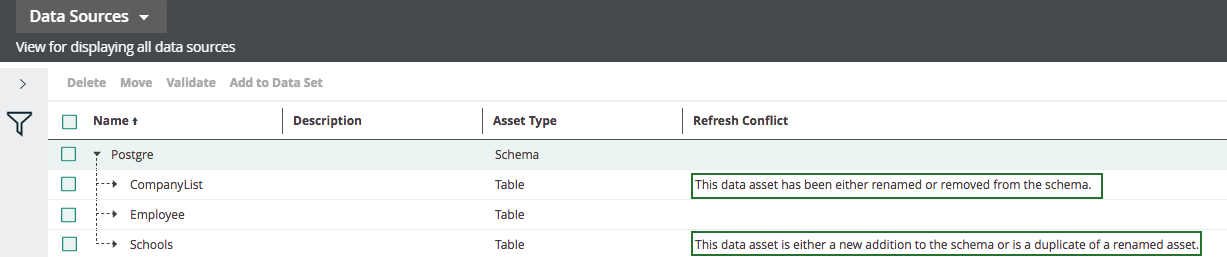
To see if there are any conflicts after a refresh, you have to add the Refresh Conflict field to the Data Sources view of the schemas.
You may come across the following scenarios:
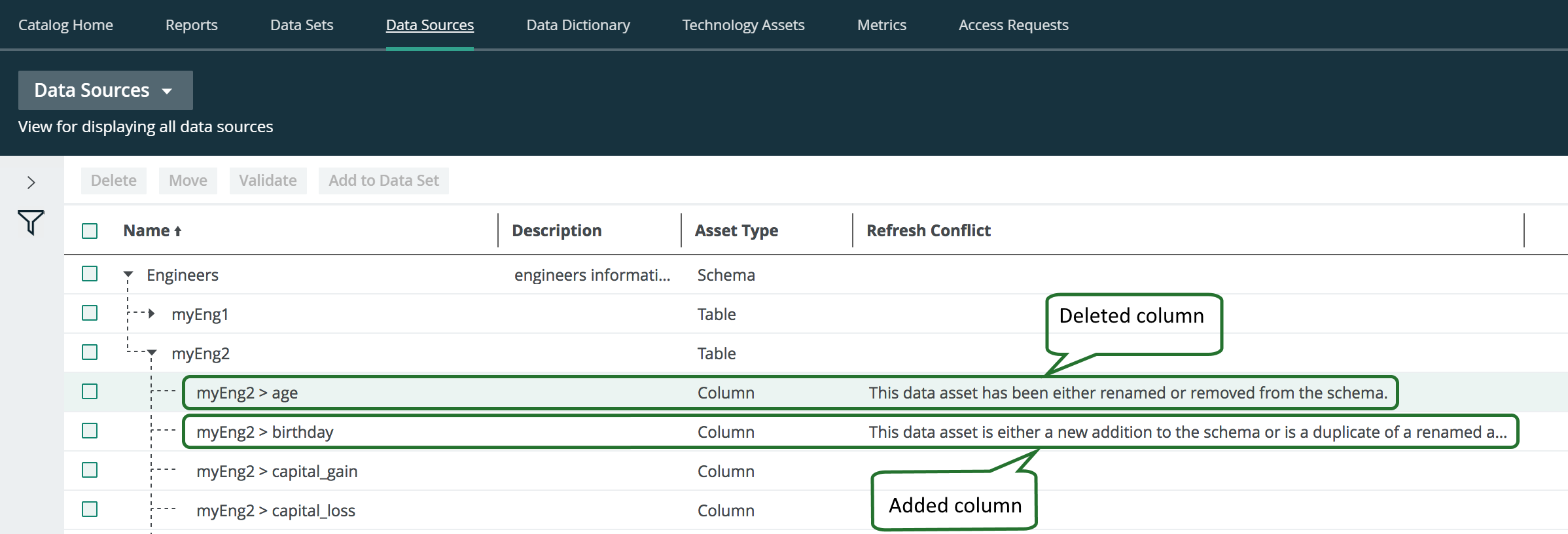
- A column is deleted from the schema and another one is added to the schema:
- You have to manually delete the column asset.
- You have to remove the Refresh conflict attribute from the added column asset.
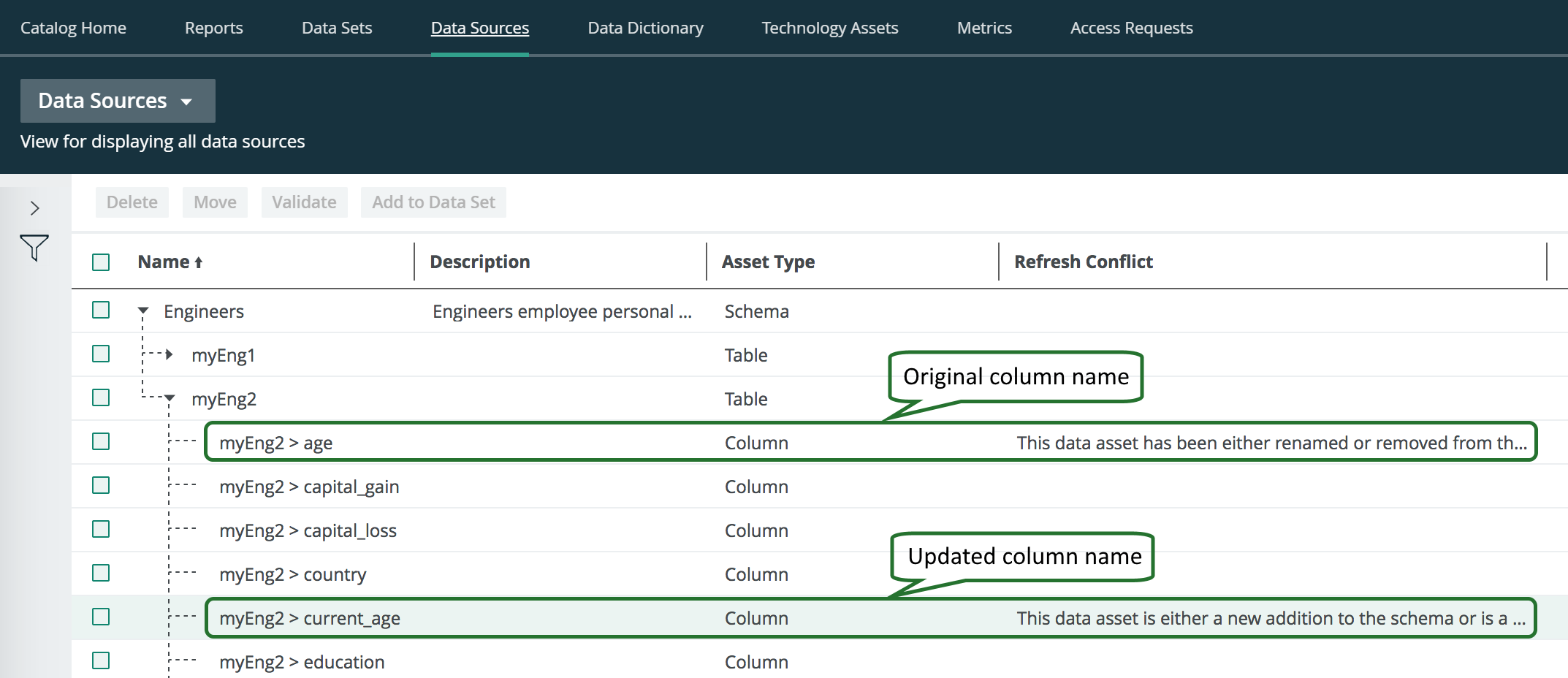
- A column is renamed in the schema:
- You have to remove the column asset with the updated column name.
- You have to rename the original column name to the newly ingested column name and delete the Refresh Conflict attribute.
- A column is deleted from the schema: this is automatically detected by the refresh operation. No further action is required of you.
- A column is added to the schema: this is automatically detected by the refresh operation. No further action is required of you.
- A table is renamed in the schema:
- You have to manually delete the renamed new table and all the columns contained in the table.
- You have to manually rename the existing old table and all the columns contained in the table.
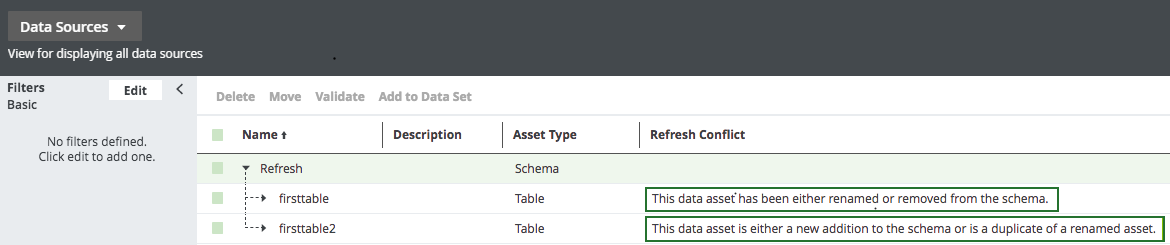
- A table is deleted from the schema and another table is added to the schema:
- You have to manually delete the deleted table and all the columns in the table.
- You have to manually delete the Refresh Conflict attribute for the added table.