In Collibra 2024.05, we launched a new user interface (UI) for Collibra Platform! You can learn more about this latest UI in the UI overview.
Use the following options to see the documentation in the latest UI or in the previous, classic UI:
The global search box enables you to find items that contain a word beginning with your search text. For example, if you search for ca, the search results could contain California, Lewis Carroll, or Meer-cat.  .
.

In this topic
Search suggestions
Search suggestions are the items that appear below the search box when you click inside the box or start entering something in the box.
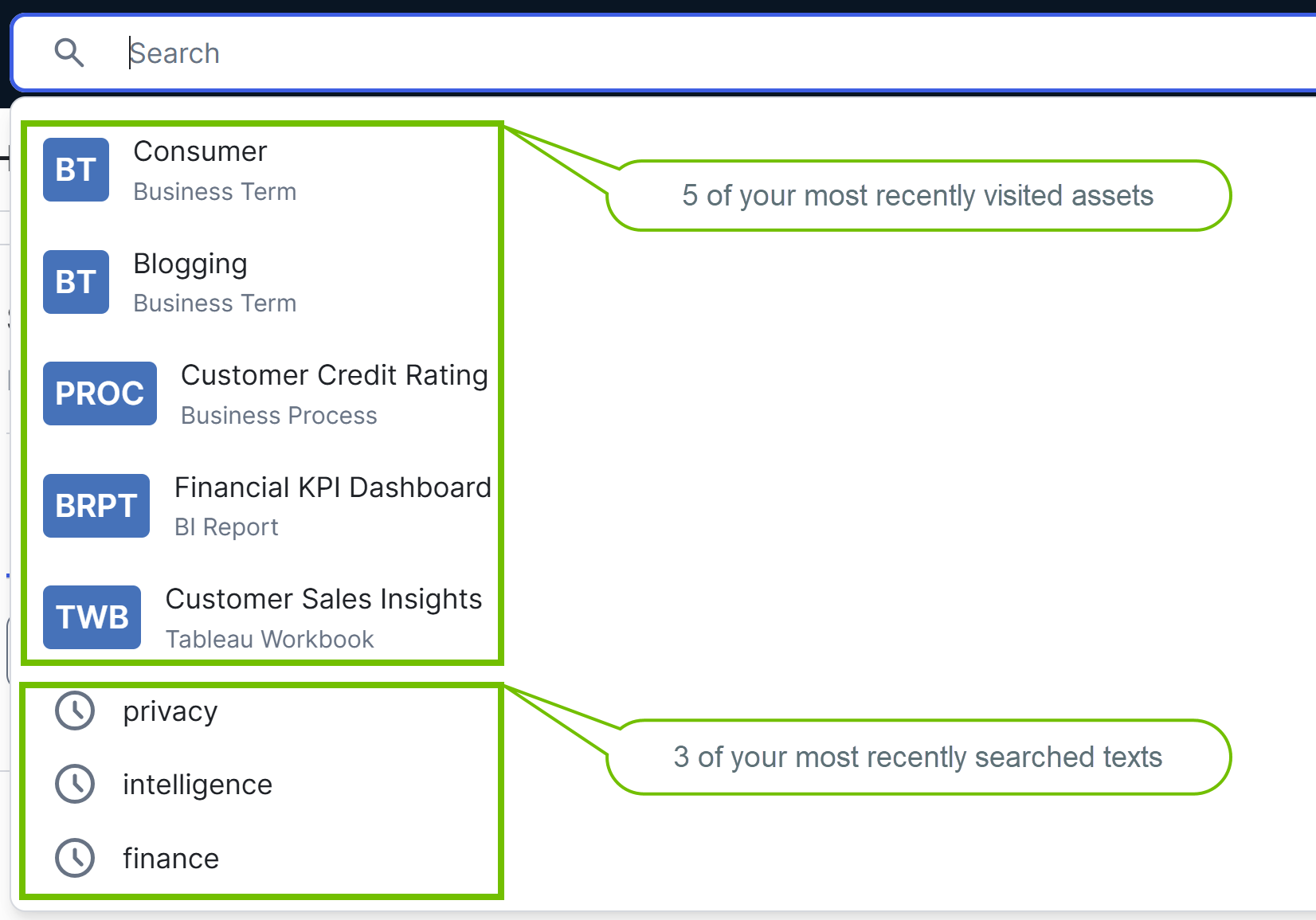
Clicking inside the search box
- 5 of your most recently visited assets: Clicking this search suggestion opens the asset page.
- 3 of your most recently searched texts: These are indicated by a clock icon. Clicking this search suggestion opens the search page, with the search text and filters that you previously used applied to search results. For example, if you recently searched for privacy and filtered the results by the New status, clicking privacy now opens the search page with both the search text (privacy) and the filter (New status) already applied.
Entering a text in the search box
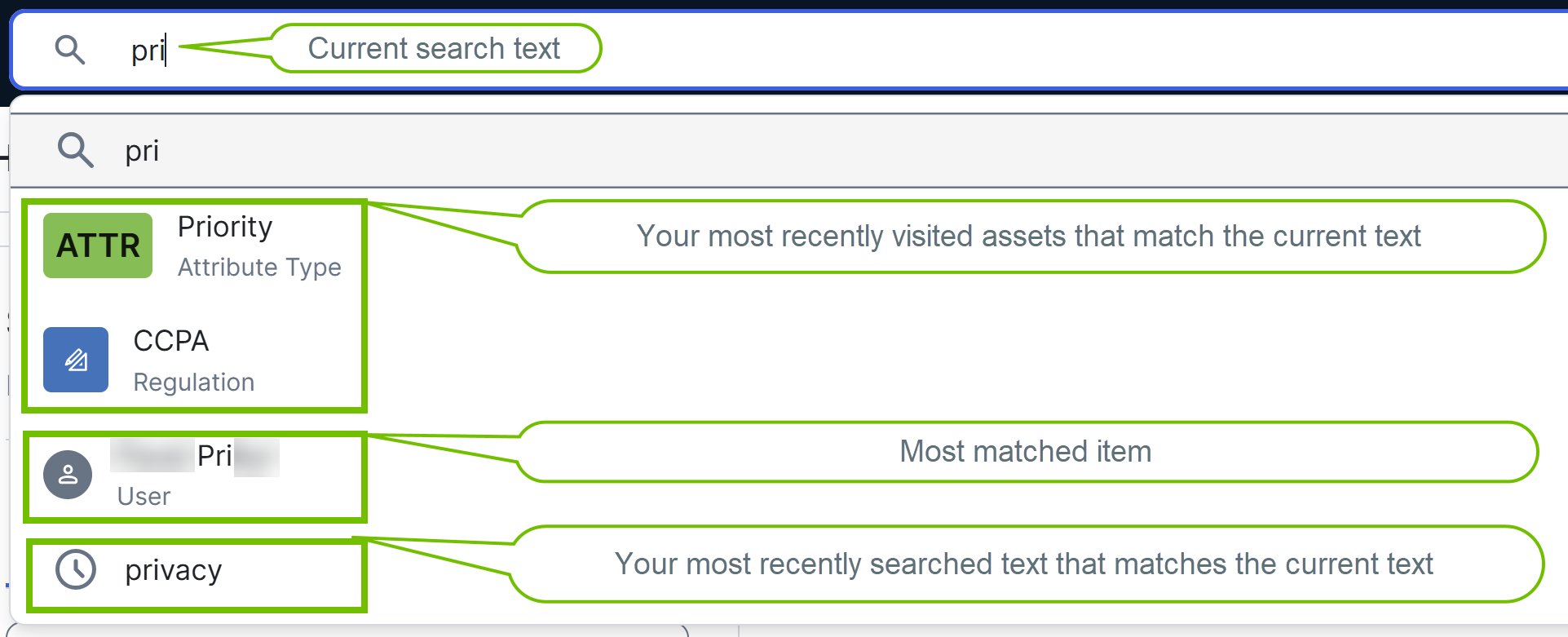
- 3 of your most recently visited assets that match your text: Clicking this search suggestion opens the asset page. Note
- If there are fewer than 3 such assets, the remaining spots are filled with the most matched items, which best match your search text. Clicking a most matched item opens the corresponding page.
- In compiling the most matched items as search suggestions, the search engine searches for your text only in the Name field. As such, the most matched items might not always appear as top results on the search page after you perform a search. Boosting also influences the order of the top results.
- 3 of your most recently searched texts that match your text: These are indicated by a clock icon. Clicking this search suggestion opens the search page, with the search text and filters that you previously used applied to search results. For example, if you recently searched for privacy and filtered the results by the New status, clicking privacy now opens the search page with both the search text (privacy) and the filter (New status) already applied.
After entering a text in the search box

When you simply click inside the search box, the 5 most recently viewed resources appear as search suggestions within the box.
As you enter a text in the search box, the top 10 results appear as search suggestions within the box. In compiling these top results, the search engine searches for your text only in the Name field. As such, these results might not appear as the top results on the search page after you perform a search. Boosting also influences the order of the top results.
After you enter a text in the search box, to perform a search, press Enter. This opens the search page with results that match your search text.
- If your search text doesn't match any existing content, results are shown for the closest matching text.
- If you perform a search with a community or domain page open, the search results on the search page are automatically filtered by the current community or domain.