About the latest user interface (beta)
With release 2024.02, Collibra offers the latest user interface (UI) in beta testing.
We've introduced fresh colors, icons, and a new look.
Example

Note Admins can also customize the colors of certain components.
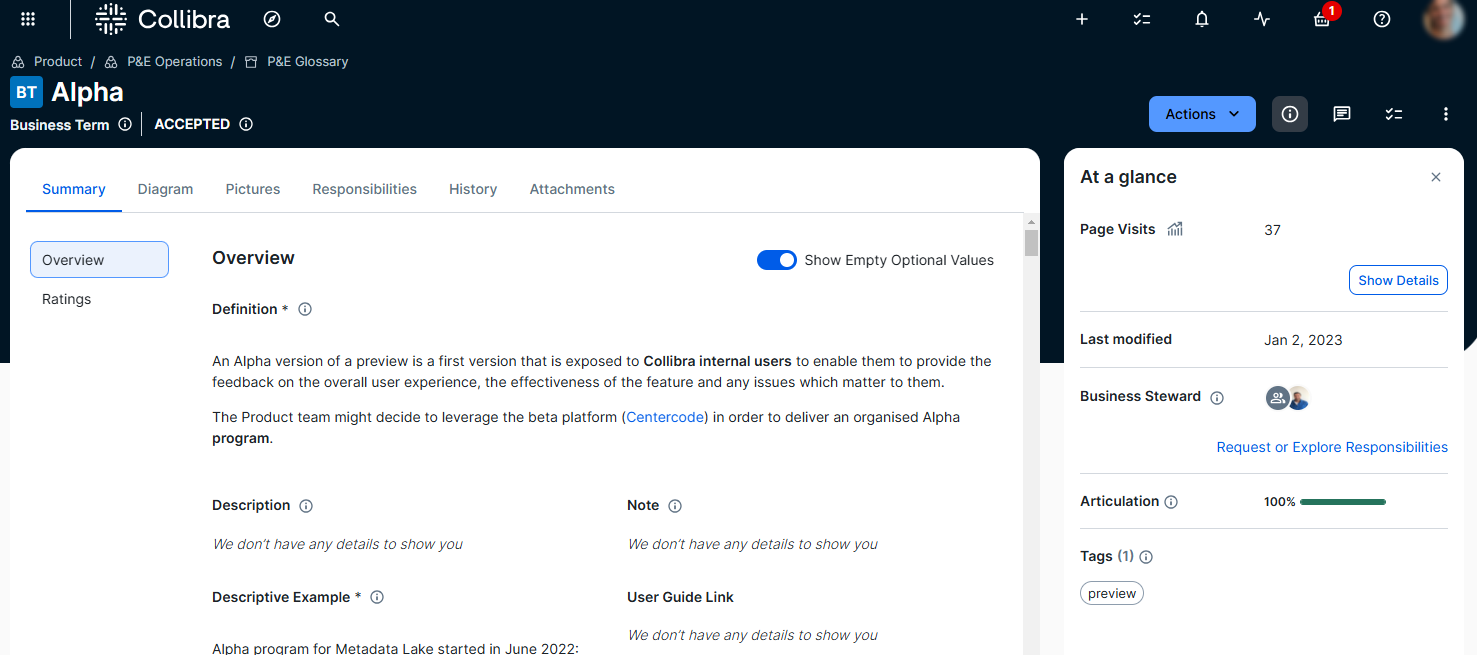
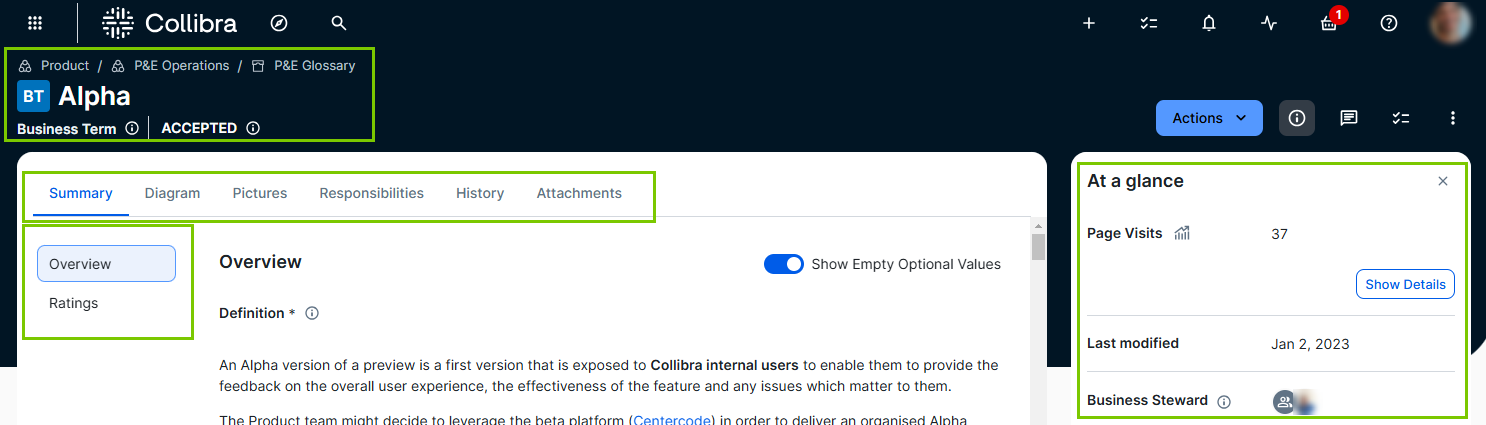
We’ve streamlined the navigation on asset pages, so you can easily determine where you are within Collibra.
- The apps icon has moved to the left side for easier access.
- The asset type icon, asset name, and breadcrumb trail are also available on the left side.
- You can find important information about data in the At a Glance sidebar. This includes the type of data, when it was last changed, who is responsible for it, and how it is rated.
- The main tab pane has moved to the top of the page, making space for a table of contents tab pane, to help you easily find the various sections.
Example
We've given you and admins easier control.
- You can focus on the content you need by using the Show empty values option to show or hide any empty values on the page.
- You can use the right side of the page to take control, with options to print, share, and perform an action via the Actions menu.
- We allow in-page editing. You can edit content directly on the page by clicking the item you want to change.
Tip To discard your updates, press the ESC key.
- All the available characteristics are already on the page for you. This means the Add Characteristics button is no longer shown. If you notice something missing, contact your admin.
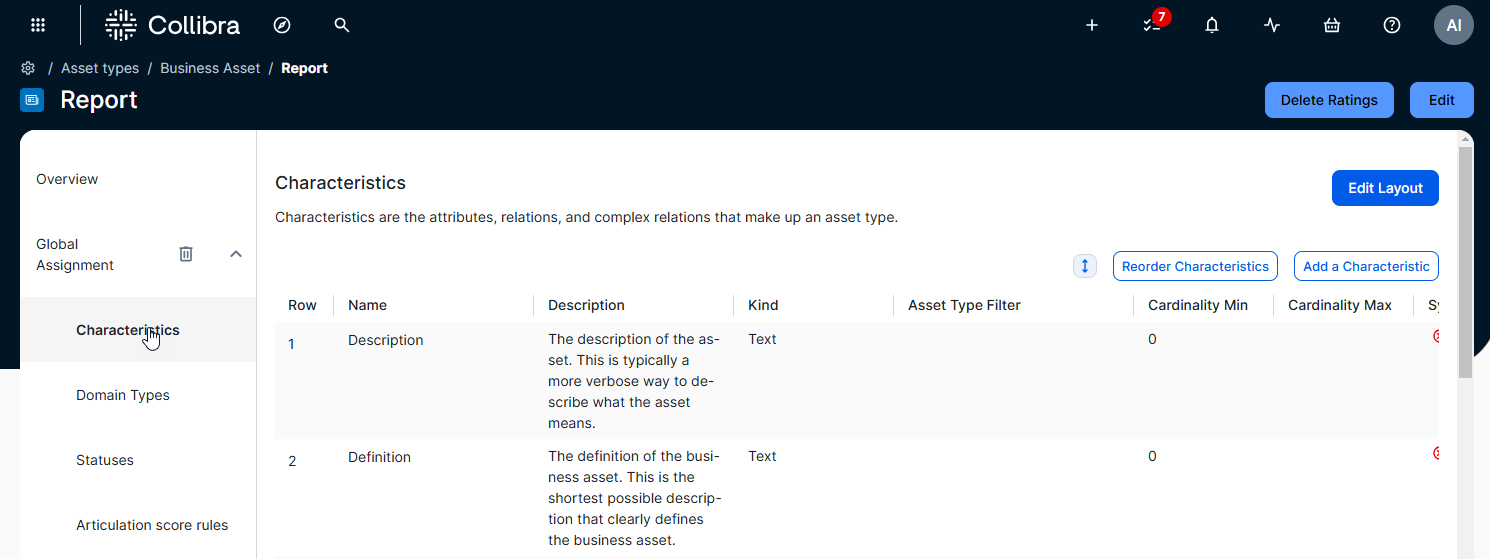
- Admins can configure the characteristics for the page via a new tailored asset page experience, giving them more granular control over data presentation. They can navigate to the asset type page (via the link on the page), click Edit Model to decide which characteristics are available to this asset via this assignment, and then click Edit Layout to arrange these characteristics on the asset page, group them by sections, and even choose to hide certain characteristics from the page.
Example

For a detailed list of differences, go to What is different when the latest user interface is enabled?
For information on how to activate this beta feature, go to Enable the latest user interface.