Technical lineage is a detailed lineage graph that shows how data transforms and flows from source to destination across its entire lifecycle. It enables you to easily discover where tables and columns are used and how they relate to each other.
Asset types
You can view a technical lineage for the following asset types:
- Table
- Column
- Looker Look
- MicroStrategy Report
- MicroStrategy Dossier
- MicroStrategy Data Attribute
- Power BI Report
- Power BI Table
- Power BI Column
- SSRS Report
- SSRS Table
- SSRS Column
- Tableau Worksheet
- Tableau Data Attribute
- Catalog
- Technical Lineage
During the technical lineage process, relations of the type "Data Element targets / sources Data Element" are automatically created:
- Between data objects in your data source and their corresponding assets in Data Catalog, including the asset that you create when preparing the Data Catalog physical data layer.
- If you are integrating a BI tool, between ingested assets from BI sources and Data Catalog assets from registered data sources.
Data objects
You can see two types of data objects in your technical lineage:
- Data objects from your data source that are stitched to assets in Data Catalog and for which you created the technical lineage. These assets have yellow icons. Example

- Other objects, such as temporary tables and columns, are collected from your data sources but are not stitched to assets in Data Catalog. These objects have gray icons. For example, the objects in node 1 in the following technical lineage graph are not stitched. Example
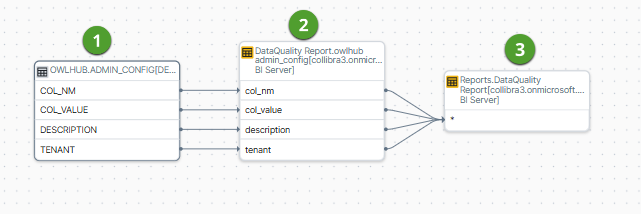
- Data objects from your data source that are stitched to assets in Data Catalog and for which you created the technical lineage. These assets have a yellow background. Example

- Other objects, for example temporary tables and columns, that are collected from your data sources, but are not stitched to assets in Data Catalog. These objects have a gray background.
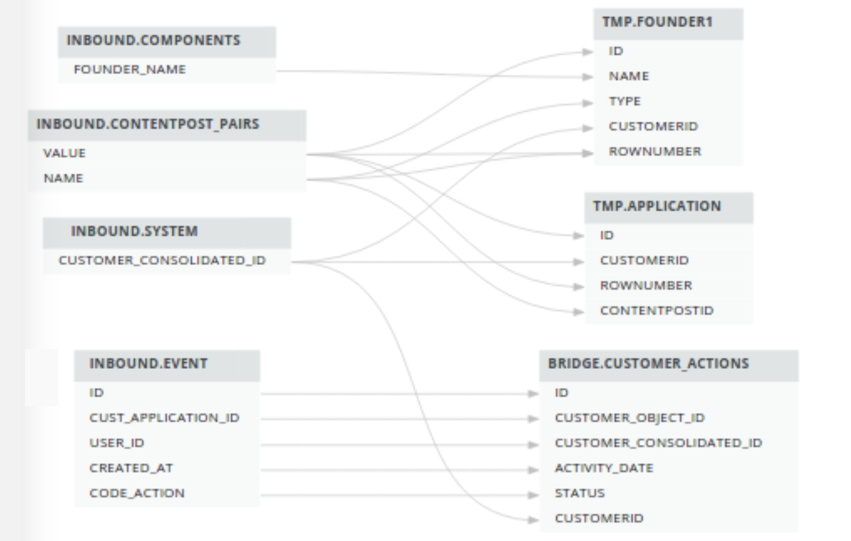
Example
Exporting technical lineage information
You can export technical lineage information and transformation details to formats such as PDF and PNG. For complete information, go to Export the technical lineage information and Export technical lineage transformation details.
Naming convention
When you create a technical lineage, Data Catalog follows a strict naming convention for the full names of assets. Each asset has a display name and full name. You can freely edit the display name. However, do not edit the full name, because Data Catalog needs it to refresh data sources for which you created the technical lineage and to refresh the technical lineage itself.
When you prepare the Data Catalog physical data layer and the configuration file, you should always use the full name as the name of the corresponding data object in your data source for the following assets:
- System
- Database
- Schema
Warning Editing the full name of the System, Database and Schema assets may lead to errors during the technical lineage creation process.
Tip To stitch assets outside of the traditional system > database > schema > table > column hierarchy, you can use Custom technical lineage with the batch-definition option.