In CPSH 2025.09, we launched a new user interface (UI) for technical lineage viewer.
Use the following options to see the documentation for the latest or classic technical lineage viewer UI:The latest technical lineage viewer UI is in public preview. For support, open issues in the Collibra Preview Program.
To share a technical lineage graph, you can export the information in one of the following formats by clicking the Export button ( ) in the toolbar of the technical lineage graph:
Export lineage (in preview) option in the Technical Lineage Admin capability.
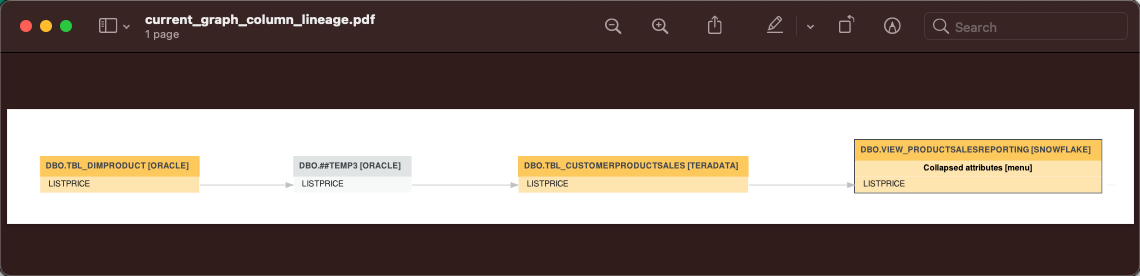
PDF, PNG, and SVG
The PDF and PNG exports show only the technical lineage graph of the selected table or column.
Graph CSV
The CSV export option generates a ZIP file with the following CSV file:
|
File name |
File content |
|---|---|
|
current_graph_column_lineage.csv |
The technical lineage graph of the selected column or table. |