An asset is a resource that is stored and managed in CPSH and owned or controlled by you. It is a fundamental building block used to capture information through added characteristics. An asset is represented by an asset page, which contains information about the asset.
Asset page overview
An asset page provides an overview of information about an asset, based on the assignment of its asset type. The assignment determines which and how many elements are added to the asset page by default. For example, the attribute Technical Data Type is relevant for a Column asset but not for a Business Term asset. Therefore, this attribute is assigned to Column assets and not to Business Terms.
The layout of asset pages for a given asset type is predefined by your administrator.
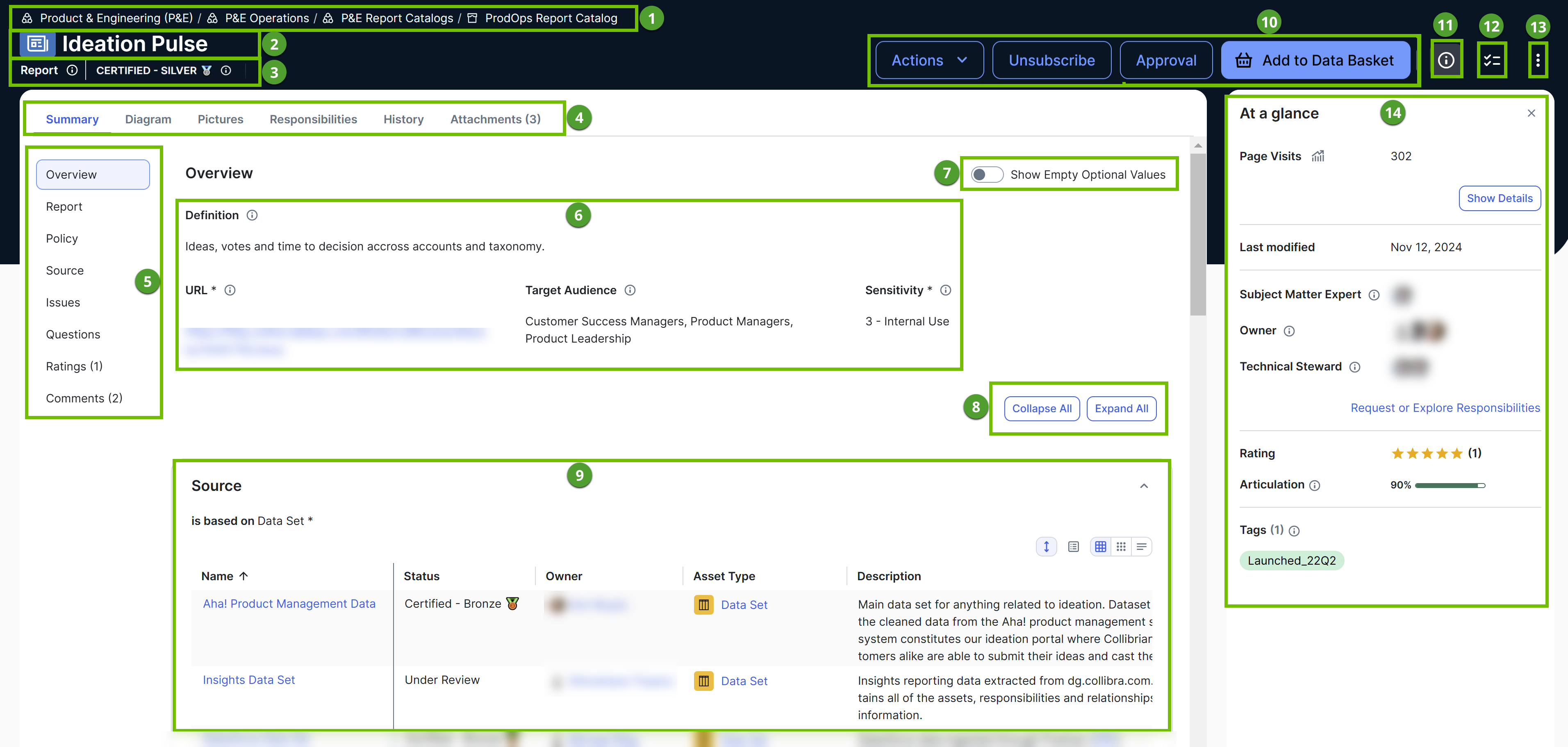
| Number | Section | Description |
|---|---|---|

|
Breadcrumbs |
Navigation path of the current You can use this to navigate to other resources or confirm you have the correct asset open. |

|
Asset type representation and asset name |
Icon or abbreviation of the asset type, followed by the name of the asset. |

|
Asset type and asset status |
Asset type of the asset, followed by the status of the asset. |

|
Tab bar
|
Horizontal tabs that allow you to navigate to specific sections on the asset page. These tabs vary from one asset to another depending on the asset type and your permissions. The following list includes some of the tabs.
Summary
The Summary tab is available for every asset type and shows information such as the description, asset relations, and descriptive statistics of the asset. The left pane shows the sections available on the tab. The characteristics shown on the tab depend on the asset type. For example, Column assets have descriptive statistic sections, whereas other assets might not. The left pane shows the sections available on the tab.
Sample Data
The Sample Data tab shows a small subset of data to help you determine if you have found the right assets for your work.
Technical Lineage
The Technical Lineage tab shows a detailed chart depicting how data transforms and flows from source to destination.
Quality
The Quality tab shows results of the Data Quality rules set by your organization's Data Quality stewards.
Responsibilities
The Responsibilities tab shows the users or user groups assigned to a resource role for the asset.
Attachments
The Attachments tab allows you to add images, reference material, or other files relevant to the asset. |

|
Left pane |
Vertical tabs that allow you to navigate to specific sections within the Summary tab without scrolling. The availability of the sections in the left pane depends on the asset type configuration. |

|
Attributes |
Information about the asset.
Show more information
An attribute is a characteristic of an asset that provides information about the asset. The format of this information depends on the attribute kind.
|

|
Show Empty Optional Values |
Switching on this option additionally shows attributes, relations, and complex relations that don't contain any value. |
|
|
Collapse All or Expand All |
Collapses or expands all attributes, relations, and complex relations. |
|
|
Relation |
Relations of the same type associated with the asset. You can view these relations as a table or as a set of tiles and also customize them. |

|
Action buttons | Actions you can perform on the asset. They are preconfigured for the asset type, and they depend on workflow configuration and your permissions. |

|
 (At a glance) (At a glance) |
Shows or hides the At a glance sidebar. |
 |
 (Tasks) (Tasks) |
Open tasks for the asset. |

|
 (More) (More) |
Options to: |

|
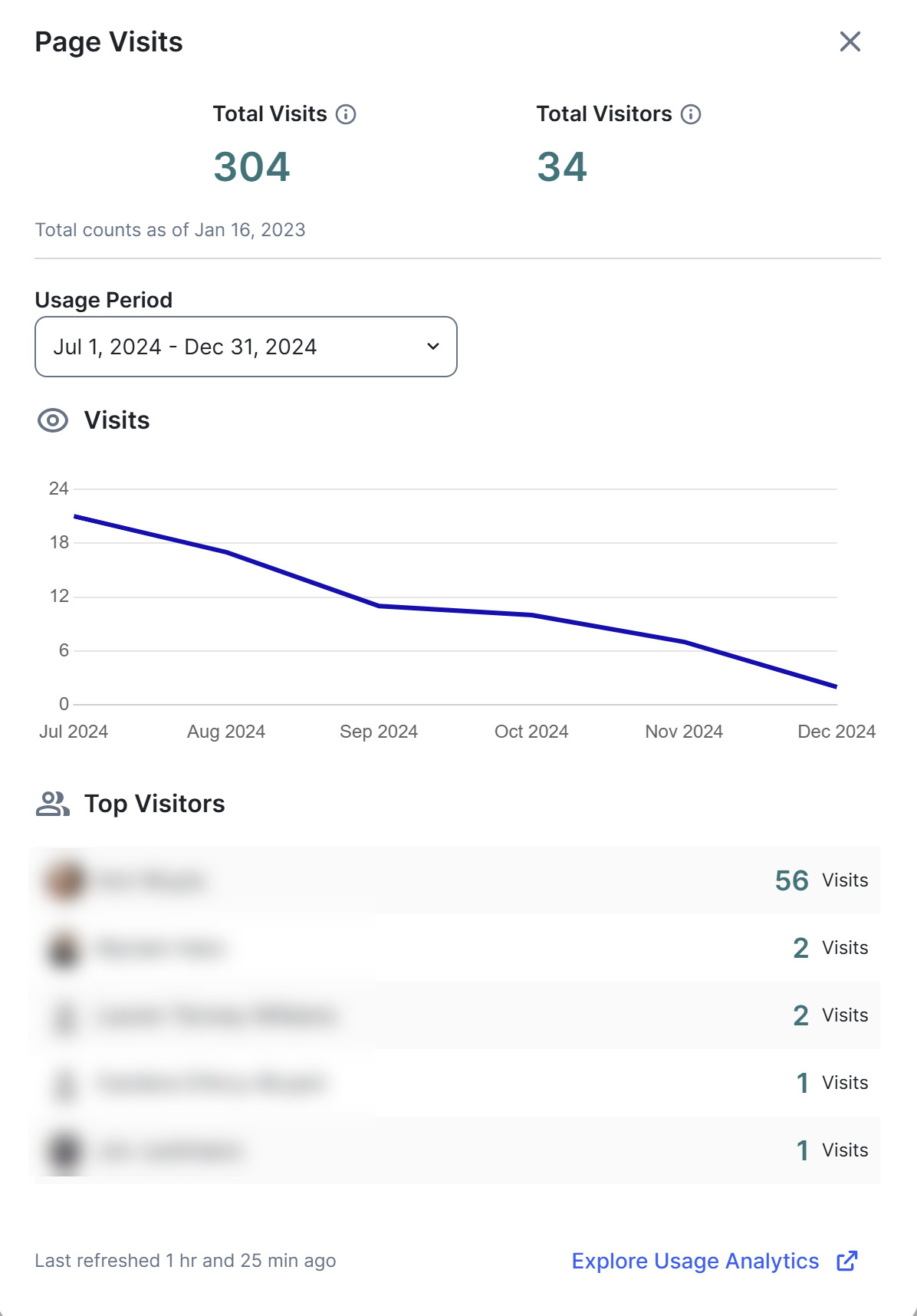
At a glance sidebar |
The At a glance sidebar is hidden by default. To show it, click
CPSH remembers your last selection—whether the sidebar was shown or hidden—and preserves it. However, clearing the local storage always hides the sidebar. |