This topic provides an overview of Collibra Data Lineage-supported SQL statements and the expected lineage results, per data source type. Be sure to check back from time to time, as we continue to add documentation for more data source types.


Things to keep in mind
When creating technical lineage for JDBC data sources via a "JDBC connection", lineage is not generated for tables created with CREATE TABLE AS SELECT statements. With JDBC connection method, SQL statements that create tables are not harvested; therefore, lineage can't be generated. If, however, you connect via one of the following methods, the SQL statements are analyzed and lineage can be generated:
- Folder connection (CLI lineage harvester (deprecated))
- Shared Storage connection (Edge)
- Cloud Storage connection (Edge)
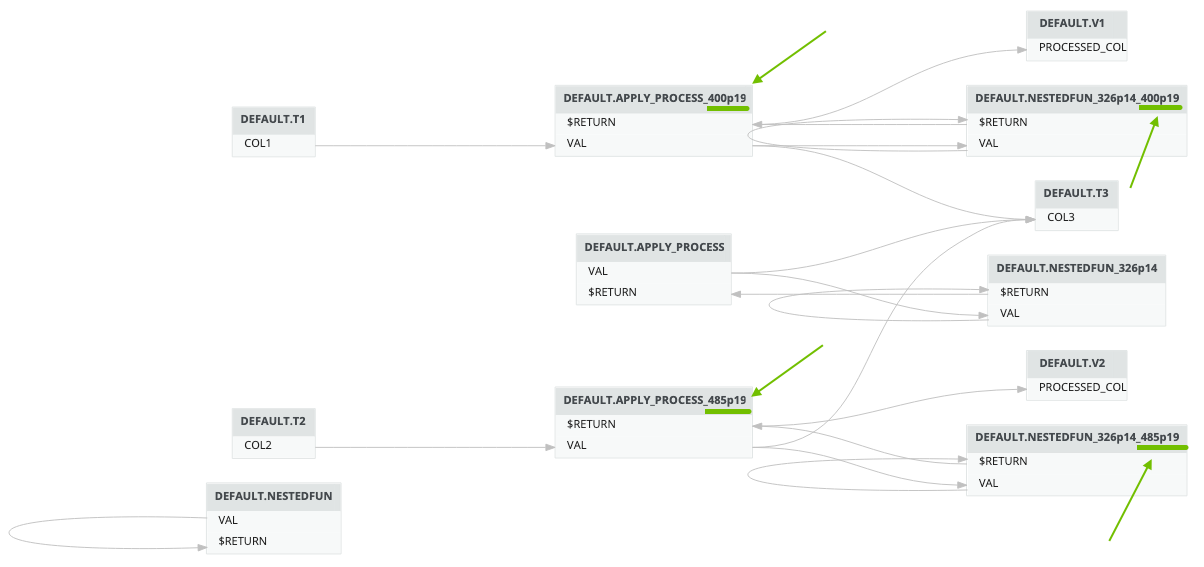
Visualization of business logic objects
In the technical lineage graph, certain business logic objects are represented as container assets. This applies to Procedures, Functions, Triggers, Packages, and Macros across all supported databases. These objects are shown as Table nodes, and their internal elements, including Parameters, Variables, and Cursors, are shown as Column nodes to illustrate how data flows through the object’s internal logic.
In the Browser pane (tree view), these objects appear under their native types, such as Procedure, to maintain a clear and intuitive structure.