To retrieve data from SSRS-PBRS, you have to connect to SSRS-PBRS via the Edge site.
Prerequisites
In Collibra
- You have a global role with the Product Rights > System administration global permission.
- You have a global role that has the Manage Edge sites global permission.
- You have a global role that has the Manage connections and capabilities global permission.
- You have a resource role with the Configure external system resource permission, for example, Owner.
- You have added a vault to your Edge site.Note Vaults are not supported on Collibra Cloud sites.
- If your data source connection requires a file from your vault, the file must be encoded into Base64 and stored as a regular secret in your vault.
In your SQL Server Reporting Services and Power BI Report Server environments
- You need the following roles, with user access to the server from which you want to ingest:
- A system-level role that is at least a System user role.
- An item-level role that is at least a Content Manager role.
If your SSRS environment does not use permission inheritance, assign the item-level role to each folder in the folder hierarchy that you want to ingest. Otherwise, folders without explicit permissions are not returned by the API and are not ingested.
- The following item-level roles in SSRS provide the required access to content in SSRS-PBRS.
Item-level role Supported content Content Manager All supported SSRS content. Publisher
All supported SSRS content.
Report Builder
Only the content contained in your paginated reports.
My Reports
Only the content in the My Reports folders that you own.
- For full access to the Report Server and its content, assign both a system-level role, such as System Administrator, and an item-level role, such as Content Manager.
Steps
- Open a site.
-
On the main toolbar, click
 →
→
 Settings.
The Settings page opens. -
In the tab pane, click Edge.
The Sites tab opens and shows a table with an overview of your sites. - In the site overview, click the name of a site.
The site page appears.
-
On the main toolbar, click
-
In the Connections section, click Create Connection.
The Create Connection dialog box appears. - Select Microsoft SSRS/PBRS connection.
- Enter the required information.
Field Description Required Name The name of the connection. The name can be anything, as long as it is unique.
Tip The name that you provide here is the name you have to select in the Microsoft SSRS/PBRS connection field, when adding the Technical Lineage for SSRS-PBRS capability to the Edge site.
 Yes
Yes
Description The description of the connection.  No
No
Vault The vault where you store your data source values. No
Microsoft SSRS-PBRS URL The URL to the server's web portal. By default, the URL is http://<computer-name>/reports. For example, "http://1.23.45.678/PowerBIReports".
How to use your vault...To use your vault, do the following:- In the Value Type field, select Vault Key.
- Enter the query value to identify the secret in your vault.Example
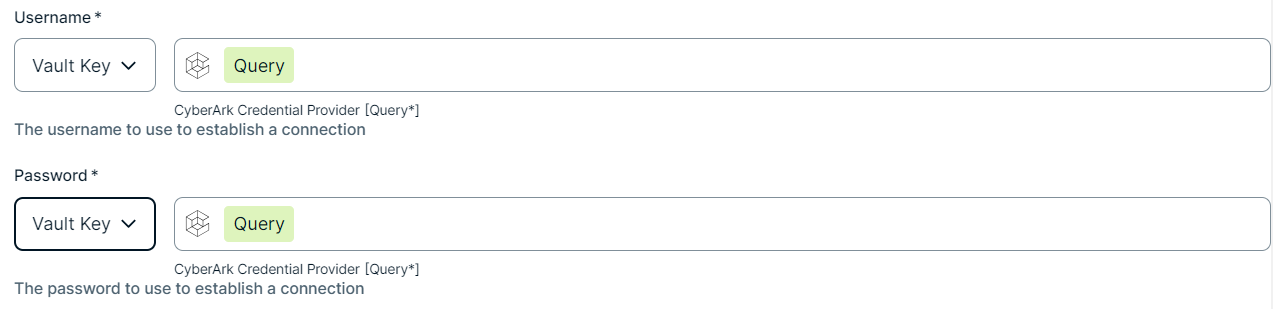 Note The Query must be a string containing the properties required to identify the secret. Each property must be separated by a semicolon (;). For example: Safe=<SafeName>;Folder=<FolderName>;Object=<ObjectName>
If a property is a folder with sub-folders, use a backslash (\) to define the folder path. For example: Folder=Root\Top Secrets\More Secrets
For more information about query formats and supported properties, go to the CyberArk Credential Provider documentation.
To use your vault, do the following:- In the Value Type field, select Vault Key.
- Enter the required information:
- Secret Engine Type
- Select one of the following:
- Key Value
- Database
- Engine Path
- The engine path to your vault where the value is stored.
- Secret Path
- The secret path to your vault where the value is stored.
- Field
- If your Secret Engine Type is Key Value, enter the name of the field to your vault where the value is stored.
- Role
- If your Secret Engine Type is Database, enter the role specified in the Database engine.
Example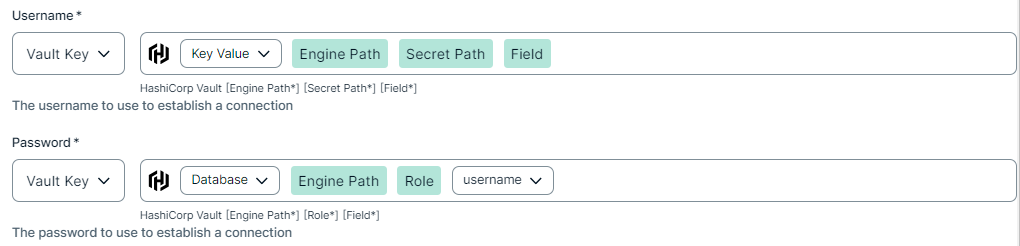
To use your vault, do the following:- In the Value Type field, select Vault Key.
- Enter the required information:
- Vault Name
- The name of your Azure Key Vault in your Azure Key Vault service where the value is stored.
- Secret Name
- The name of the secret in your vault where the value is stored.
Example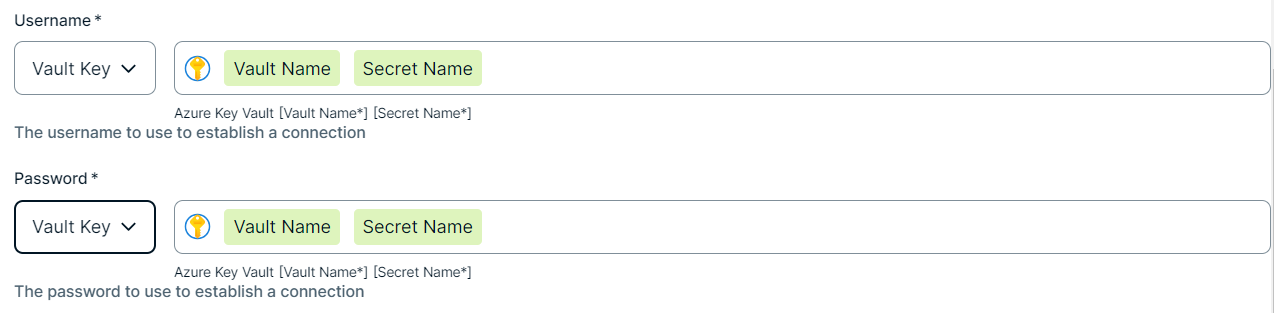
To use your vault, do the following:- In the Value Type field, select Vault Key.
- Enter the required information:
- Secret Name
- The name of the secret in your vault where the value is stored.
- Field
- If the secret stored in your AWS Secrets Manager is a JSON value, for example
{"pass1": "my-password", "pass2": "my-password2"}, then you need to specify the Field to point to the exact JSON value that should be used. For example,Secret Name: edge-db-customer; Field: pass.Note If the secret stored in your AWS Secrets Manager is a plain string value, for examplemy-password, then you do not need to specify the Field.
Example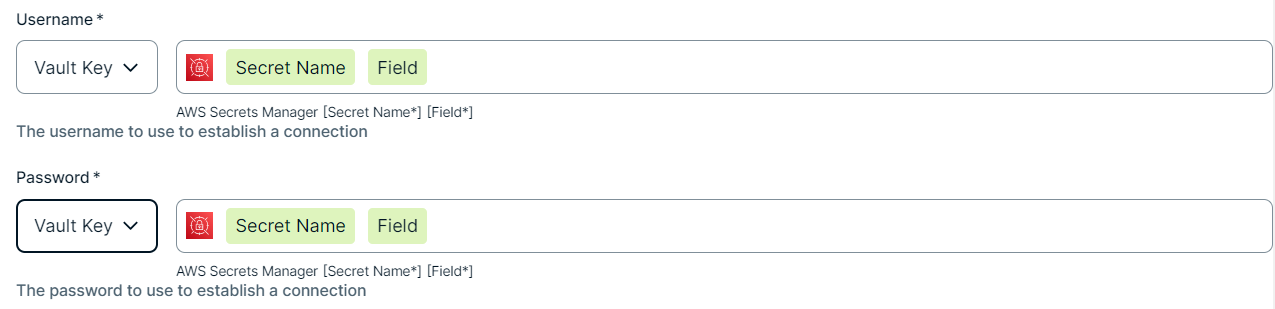
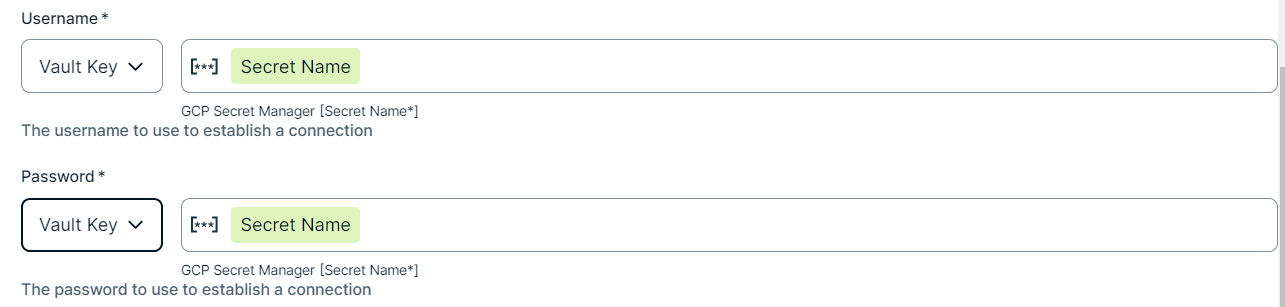
To use your vault, do the following:- In the Value Type field, select Vault Key.
- Enter the name of the secret in your vault where the value is stored.
Example
Yes
Username The username you use to sign in to the web portal.
If you use NTLM authentication, include the NTLM domain name in this property. If the username contains a backslash (\), escape it with a second backslash. For example, enter
MyDomain\\usernameinstead ofMyDomain\username.How to use your vault...To use your vault, do the following:- In the Value Type field, select Vault Key.
- Enter the query value to identify the secret in your vault.ExampleNote The Query must be a string containing the properties required to identify the secret. Each property must be separated by a semicolon (;). For example: Safe=<SafeName>;Folder=<FolderName>;Object=<ObjectName>
If a property is a folder with sub-folders, use a backslash (\) to define the folder path. For example: Folder=Root\Top Secrets\More Secrets
For more information about query formats and supported properties, go to the CyberArk Credential Provider documentation.
To use your vault, do the following:- In the Value Type field, select Vault Key.
- Enter the required information:
- Secret Engine Type
- Select one of the following:
- Key Value
- Database
- Engine Path
- The engine path to your vault where the value is stored.
- Secret Path
- The secret path to your vault where the value is stored.
- Field
- If your Secret Engine Type is Key Value, enter the name of the field to your vault where the value is stored.
- Role
- If your Secret Engine Type is Database, enter the role specified in the Database engine.
Example
To use your vault, do the following:- In the Value Type field, select Vault Key.
- Enter the required information:
- Vault Name
- The name of your Azure Key Vault in your Azure Key Vault service where the value is stored.
- Secret Name
- The name of the secret in your vault where the value is stored.
Example
To use your vault, do the following:- In the Value Type field, select Vault Key.
- Enter the required information:
- Secret Name
- The name of the secret in your vault where the value is stored.
- Field
- If the secret stored in your AWS Secrets Manager is a JSON value, for example
{"pass1": "my-password", "pass2": "my-password2"}, then you need to specify the Field to point to the exact JSON value that should be used. For example,Secret Name: edge-db-customer; Field: pass.Note If the secret stored in your AWS Secrets Manager is a plain string value, for examplemy-password, then you do not need to specify the Field.
Example
To use your vault, do the following:- In the Value Type field, select Vault Key.
- Enter the name of the secret in your vault where the value is stored.
Example
Yes
Password The password you use to sign in to the web portal.
How to use your vault...To use your vault, do the following:- In the Value Type field, select Vault Key.
- Enter the query value to identify the secret in your vault.ExampleNote The Query must be a string containing the properties required to identify the secret. Each property must be separated by a semicolon (;). For example: Safe=<SafeName>;Folder=<FolderName>;Object=<ObjectName>
If a property is a folder with sub-folders, use a backslash (\) to define the folder path. For example: Folder=Root\Top Secrets\More Secrets
For more information about query formats and supported properties, go to the CyberArk Credential Provider documentation.
To use your vault, do the following:- In the Value Type field, select Vault Key.
- Enter the required information:
- Secret Engine Type
- Select one of the following:
- Key Value
- Database
- Engine Path
- The engine path to your vault where the value is stored.
- Secret Path
- The secret path to your vault where the value is stored.
- Field
- If your Secret Engine Type is Key Value, enter the name of the field to your vault where the value is stored.
- Role
- If your Secret Engine Type is Database, enter the role specified in the Database engine.
Example
To use your vault, do the following:- In the Value Type field, select Vault Key.
- Enter the required information:
- Vault Name
- The name of your Azure Key Vault in your Azure Key Vault service where the value is stored.
- Secret Name
- The name of the secret in your vault where the value is stored.
Example
To use your vault, do the following:- In the Value Type field, select Vault Key.
- Enter the required information:
- Secret Name
- The name of the secret in your vault where the value is stored.
- Field
- If the secret stored in your AWS Secrets Manager is a JSON value, for example
{"pass1": "my-password", "pass2": "my-password2"}, then you need to specify the Field to point to the exact JSON value that should be used. For example,Secret Name: edge-db-customer; Field: pass.Note If the secret stored in your AWS Secrets Manager is a plain string value, for examplemy-password, then you do not need to specify the Field.
Example
To use your vault, do the following:- In the Value Type field, select Vault Key.
- Enter the name of the secret in your vault where the value is stored.
Example
Yes
- Click Create.
Add the Technical Lineage for SSRS-PBRS capability to the Edge site.
Add the Technical Lineage for SSRS/PBRS capability to your Edge or Collibra Cloud site.