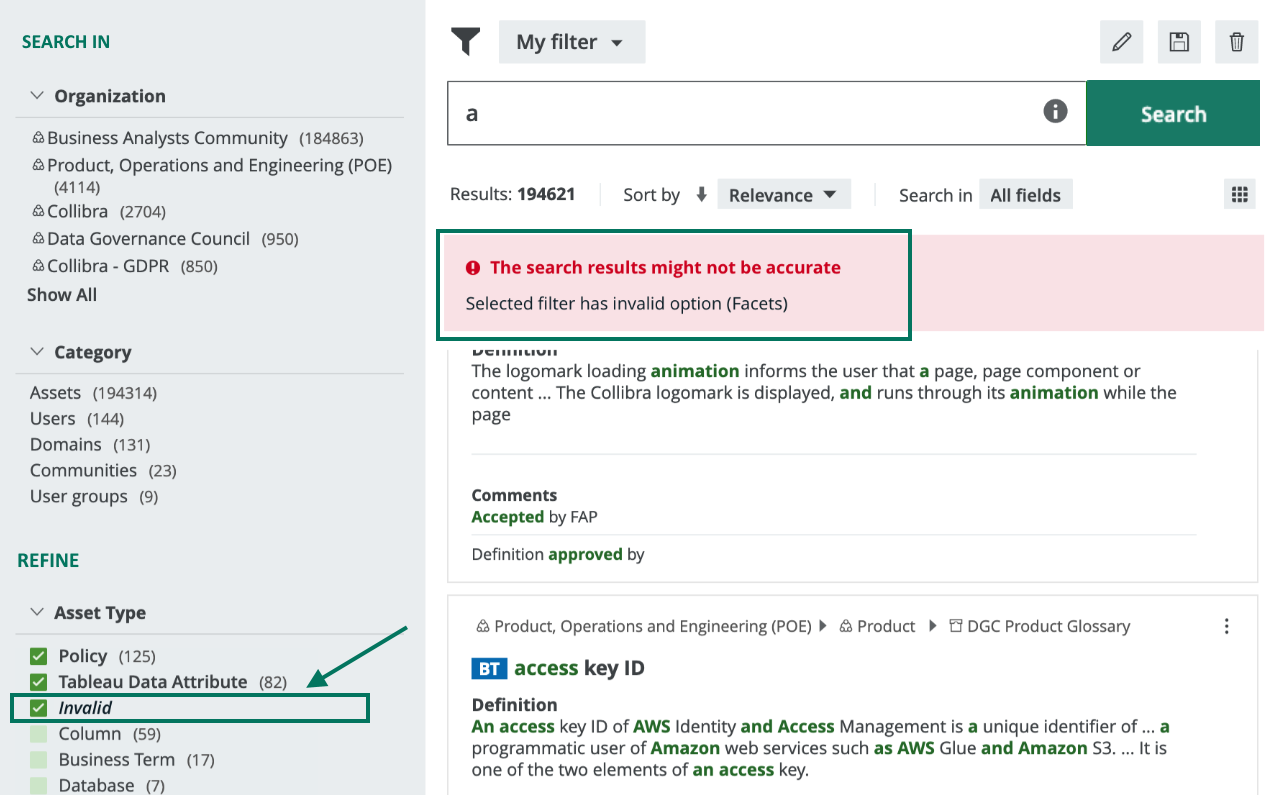
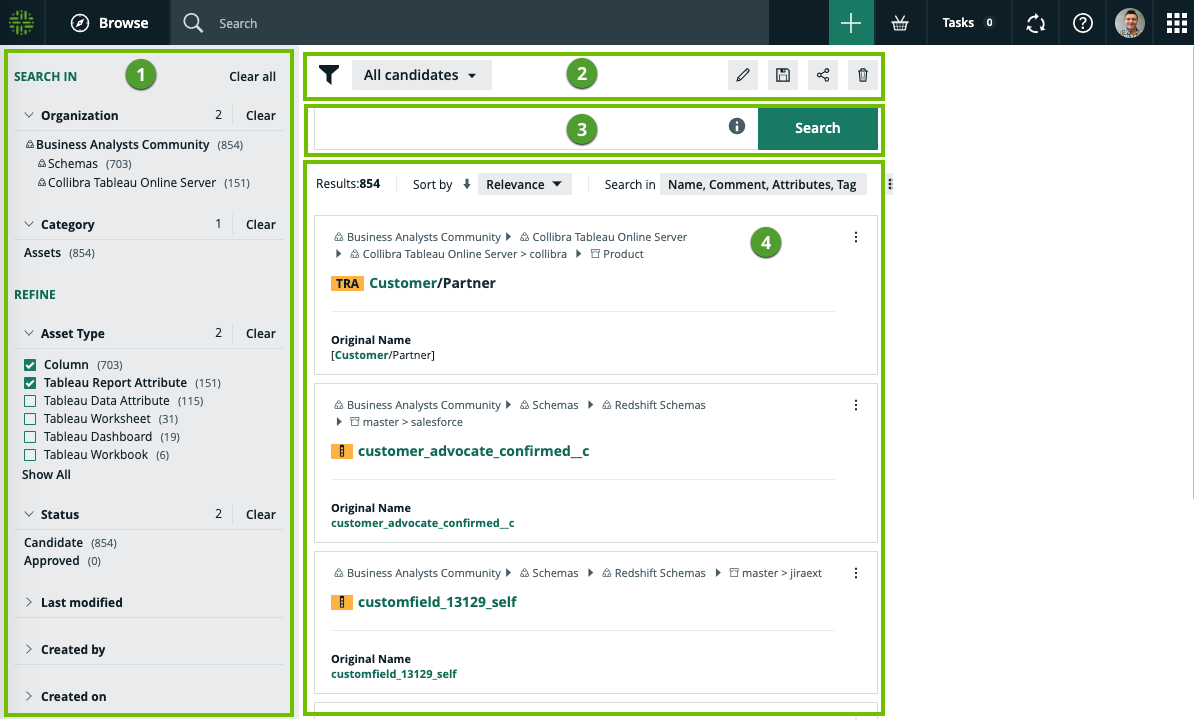
The following table describes the various sections shown on a search page.
In Collibra 2024.02, we've launched a new user interface (UI) in beta for Collibra Data Intelligence Platform! You can learn more about this latest UI in the UI overview.
Use the following options to see the documentation in the latest UI or in the previous, classic UI:
| No. | Section | Description |
|---|---|---|
| 1 | Facet pane |
A dynamically generated collection of facets that enables you to:
Note The facet pane is shown only if a search produces results. |
|
2 |
Search filters |
A drop-down list of all your saved search filters, with the name of the currently applied filter shown. By default, no search filter is applied. The following icon buttons are available:
|
| 3 | Search input field |
Shows your search text. You can edit your search text here. For examples of how wildcards and symbols work in your search text, click |
| 4 | Search results |
Shows the following:
Tip
Note If the text in a field is long, the text is shortened when shown in the search results. For example, in the following image, the highlighted definition in the search result shows only a part of the full definition.
|
 :
:  :
:  :
:  :
:  .
. to:
to:  to show the workflows that are available for the asset.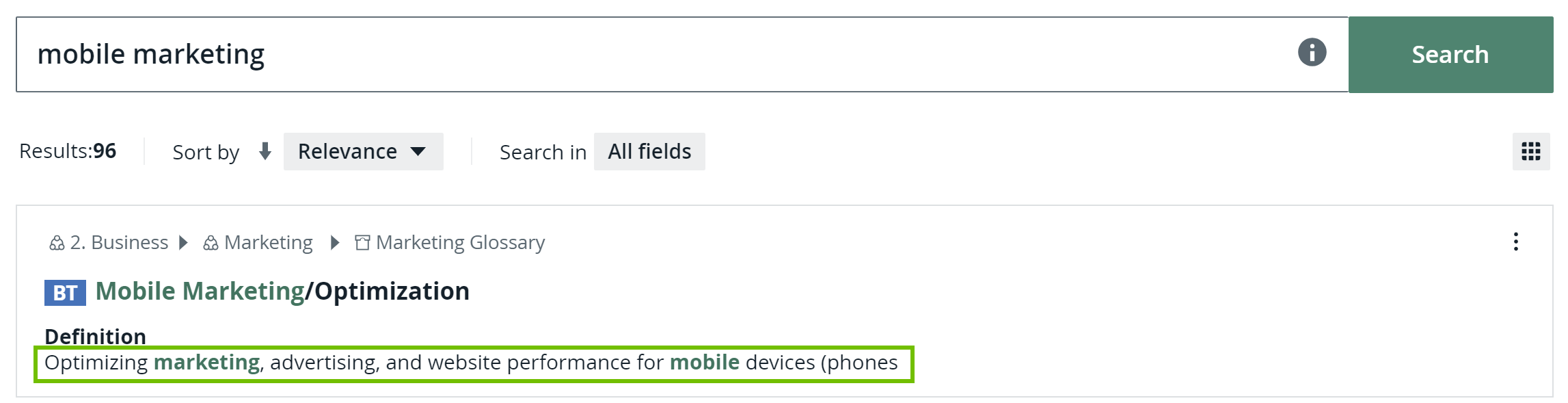
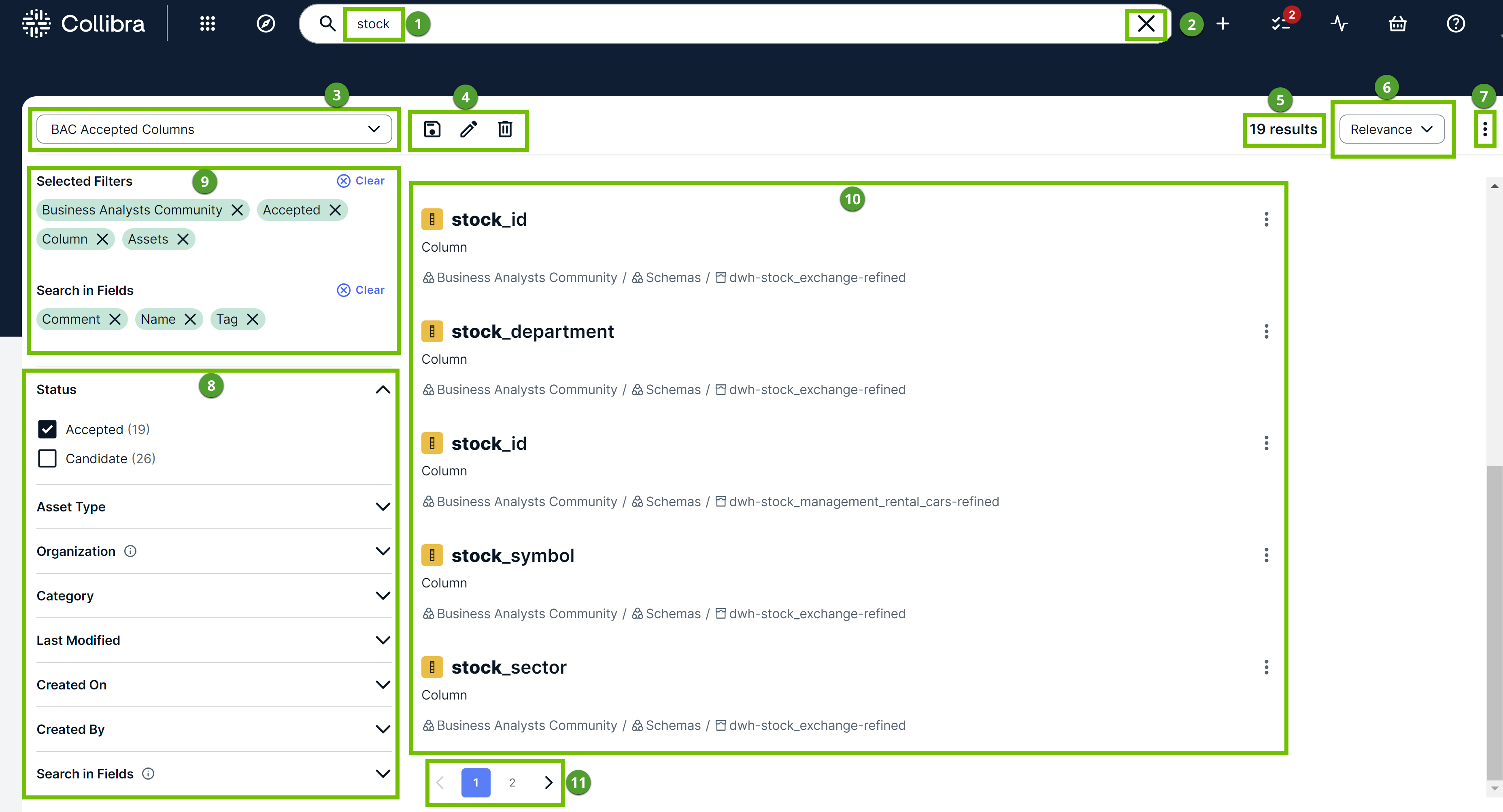
| No. | Description |
|---|---|
| 1 |
Your search text, which you can edit. |
|
2 |
Option to clear the Search field. |
| 3 |
A drop-down list of search filters, showing the filter currently applied. By default, no search filter is applied. The drop-down list contains the filters that you created and the filters that are shared with you. |
| 4 |
|
| 5 | Total number of results. |
| 6 | Sorting criterion. |
| 7 |
Contains the following options: Edit Results Fields: Adds or removes fields shown for each search result. Results Per Page: Changes the number of results shown on each page. |
| 8 | Facet pane, which is a dynamically generated collection of facets to:
Note The facet pane is shown only if a search produces results. |
| 9 |
Selected Filters: Filters you selected in the facet pane. Search in Fields: Fields you selected in the facet pane. |
| 10 |
Results that match your search. Tip
|
| 11 | Page numbers to navigate the search results. |