When you open AI Governance, the landing page that opens is based on your global role in Collibra.
- If you have the AI Legal Reviewer global role, the Legal Reviewer landing page opens.
- If you have any other global role that has the Product Rights > AI Governance global permission, the Business Steward landing page opens.
- Business Steward landing page
- Legal Reviewer landing page
The Business Steward landing page allows you to view all existing AI use cases and register new use cases.
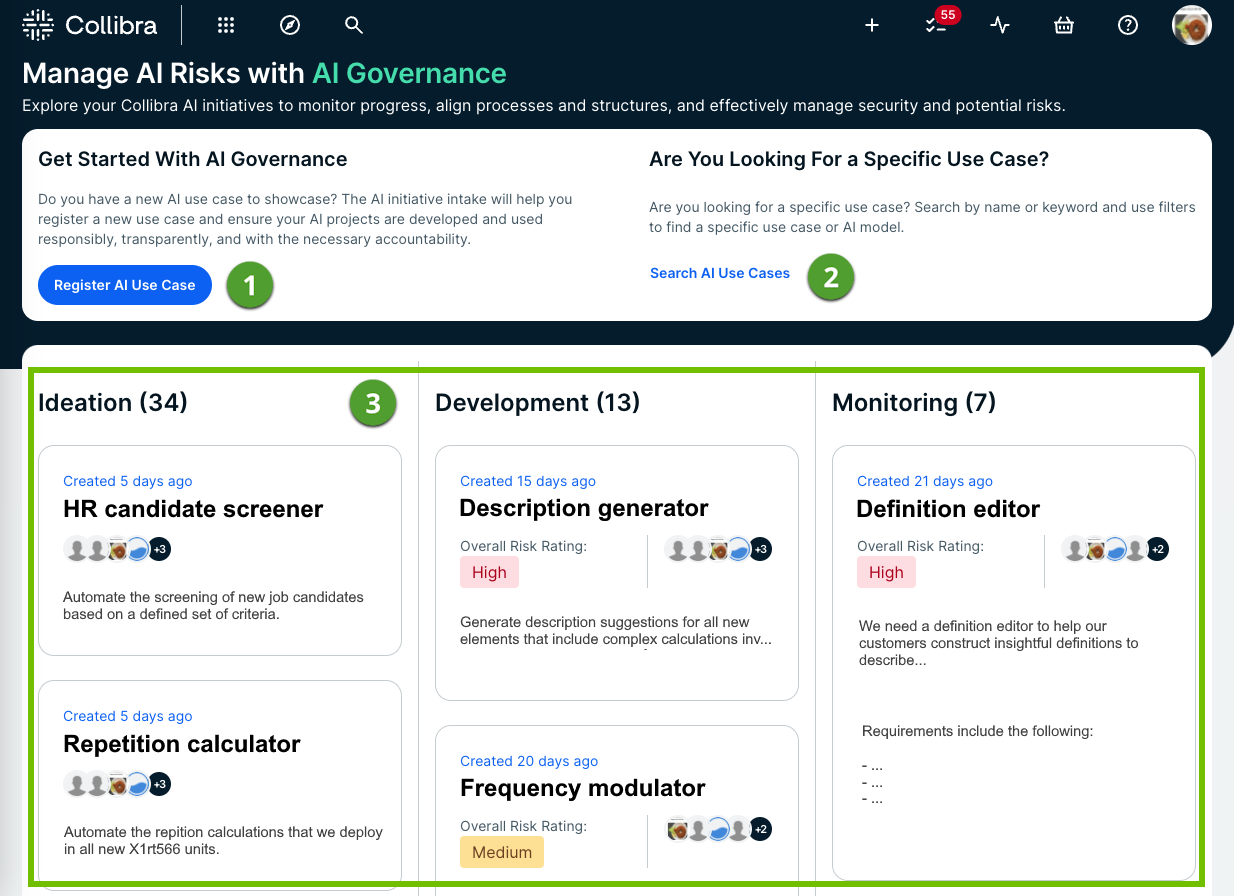
| No. | Element | Description |
|---|---|---|
|
|
Register AI Use Case button |
Opens the Register AI Use Case dialog box. |
|
|
Search AI Use Cases link |
Opens the Search page. The asterisk (*) wildcard search is run with a filter applied for th AI Use Case asset type, meaning all existing AI Use Case assets are shown in the search results. |
|
|
Use cases |
The collection of all registered AI use cases, organized by status ( Ideation, Development, Monitoring, or Archived), as specified by the Business Steward when registering the use case. Note Use cases with in the Archived status don't appear on the landing page. You can still find them, however, in the relevant domain. All AI Use Case assets are created in the out-of-the-box AI Governance domain. Tip For information on editing the status of an asset, go to Edit an asset. |


The Legal Reviewer landing page allows you to start assessments on new AI use cases, monitor existing and newly created use cases, and see which review tasks are awaiting action from you.
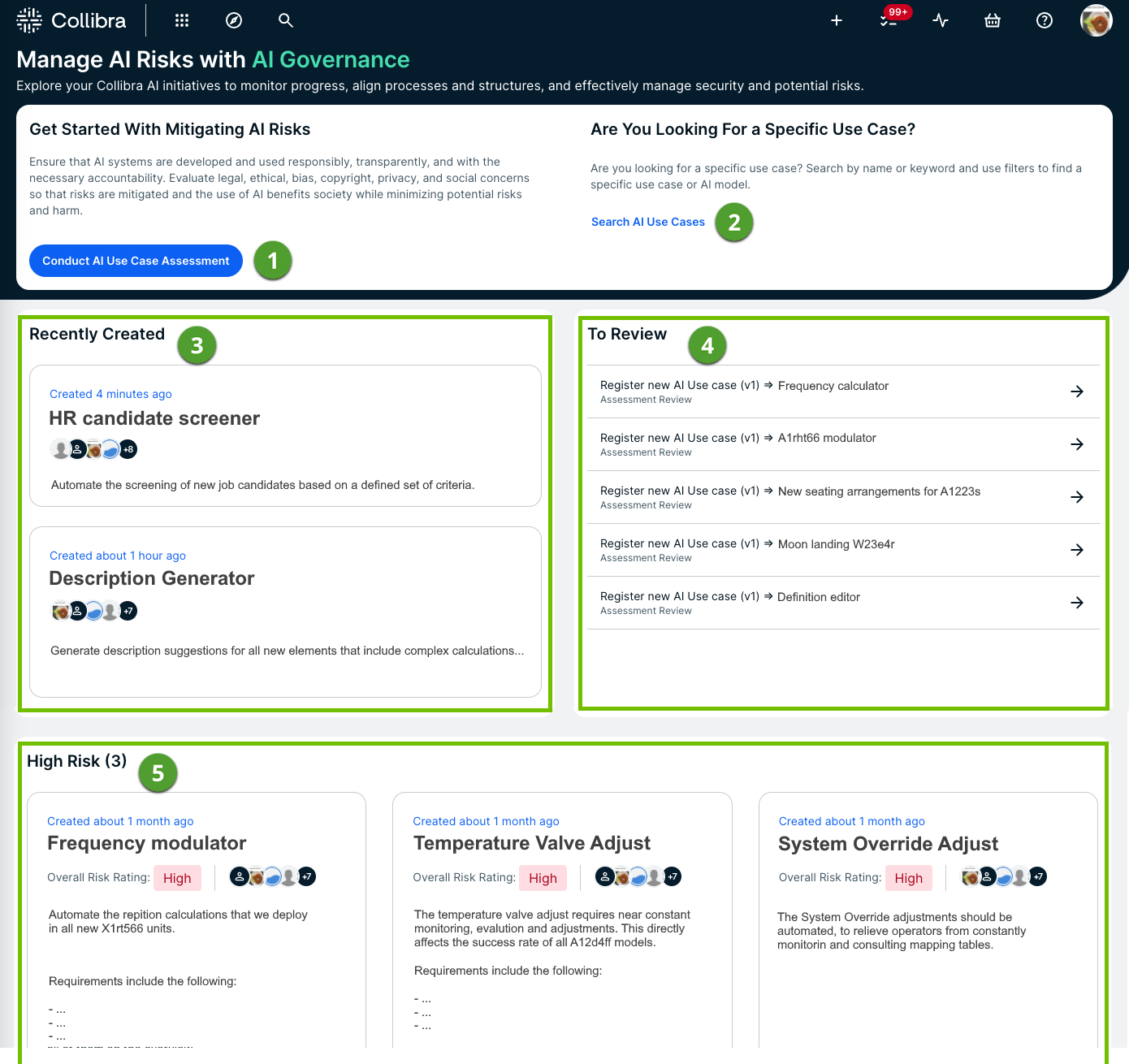
| No. | Element | Description |
|---|---|---|
|
|
Conduct AI Use Case Assessment button |
Starts the Register New AI Use Case assessment. You can start an assessment before or after an AI use case is registered. The out-of-the-box Register New AI Use Case assessment template, which you can find in the Template Gallery, is the default template for assessing AI use cases. For more information, go to Conduct an assessment of an AI Use Case asset. |
|
|
Search AI Use Cases link |
Opens the Search page. The asterisk (*) wildcard search is run with a filter applied for th AI Use Case asset type, meaning all existing AI Use Case assets are shown in the search results. |
|
|
Recently Created |
Shows the three most recently registered AI use cases. |
|
|
To Review |
Shows the assessment review tasks that you've been assigned and which require action from you. The oldest tasks are shown, up to a maximum of five. Click a review item to open the respective Assessment Review asset page. Note Tasks related to Assessment Review assets that have the status New, Accepted, Rejected, or Obsolete do not appear in this list. |
|
|
Current Risk Monitoring section |
Shows all AI use cases that have been tagged as High Risk.
|

