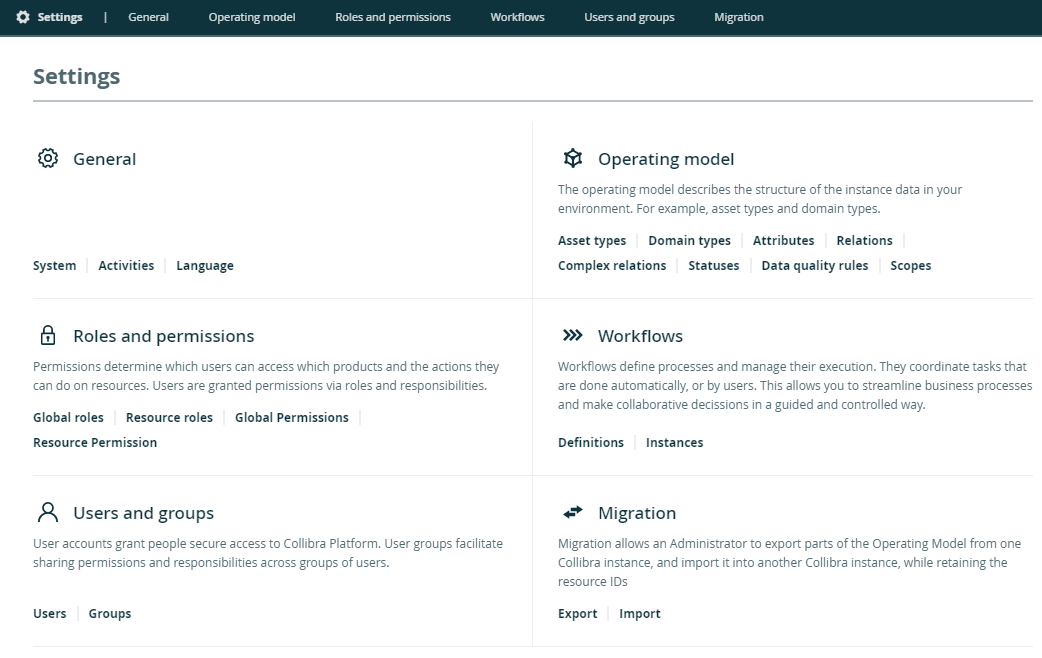
The settings of Collibra Data Intelligence Cloud allow you to customize the operating model of your environment to your needs.
The Collibra settings are split in several sections:
|
Section |
Description |
Required global permission |
|---|---|---|
| General |
Edit general settings. For example, you can see all activities, manage interface languages and set up banners. |
|
| Operating model |
Edit the operating model, which defines the structure of the instance data, for example asset types, domain types, characteristic types and statuses. |
|
| Roles and permissions |
Edit permissions and roles to define which actions users can do. |
|
| Users and groups |
|
|
| Workflows |
Edit the workflow definitions and instances. |
|
| Services Configuration |
Edit settings that affect your entire platform. For example, you can edit the help menu and configure the search feature. Note The services configuration in the Collibra settings is the same as the DGC service settings that require the ADMIN role in Collibra Console. By default, you do not see this section. |
|
|
Migration |
Use the Migration feature to migrate the operating model and views from one Collibra Data Intelligence Cloud environment to another |
|
By default, the settings open on a landing page that allows you to navigate to each of the sections. Contact Collibra Support if you want to enable or disable this Settings landing page.