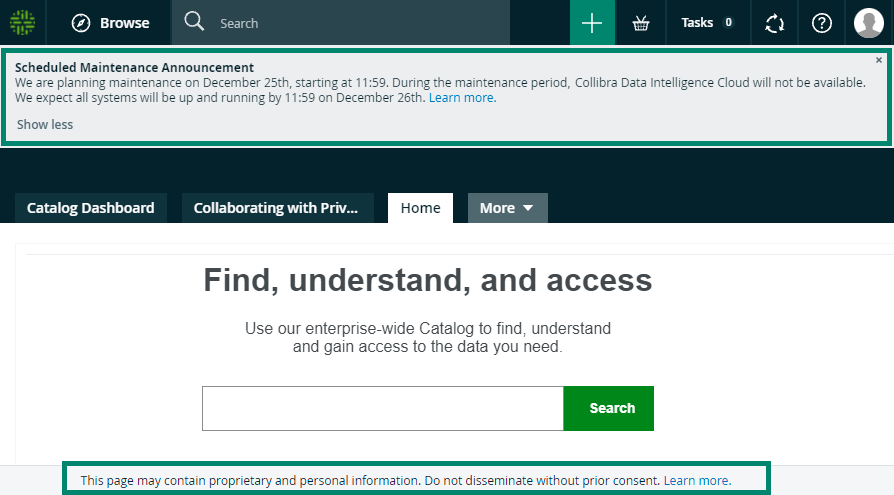
Banners are messages that are visible for all users, on all pages of Collibra Data Intelligence Cloud.
If you have a global role with the System Administration global permission, you can create, edit and delete banners in the Banners page of the General section of the Collibra settings.
Top Banner
The top banner appears at the top of the page. It can contain up to 500 characters of rich text, including line breaks, but no images. You can dismiss it, after which it no longer appears until the message is updated. This is typically a good place to make company-wide announcements.
Bottom Banner
The bottom banner appears at the bottom of the page. It can contain up to 250 characters of rich text, but no line breaks or images. You cannot dismiss the bottom banner and it is always visible, even in printed output. We recommend that you only use the bottom banner to display important information, such as disclaimers and legal information.
Example