A hierarchy is a visual representation of relations between assets. The hierarchy feature for asset views enables you to display a set of assets in a table as a hierarchy or a tree structure based on the relations between the assets. You can select which relation types to display in the hierarchy.
Note Collibra Data Intelligence Cloud uses dotted lines to graphically depict the relations between the assets in the hierarchy. Small carets (triangles) depict nodes in the hierarchy that you can expand.
When enabling hierarchies, you can choose between the following types of hierarchies:
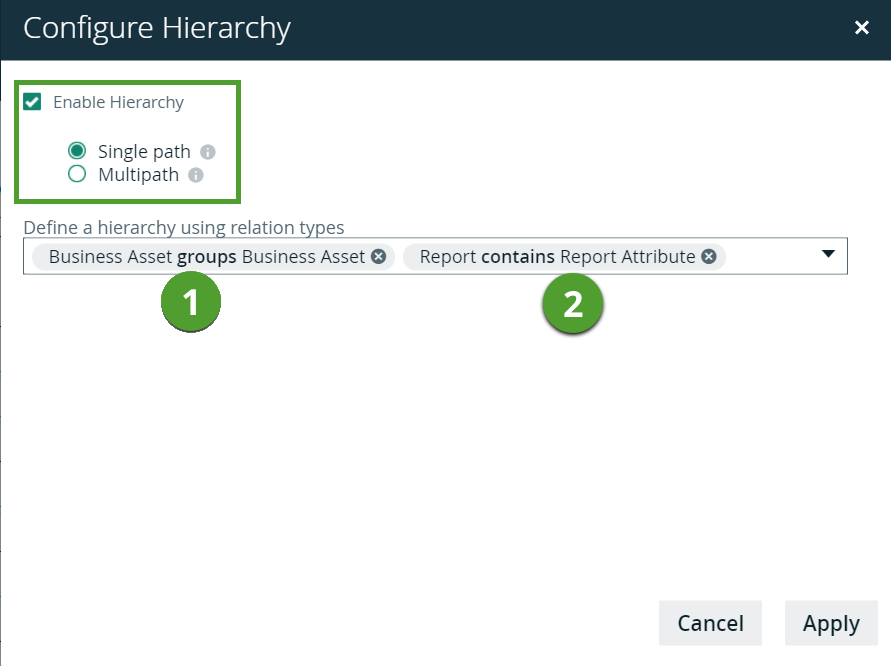
- Single-path hierarchy: For each node at a certain level in the hierarchy, there is only one path to the nodes at the next level.

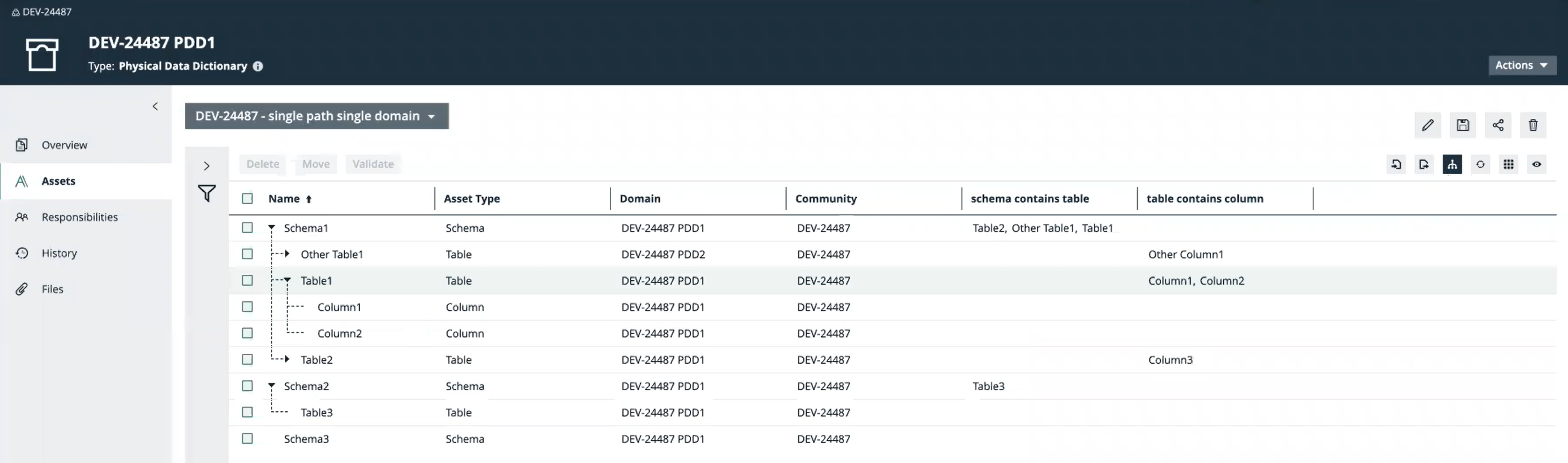
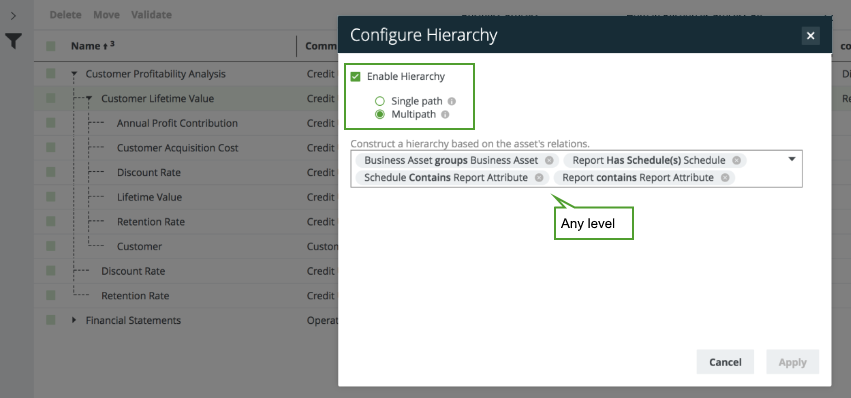
- Multi-path hierarchy: At each junction, any relation type in the hierarchy path is traversed to find more nodes. That is, all relations are traversed for any asset, at any depth.


- In a hierarchy, filters are applied only at the root level.
- You cannot export or import a hierarchy.
- In a hierarchy, you cannot use the tile mode of display.
Single-path hierarchy
Suppose that you have assets that represent Reports. Each Report asset contains Report Attribute assets. You can depict this as a single-path hierarchy using a single relation type:
[Report] contains [Report Attribute]
The maximum depth (that is, the number of relations between a root node and a leaf node) of the resulting hierarchy is one.
Suppose that some of those Report Attributes are represented by Business Assets via the following relation type:
[Data Asset] represented by [Business Asset]
Note Report Attribute is a child asset type of Data Asset.
You can depict this as a single-path hierarchy using the following relation types:
- [Report] contains [Report Attribute]
- [Data Asset] represented by [Business Asset]
The maximum depth of the resulting hierarchy is two.
Suppose that those Reports are grouped into other Reports. You can depict this as a single-path hierarchy using a single relation type:
[Report] groups [Report]
The fundamental difference between this hierarchy and the previous one is that in this hierarchy, the target asset type of the relation (Report) is also the source asset type (Report), which can result in a hierarchy of unlimited depth. For example:
- Report A groups Reports B and C
- Report B groups Reports D and E
- Report C groups Reports F
While this hierarchy shows the Groups relations between the Reports, it does not show the Report Attributes contained in each Report. A single-path hierarchy does not allow two relation types to be simultaneously depicted in a hierarchy as follows:
- [Report] groups [Report]
- [Report] contains [Report Attribute]
In a single-path hierarchy, each Report node acts like a junction at which you can view the instances of one relation type or the other, but not both.

Multi-path hierarchy
Considering the example described earlier, in a multi-path hierarchy, you can simultaneously view:
- [Report] groups [Report]
- [Report] contains [Report Attribute]
- [Data Asset] represented by [Business Asset]

Important When viewing the hierarchy for a community or domain, if the parent of a node that is in the community or domain belongs to a different community or domain, that node is not shown in the hierarchy.