Homepage
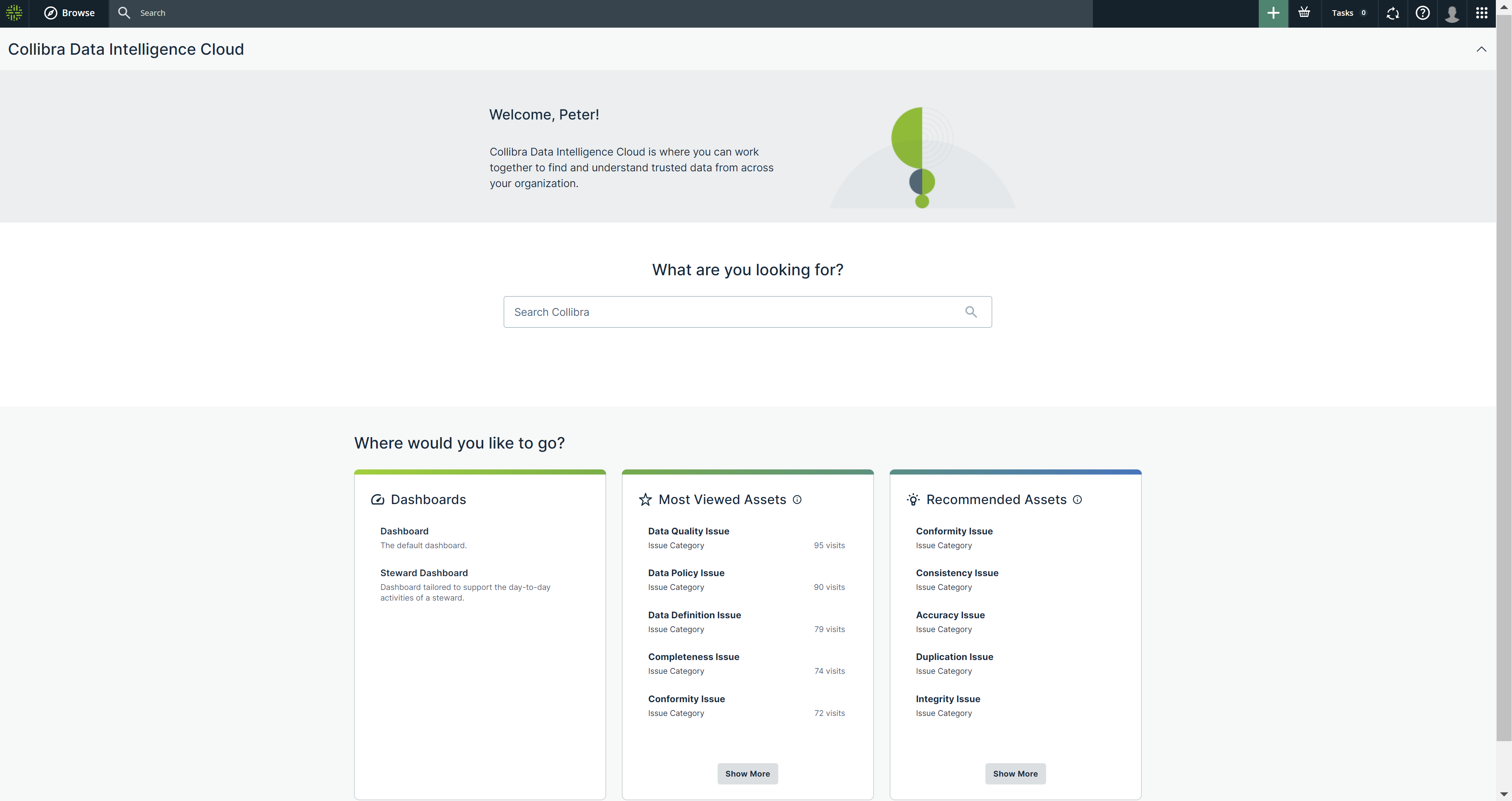
The Homepage is the default page that appears when you sign in to Collibra Data Intelligence Cloud or when you click  on any page in Collibra. The Homepage guides you within Collibra by showing information that is relevant to you, such as your dashboards, the most viewed assets, and the recommended assets. The Homepage also allows you to perform a search.
The Homepage changes how you find or access your dashboards. With the Homepage, all your dashboards appear on the Dashboards card, as well as on the Dashboards tab in the Browse pane.
Note If your Collibra environment was created in or after version 2022.11, the Homepage is enabled by default. If, however, your environment was created prior to 2022.11 and is upgraded to 2022.11 or newer, the Homepage is available but disabled by default. For information about how to enable or disable the Homepage, go to Enable or disable the Homepage.