Configure the Data Marketplace landing page
As an administrator, you can optimize the landing page. You can configure the quick links, introduction text, actions, and define whether discovery data must be available.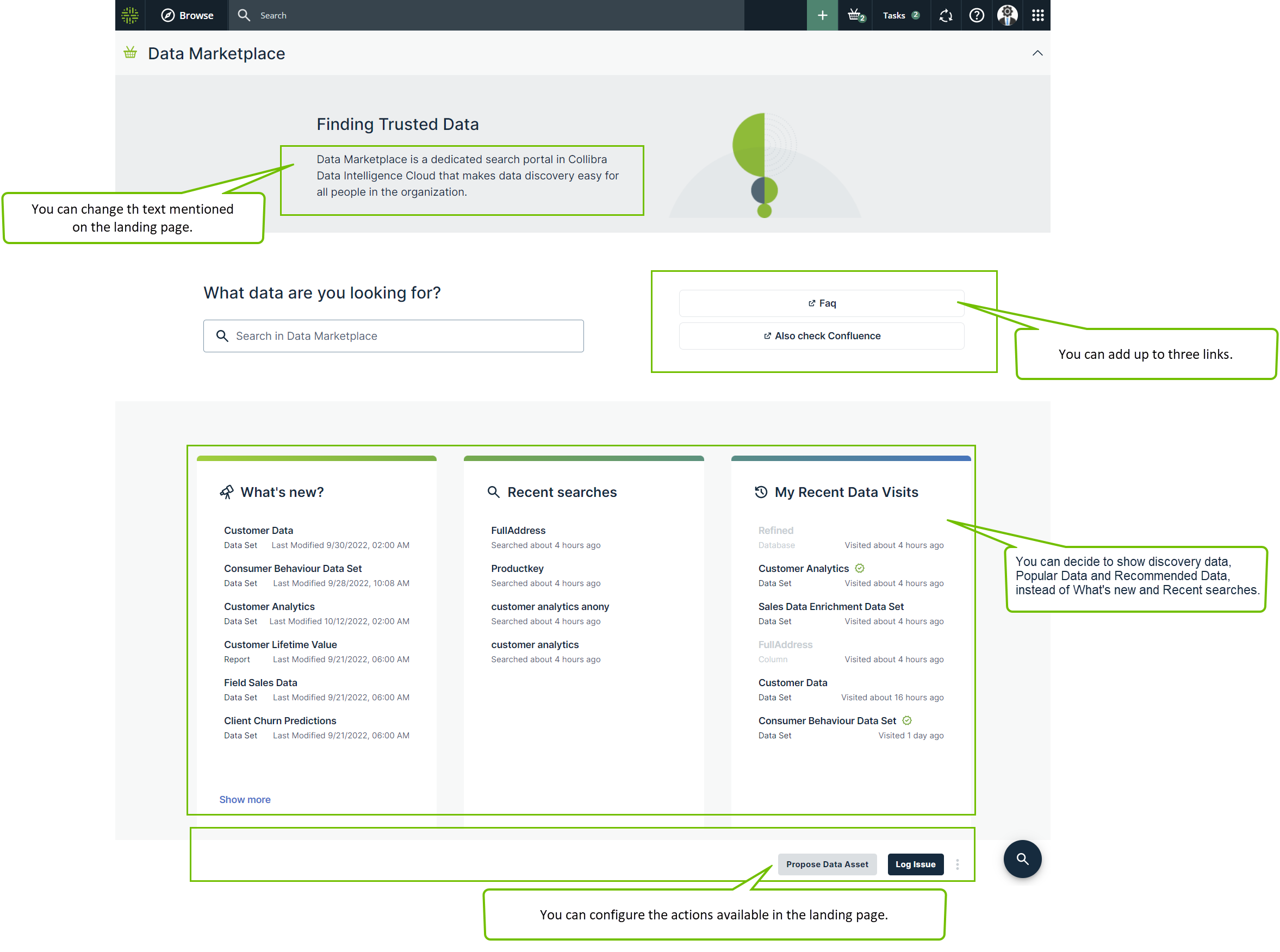
Prerequisites
- Data Marketplace is enabled.
- The Settings landing page is enabled.
- You are an administrator in Data Marketplace.
Steps
-
On the main menu, click
 , and then click
 Settings.
The Collibra settings page opens. - To change the introduction text or add links:
- In the Data Marketplace section, click Landing Page.
- In Data Marketplace Description, change the text.
- In Quick Links, add a Label and URL for the link you want to add.
You can add a maximum of three links.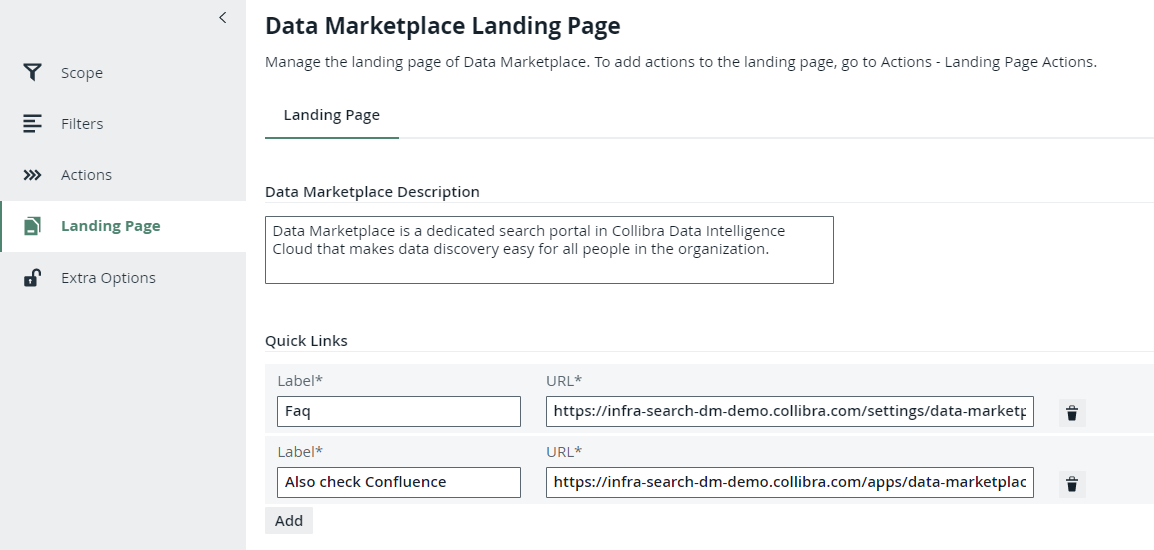
- Click Save.
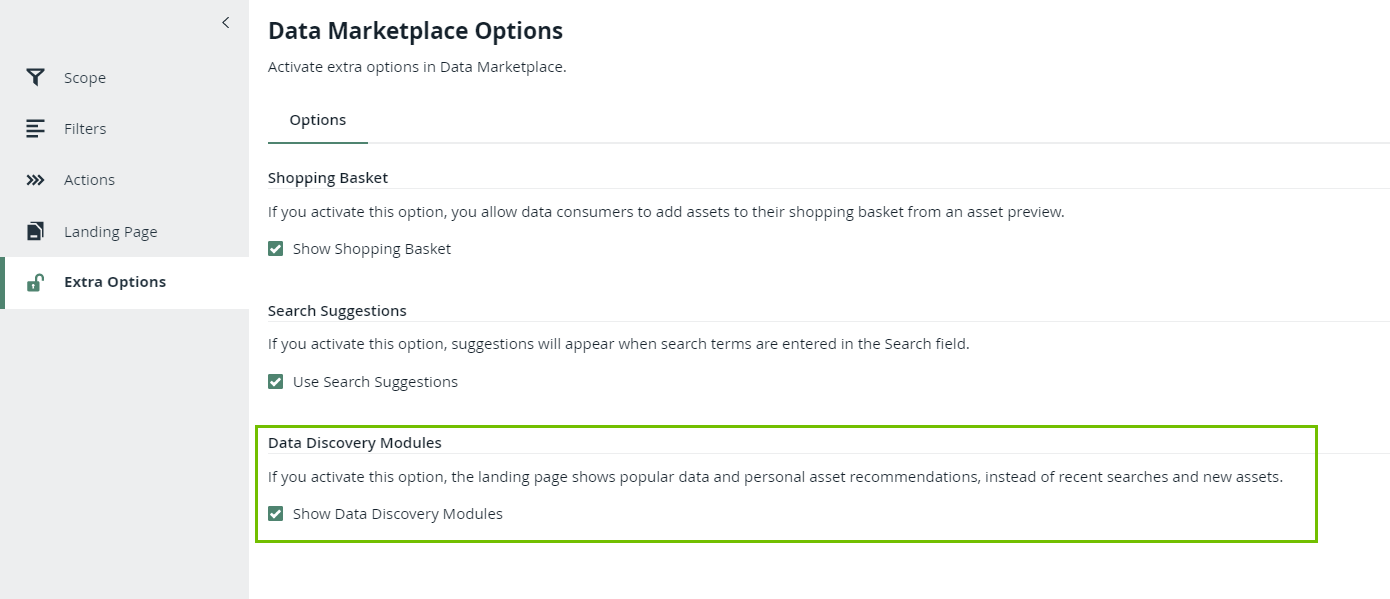
- To show Popular Data, Recent Data Visits, and Recommended Data instead of Recent searches, Recent data visits, and What's New on the landing page:
- In the Data Marketplace section, click Extra Options.
- Select the check box Show Data Discovery Modules.
- Click Save.
NoteSetting "Collect Application Usage Data" has an impact on the availability of popular and recommended data. This setting is enabled by default. Because this setting is not accessible in cloud environments, create a support ticket should you want to change this setting.
- To add specific actions to the landing page, go to Make actions available in Data Marketplace.