Manage your own JDBC drivers
To register a database as a data source you need a JDBC driver. You can use one of your own JDBC drivers.
For more information, see Supported data sources for data source registration.
This allows you to do the following:
- Edit an existing JDBC driver.
- Install a new JDBC driver for a data source type that has an existing JDBC driver, for example Oracle12c.
- Install a new JDBC driver for a data source type that doesn't have a JDBC driver yet, for example Amazon EMR.
Tip You can also do this with a Collibra-provided JDBC driver that you download from Collibra Marketplace.
This operation should only be executed by your database administrator.Prerequisites
- You have a global role with the Catalog global permission, for example Catalog Author.
- You have downloaded the JDBC driver of your choice as an archive file (for example, ZIP or JAR).
- You have configured one or more Jobservers in Collibra Console. If there is no available Jobserver, the Register data source actions will be grayed out in the global create menu of Collibra Data Intelligence Cloud.
- You have a resource role with the following resource permissions on the Schema community:
- Asset > add
- Attribute > add
- Domain > add
- Attachment > add
Steps
-
In the main menu, click
 , then
 Catalog.
The Catalog Home opens. - In the main menu, click the
Create (
 ) button.
The Create dialog box appears. - In the Create dialog box, click Register data source (use your own driver).
- In the Register data source dialog box, click
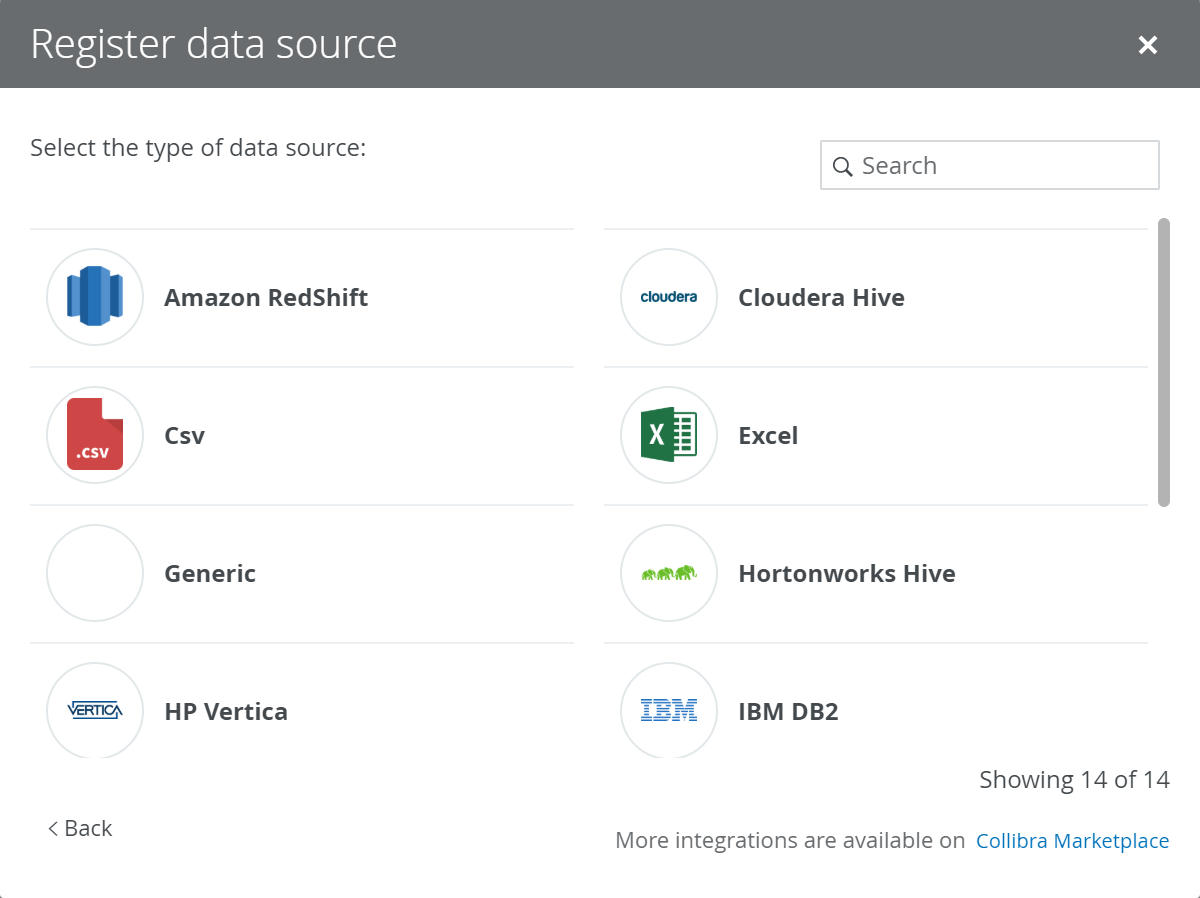
- If a JDBC driver is already installed
- Enter the schema properties.
Field Description Schema name This name is used in Collibra as schema asset and must therefore be unique.
Schema description The description of the schema. This is used as description of the schema asset. Data owner The owner of the registered data in Collibra. - Click Next.
- In the JDBC driver version field, click manage drivers....
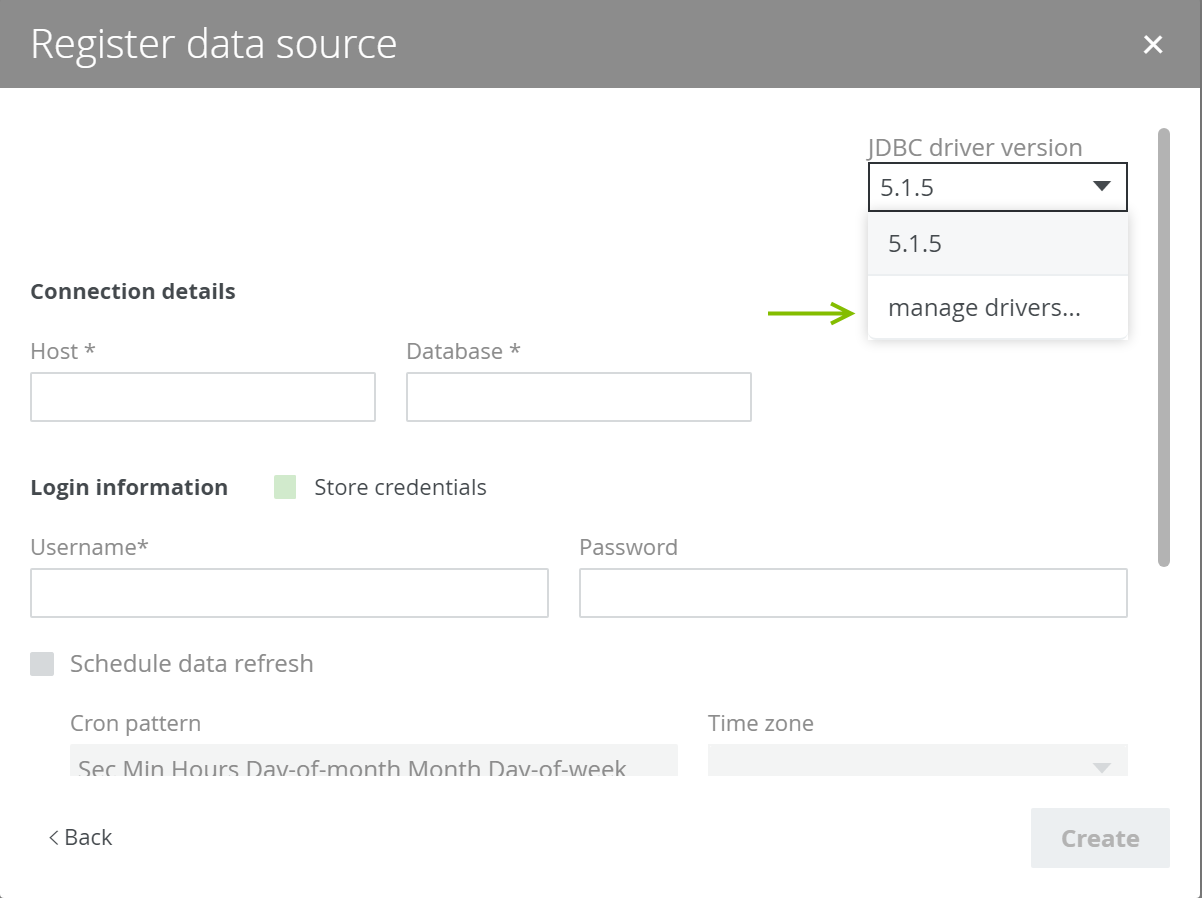
- Enter the schema properties.
- Do one of the following:
- Click Add JDBC Driver if you want to create a new JDBC driver.
- Click
 if you want to edit an existing JDBC driver.
- Enter the required information.
Field Description JDBC Driver Version Name The name of the JDBC driver.  Upload
Button to upload the relevant files for the data source.
The JDBC driver should be in JAR or ZIP format with a valid Java archive structure.
For authentication with CyberArk, you also need to upload a keystore file in JKS format.
Note When you click the button, an Open dialog box appears. By default, the dialog box filters on JAR, ZIP and CONF files. However, you can change the filter to show all files.
For Hortonworks Hive with Kerberos authentication, you need two files: jaas.conf and krb5.conf.
Driver files
This table contains a list of uploaded files.
You can remove a driver file by clicking
 .
. - Click Next.
- Configure the JDBC connection
Field Description Connection The JDBC connection string
In the case of
jdbc:redshift://$host:$port/$database
jdbc:hive2://$host
jdbc:hive2://$host/;AuthMech=1;KrbHostFQDN=cloudera-cdh-510-17119592-jb7nr;KrbServiceName=hive;
jdbc:hive2://$host
jdbc:hive2://$host:$port/;principal=$principal@$realm;auth=kerberos;kerberosAuthType=fromSubject
jdbc:vertica://$host:$port/$database
jdbc:db2://$host:$port/$database
jdbc:hive2://$host
jdbc:hive2://$host:$port/;principal=$principal@$realm;auth=kerberos;kerberosAuthType=fromSubject
jdbc:sqlserver://$host:$port
jdbc:mysql://$host:$port/$database
jdbc:oracle:thin:@//$host:$port/$sid
jdbc:postgresql://$host:$port/$database
jdbc:teradata:$host/DATABASE=$database,DBS_PORT=$port,USER=example,PASSWORD=example
Driver Class Name The driver class name of the connection
In the case of
com.amazon.redshift.jdbc41.Driver
com.cloudera.hive.jdbc41.HS2Driverorg.apache.hive.jdbc.HiveDriver
com.vertica.jdbc.Driver
com.ibm.db2.jcc.DB2Driver
org.apache.hive.jdbc.HiveDriver
com.microsoft.sqlserver.jdbc.SQLServerDriver
com.mysql.jdbc.Driver
oracle.jdbc.OracleDriver
org.postgresql.Driver
com.teradata.jdbc.TeraDriver
Connection properties The various properties of the connection.
Note About the Connection properties table:- The Label column is the value that will appear in the connection details dialog box of the Data Source Registration wizard.
- The Property column contains the parameters in which the user input will be saved.
In the case of
Label Property Mandatory Hostname host Yes Port port Yes Database database Yes Schema schema Yes Label
Property
Mandatory
URL (hostname:port) host
Yes Principal principal
Yes Schema
schema
Yes
Label
Property
Mandatory
URL (hostname:port) host
Yes Schema
schema
Yes
Label
Property
Mandatory
Hostname host
Yes Port port
Yes Database
database
Yes
Schema
schema
Yes
Label
Property
Mandatory
Hostname host
Yes Port port
Yes Database
database
Yes
Schema
schema
Yes
Label
Property
Mandatory
URL (hostname:port) host
Yes Schema
schema
Yes
Label
Property
Mandatory
Hostname host
Yes Port port
Yes Database
databaseName
Yes
Schema
schema
Yes
Label
Property
Mandatory
Hostname host
Yes Port port
Yes Database
database
Yes
Label
Property
Mandatory
Hostname host
Yes Port port
Yes SID
sid
Yes
Schema
schema
Yes
Label
Property
Mandatory
Hostname host
Yes Port port
Yes Database
database
Yes
Schema
schema
Yes
Label
Property
Mandatory
Hostname host
Yes Port port
Yes Database
database
Yes
Schema
schema
Yes
If you want to use CyberArk authentication, you need the following connection properties.
Label Property Mandatory Keystore file keystoreFile Yes Keystore password
keystorePass
Yes
Default truststore
defaultTruststore No CyberArk address cyberarkAddress Yes CyberArk application ID
cyberarkAppId
Yes
CyberArk query cyberarkQuery
Yes
If you want to use Kerberos authentication, you also need the following connection properties.
Label
Property
Mandatory
Principal principal
Yes Kerberos realm
realm
Yes
Login context name
loginContextName
You can find the value for this property in the jaas.conf file.
Yes
Jaas file name
com.collibra.jobserver.dto.catalog.JdbcConnection.jaasConfig
Yes
Kerberos configuration file
com.collibra.jobserver.dto.catalog.JdbcConnection.krbConfig
Yes
If you want to use NTLM authentication, you also need the following connection properties.
Label
Property
Mandatory
Security
integratedSecurity must be value
True.Yes
Authentication scheme
authenticationScheme must be value NTLM.
Yes
- Click Create.
This information varies depending on your data source type and authentication method.
Data source type | Authentication method |
What's next?
You can now complete the data source registration wizard.